
Every commercial security camera system needs software to tie it all together, to record, organize, and make footage accessible when it actually matters. Milestone XProtect video management software is one of the most widely deployed platforms for exactly that purpose, running behind the scenes in facilities ranging from small offices to multi-site enterprise operations across nearly every industry.
But choosing the right VMS isn’t just a software decision. It directly affects your camera hardware, your network infrastructure, your storage requirements, and your ability to scale down the road. At CommX Networks, we design and install commercial security camera systems throughout Southwest Florida, and the VMS platform is a conversation we have with clients early in every project. The software you pick shapes the entire physical infrastructure underneath it.
This guide breaks down everything you need to know about XProtect, its product tiers, core features, technical requirements, integration capabilities, and where each version fits. Whether you’re evaluating it for a new facility buildout or replacing an aging system, you’ll walk away with a clear understanding of what Milestone offers and whether it aligns with your operation’s needs.
Most commercial facilities install cameras and assume the job is done. The recording device gets mounted in a closet, footage loops on a cycle, and nobody reviews it until something goes wrong. At that point, retrieving usable footage is either slow, clunky, or impossible because the system was never designed for anything beyond basic playback. That gap between having cameras and running a functional security operation is exactly where video management software becomes the deciding factor.
Network video recorders handle the fundamentals: they capture and store footage from connected cameras. But they don’t scale well, they struggle with large camera counts, and their search tools are typically limited to timeline scrubbing. If you manage a warehouse with 60 cameras spread across multiple zones, finding a specific incident from three days ago using a basic NVR can take an investigator an hour or more of manual review.
Milestone XProtect video management software solves this by treating your entire camera network as a unified, searchable system. You can apply motion-based search filters, configure intelligent alerts on specific zones, and pull clips directly into incident reports from a centralized interface. The difference in response time between a basic NVR and a properly configured XProtect deployment is significant enough to affect real operational outcomes.
A well-configured VMS doesn’t just record events; it gives your team the tools to act on footage quickly and accurately when it counts.
One reason XProtect maintains a strong presence across enterprise and mid-market security is that it runs on open architecture. You’re not locked into a single camera manufacturer. The platform supports thousands of devices from hundreds of vendors through Milestone’s driver library, which means you can build or expand your camera system using hardware that fits your environment and budget without being forced into a proprietary ecosystem.
That flexibility also extends to how the system grows over time. You can start with a modest deployment at a single location and expand to multiple sites without replacing your core software platform. Each site feeds into the same management interface, which matters when you’re overseeing security across several buildings or properties from one centralized operations desk.
The VMS you select shapes every infrastructure decision that follows. Storage requirements depend on how many cameras you run, what resolution they capture, and how long you need to retain footage. Bandwidth calculations depend on whether cameras stream continuously or trigger on motion. Your network switch configuration, server specs, and cabling runs all respond to what the software demands.
Selecting XProtect early in a project allows your installation team to size the physical infrastructure correctly from the start rather than retrofitting it after the cameras are already mounted. Undersized servers cause dropped frames and recording gaps. Insufficient switch capacity causes latency. These aren’t minor inconveniences; they’re failures that surface during the exact moments your security system needs to perform. That’s why CommX Networks brings the VMS conversation into the initial planning phase of every commercial security installation we take on across Southwest Florida.
Understanding the architecture helps you make smarter decisions about your installation. Milestone XProtect video management software runs on a client-server model, where a dedicated recording server handles the heavy lifting of ingesting and storing camera streams, while the management client on your workstation gives operators a live and historical view of the entire camera network.
Cameras connect to the network and register with the XProtect recording server through an IP address and credentials. The server pulls streams from each camera, applies the recording schedule you configure, such as continuous, motion-triggered, or time-based rules, and writes the footage to your designated storage. Multiple recording servers can operate under a single management server, which is how large facilities or multi-site organizations keep everything visible from one centralized interface.
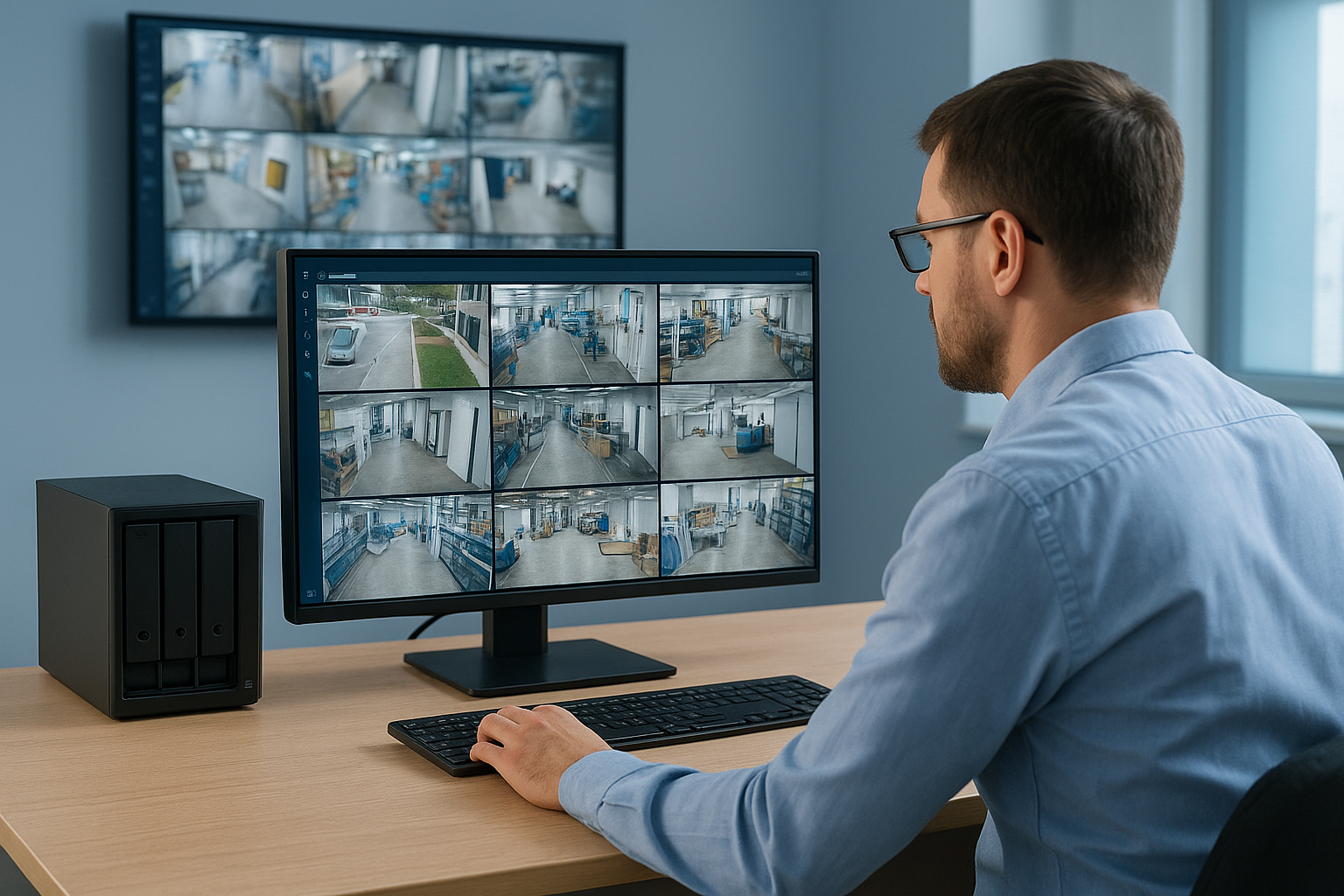
Your security team works inside the management client on a daily basis. Live feeds, playback, search tools, and alert responses all run through this interface. Operators can monitor camera groups, zoom into specific zones, and export clips with a few clicks. Access control settings let you restrict which operators see which cameras, which matters in environments where you manage multiple tenants or departments with separate security requirements.
XProtect processes events in real time through its rule-based engine. You define what constitutes a trigger, such as motion in a restricted zone, a camera going offline, or an input signal from an external device, and the system responds automatically. Responses can include recording at a higher frame rate, sending an email notification, activating an output device, or flagging the event in the incident log for later review.
The rule engine is where a basic camera network becomes an active security tool, because your team gets notified before they need to go looking for a problem.
When an alert fires, the operator sees a notification in the client interface tied directly to the relevant camera feed. Video bookmark tools let them tag the exact moment immediately, which speeds up documentation and cuts the time between an incident occurring and a formal report being filed. That response speed matters in warehouses, distribution centers, and any facility where footage needs to support insurance claims or regulatory compliance reviews.
Milestone offers five distinct product tiers, each built for a different scale of operation. Picking the wrong one either leaves you paying for features your facility will never use or locks you into a version that can’t grow with your camera count and site complexity. Understanding what separates each tier saves you from making an expensive correction six months into a deployment.
Milestone XProtect video management software runs across five editions that increase in capability and licensing complexity as you move up the stack. Here is a breakdown of each tier and the environments they are designed for:
| Edition | Best For | Key Limitation |
|---|---|---|
| XProtect Essential+ | Micro deployments, up to 8 cameras | No smart search, limited integrations |
| XProtect Express+ | Small businesses, up to 48 cameras | Limited multi-server support |
| XProtect Professional+ | Mid-size facilities, 50-plus cameras | No server failover |
| XProtect Expert | Large sites, multi-server setups | Higher licensing cost |
| XProtect Corporate | Multi-site enterprise operations | Most complex to administer |
Essential+ is free to use and covers very small installations where basic recording and playback are sufficient. Once your camera count grows or you need motion-based search and alert rules, stepping up to Express+ or higher becomes necessary.
Warehouse and distribution center operators typically land on Professional+ or Expert. These editions support larger camera counts, rule-based automation, and the kind of granular access controls that matter when you’re managing security across loading docks, receiving areas, and inventory zones. Expert adds server failover, which protects your recording continuity if a primary server goes offline during an active shift.
Corporate is built for organizations managing multiple physical locations from a single interface. If you oversee security across several properties in Southwest Florida, Corporate gives you federated management tools that let one administrator handle the entire portfolio without jumping between separate systems. The added administrative complexity is worth it once you’re operating at that scale, but it adds setup time and requires a more robust server infrastructure to match.
Choosing the right tier upfront prevents the costly process of migrating licenses and reconfiguring your server setup after your camera count outgrows your original selection.
Before a single camera gets mounted, your server and network infrastructure need to be sized for the load that Milestone XProtect video management software will place on them. The software itself runs on Windows Server, and Microsoft’s supported server operating system versions change with each XProtect release, so confirming compatibility before purchasing hardware saves you from a rebuild later. Your recording server handles continuous ingestion from every active camera, so treating it as a general-purpose office machine is a mistake that shows up fast as dropped frames and storage errors.
Processor and RAM requirements scale directly with your camera count and the resolution each camera streams. A deployment of 30 cameras running at 1080p with motion-based recording will demand far more from your recording server than the same count at lower resolution. Milestone publishes a hardware calculator to help estimate specifications, but as a working baseline, most mid-size commercial deployments start with a multi-core server processor, 16GB of RAM minimum, and dedicated recording drives separate from the operating system drive.
Storage is where most facilities underestimate their needs. Retention period and camera count are the two primary variables. A 60-camera warehouse storing 30 days of 1080p footage at 15 frames per second can consume 50 terabytes or more depending on compression settings. RAID configurations protect against drive failure, but they don’t replace a backup strategy. Planning for this before installation prevents the uncomfortable conversation about pulling cameras offline to free up space.
Sizing your server correctly from day one costs less than replacing undersized hardware six months into a live deployment.
Camera streams travel across your local network from each camera to the recording server, which means your switch infrastructure, cable runs, and network segmentation all affect system performance. High-resolution cameras using H.265 compression consume roughly 2 to 4 Mbps per stream at moderate frame rates. A 50-camera deployment can generate 200 Mbps of sustained network traffic on the security VLAN alone, which requires properly sized switches and dedicated uplinks between floors or buildings.
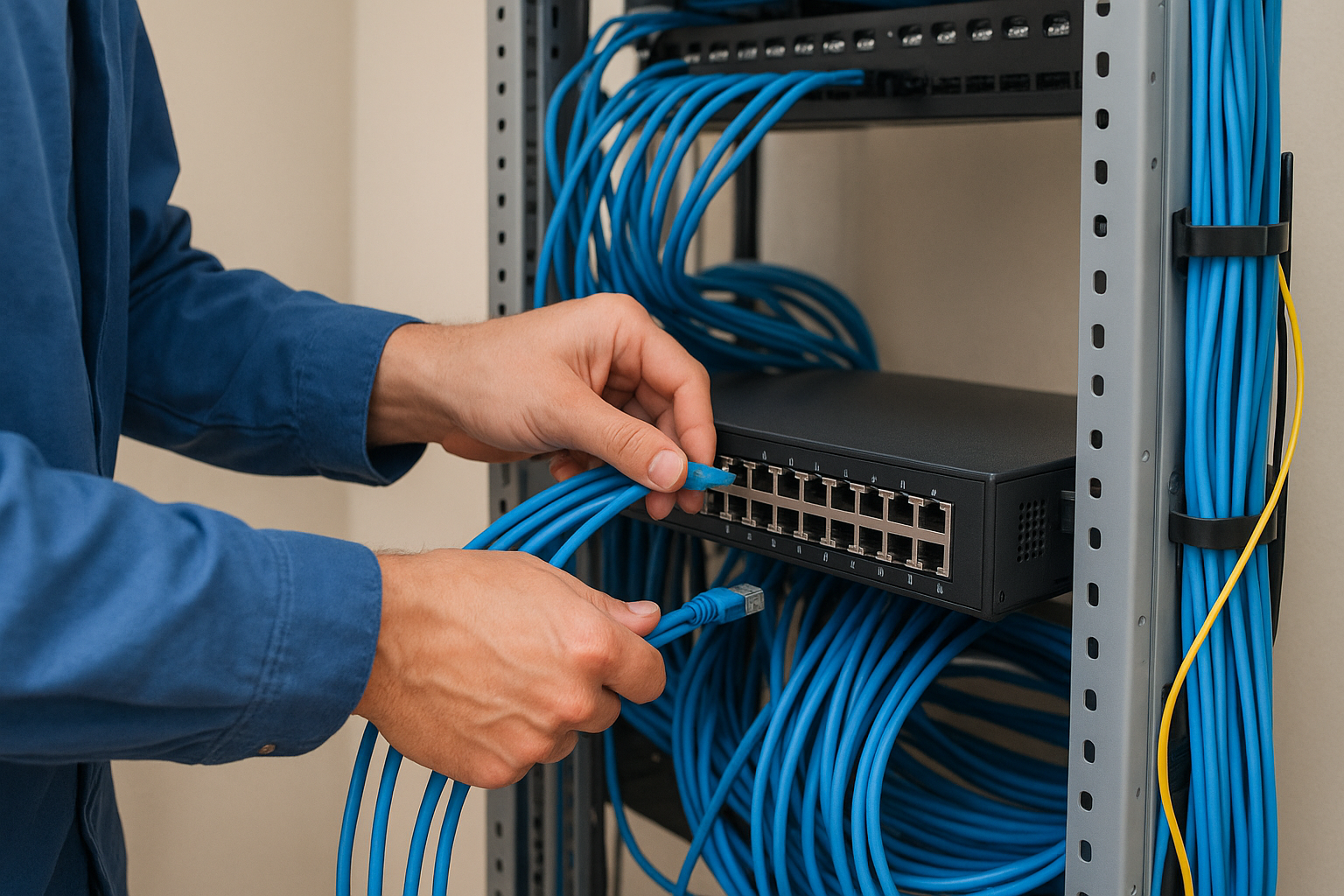
Cat6 cabling handles that load reliably across standard commercial distances, and fiber runs between buildings or MDF/IDF locations eliminate latency issues that copper can’t resolve at longer spans. Getting the physical layer right is what makes the software perform as intended.
Milestone XProtect video management software connects with a wide range of third-party systems through its open platform architecture. Access control panels, intercoms, point-of-sale terminals, and building management systems can all feed data into XProtect, tying physical events across your facility into a single operational timeline that your security team can review and act on without switching between separate tools.
The integration layer in XProtect runs through a driver framework called MIP SDK, which allows certified partners to build direct connections between their hardware or software and the XProtect platform. For commercial facilities, the most common integrations involve access control panels that trigger camera recordings when a door is badged, alarm systems that tie sensors to specific camera feeds, and POS terminals that bookmark transactions for loss prevention review. Each connection is configured inside the management client, so your security team controls what triggers a recording and what generates an alert without managing a separate tool.
Confirm your third-party devices against Milestone’s published compatibility database before your installation begins. Not every device connects natively without custom driver development, and discovering that gap after cameras are mounted creates delays you can avoid with upfront verification.
Cybersecurity for a VMS platform starts with your network architecture. Placing cameras and recording servers on a dedicated security VLAN separates surveillance traffic from your general business network and limits the attack surface available to anyone who gains unauthorized access to a single device. XProtect supports encrypted communication between components, including camera streams, client connections, and data moving between management and recording servers, so your footage stays protected in transit.
User access control inside XProtect is role-based. You assign each operator a permission profile that restricts which cameras they can view, which recordings they can export, and which system settings they can change. Audit logging tracks every action taken inside the management client, giving you a clear record if footage is accessed or exported outside of normal operations. Keeping your XProtect installation and your underlying Windows Server environment current with security patches closes the vulnerabilities that attackers target most frequently in networked surveillance deployments.
Separating your camera network from your business network is the single most effective step you can take to reduce exposure before any software-level hardening begins.
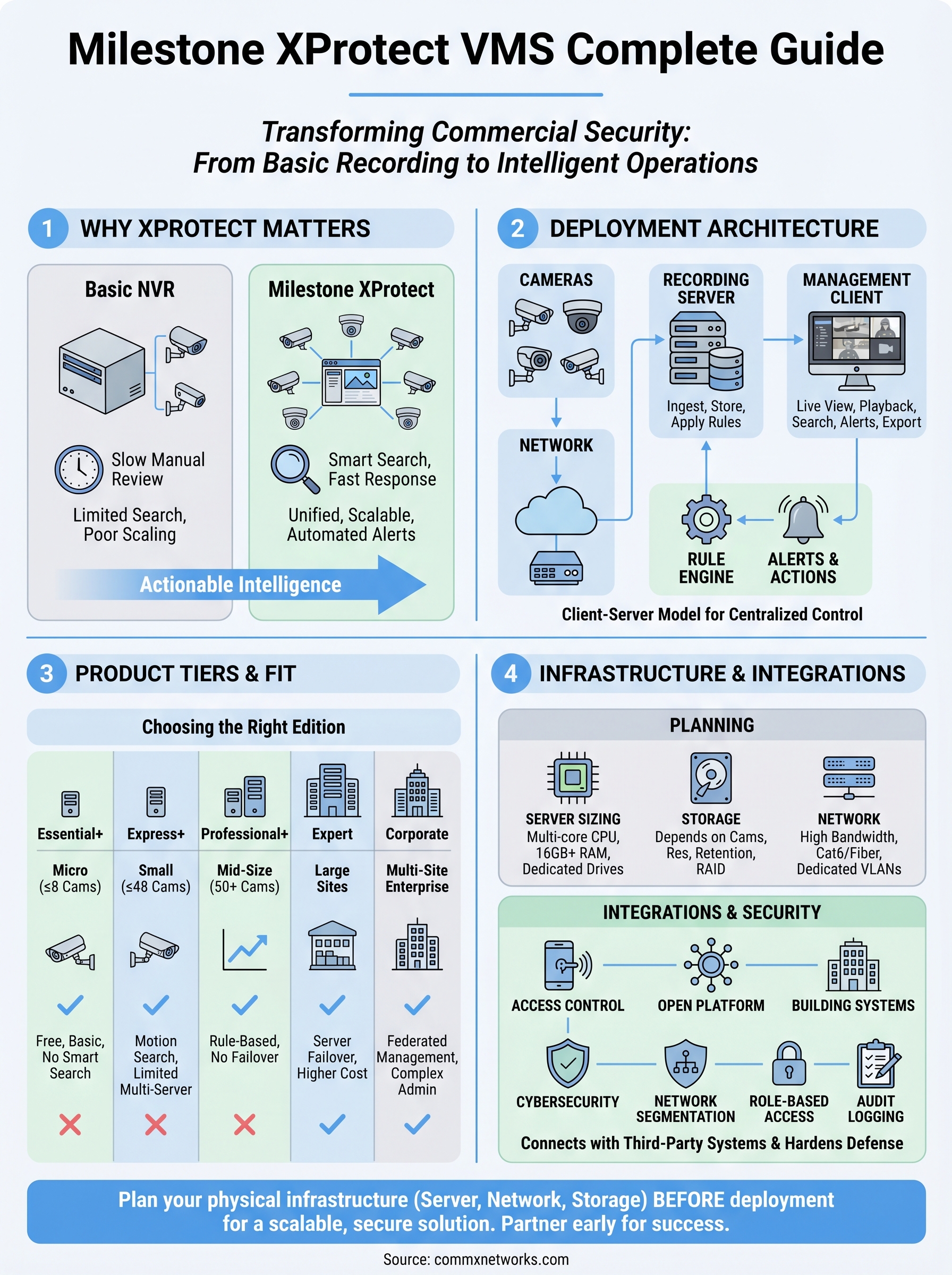
Milestone XProtect video management software gives commercial facilities a platform that grows with them, but getting the most out of it requires planning the physical infrastructure before the first camera goes up. Server sizing, network segmentation, cabling runs, and storage calculations all need to happen in the design phase, not as corrections after installation. Skipping that work upfront creates gaps in coverage, recording failures, and security vulnerabilities that cost more to fix than they would have to prevent.
Your next step is to map out your facility’s camera count, retention requirements, and any third-party integrations you need before selecting an XProtect tier. Bringing an experienced installation partner into that conversation early saves time and budget across every phase of the project. If your facility is in Southwest Florida and you want a team that handles the full infrastructure stack from cabling to camera configuration, contact CommX Networks to get started.