
If you’re planning a security upgrade for your commercial facility, you’ve probably run into the term "IP camera" more than once. So what are IP security cameras, exactly? In short, they’re network-connected cameras that transmit video data over your existing infrastructure, no coaxial cable or legacy DVR required. They represent a fundamental shift in how businesses approach surveillance, and understanding them is the first step toward making a smart investment.
Unlike traditional analog CCTV systems, IP cameras operate on the same type of network your computers and phones use. That means higher resolution footage, remote access from anywhere with an internet connection, and the ability to scale your system as your facility grows. But they also come with considerations around bandwidth, storage, and network configuration that are worth understanding before you commit.
At CommX Networks, we design and install commercial-grade security camera systems across Southwest Florida, from warehouses and distribution centers to office complexes. With 18 years of hands-on experience building the network infrastructure these cameras depend on, we’ve seen firsthand what works and what causes headaches. This article breaks down how IP cameras function, where they outperform analog systems, where they fall short, and what matters most when you’re evaluating them for a commercial environment.
Security infrastructure has changed faster than most businesses realize. Traditional analog systems that were standard 15 years ago now struggle to meet the demands of modern commercial operations. Footage resolution, storage flexibility, and remote access have all become baseline expectations, and the gap between what analog delivers and what IP provides is significant enough to affect real business decisions around safety, liability, and daily operations.
When you ask what are IP security cameras and why they’ve taken over the commercial market, the honest answer starts with what older systems couldn’t do. Analog CCTV cameras typically max out at resolutions that make it difficult to identify faces, read license plates, or capture usable detail in large open spaces. For a warehouse floor or a commercial parking lot, that limitation matters. If an incident occurs and your footage is blurry or pixelated, you lose the evidentiary value that a security system is supposed to provide in the first place.
Storage was also a persistent problem. Analog systems relied on DVRs with fixed local storage, meaning either you ran out of space quickly or paid for oversized hardware upfront. Scaling the system meant running new coaxial cable to every additional camera location, which made expansion expensive and disruptive to ongoing operations.
If your security footage can’t reliably identify people or capture usable detail, the system is giving you a false sense of protection.
IP cameras shift the entire model for how surveillance integrates with your business. Because they transmit data over your network, they fit into the same ecosystem as your access control systems, intercoms, and business applications. That connectivity opens up capabilities analog systems simply can’t replicate. You can view live footage from a smartphone, receive motion-triggered alerts, and manage multiple camera locations from a single platform without being physically on-site.
For facilities like distribution centers or multi-building campuses, that level of oversight directly affects how you respond to incidents. A manager in an office can monitor a loading dock in real time. Remote visibility reduces response time and keeps you in control regardless of where you are.
Scalability is another practical advantage. Because IP cameras connect over your existing network, adding cameras to a new section of your facility doesn’t require running entirely new cabling infrastructure from scratch. You extend your network, add your cameras, and configure them through software. For businesses that expect to grow or reconfigure their space over time, that flexibility carries real long-term value and avoids the costly rework that analog expansions typically require.
The financial case is also worth understanding clearly. Higher upfront costs are a real consideration with IP systems, but the total cost of ownership tends to favor them over time. You avoid repeated analog infrastructure replacements, gain higher-quality footage that supports insurance claims and legal proceedings, and reduce the manual oversight required to manage recordings. The investment reflects the durability and capability you’re putting into your facility’s security foundation.
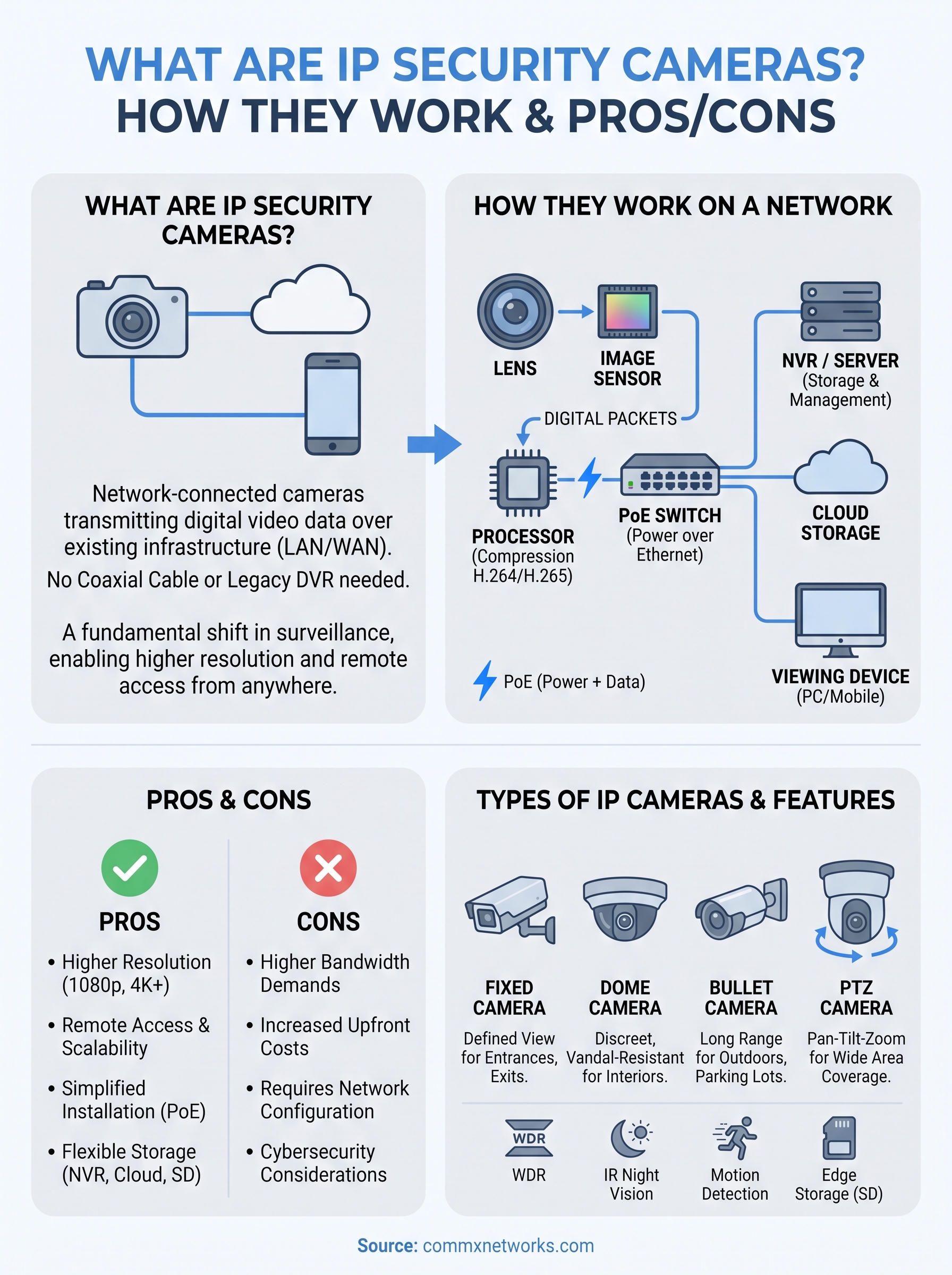
Understanding what are IP security cameras means understanding how they actually process and move data. Unlike analog cameras that send a raw video signal over coaxial cable to a DVR, IP cameras convert video into compressed digital data at the camera itself. That data travels over your local area network (LAN) to a network video recorder (NVR), a server, or cloud storage, depending on how your system is configured. The camera functions as an independent networked device with its own IP address, similar to how a computer or printer connects to your business network.
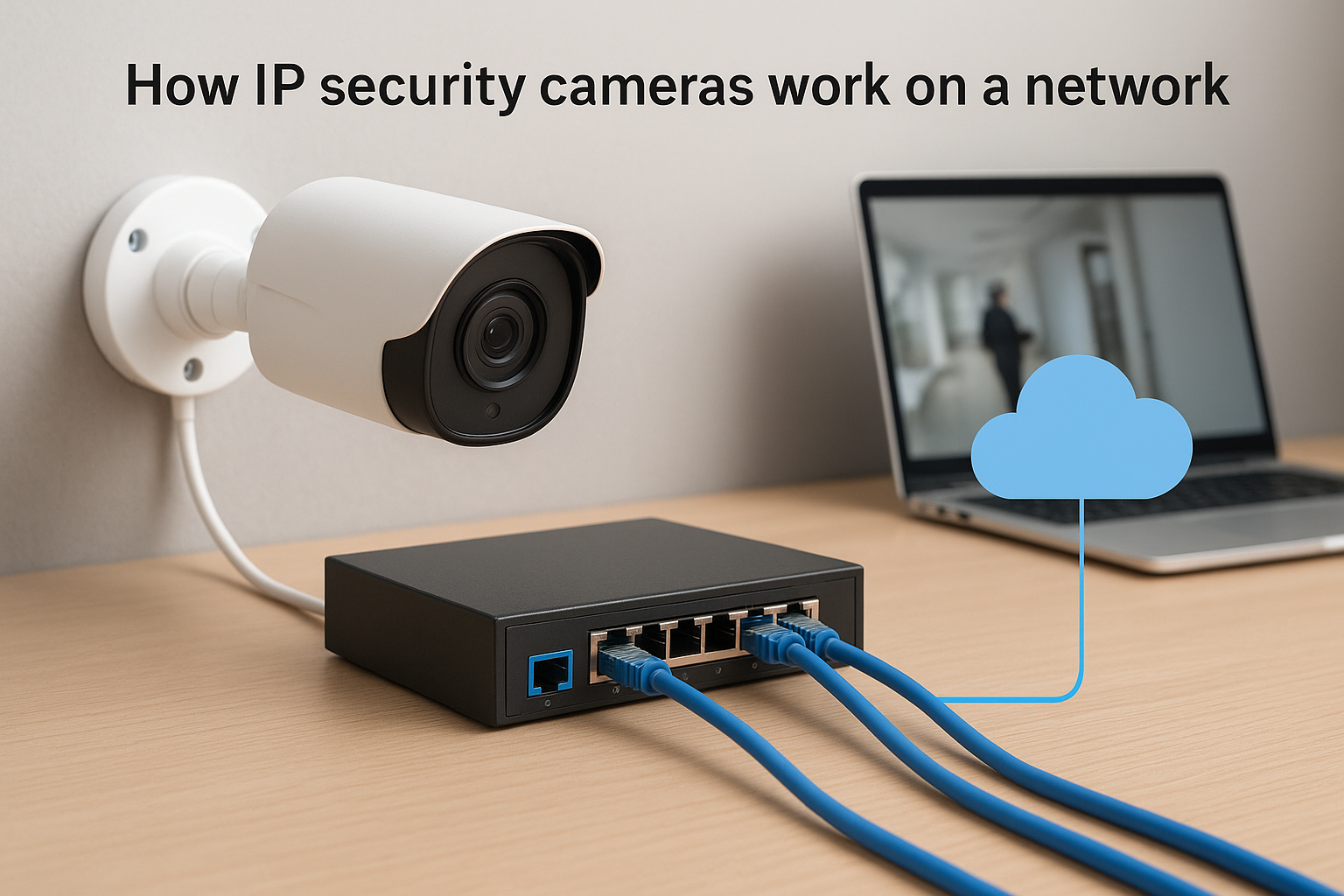
When light hits the camera’s image sensor, the camera processes that image internally. An onboard processor applies compression using codecs like H.264 or H.265, which reduces file size without sacrificing significant detail. The compressed stream then gets wrapped into data packets and sent over your LAN through a standard Ethernet connection. Your NVR or video management software receives those packets and reassembles them into continuous video you can view, record, and review from a connected device.
This continuous processing is why your network infrastructure matters before you place a single camera. A single high-resolution IP camera streaming at full quality can use 3 to 8 Mbps of network bandwidth, and a large facility running dozens of cameras needs a network designed to handle that load without degrading your other business traffic. Failing to account for camera bandwidth during your network design is one of the most common causes of poor system performance after installation.
Getting your network design right before cameras go up saves you from performance problems that cost far more to fix after the fact.
Most modern IP cameras use Power over Ethernet (PoE), which means a single Cat6 cable handles both data transmission and electrical power to the camera. You don’t need a separate power outlet at each camera location, which simplifies installation and reduces the number of physical connections that can fail or require ongoing maintenance. A PoE switch at your IDF or MDF supplies power through the same cable carrying your video data.
Your structured cabling directly affects what your cameras can deliver. Cat6 cabling supports the bandwidth demands of high-resolution IP cameras across standard commercial distances, while fiber optic runs handle longer distances between buildings or separate floors without signal loss or degradation.
When you’re evaluating security options for a commercial facility, understanding what are IP security cameras means understanding how they compare to the two most common alternatives: traditional analog CCTV systems and wireless Wi-Fi cameras. Each approach has a distinct architecture, and those differences translate directly into practical performance outcomes for your building.
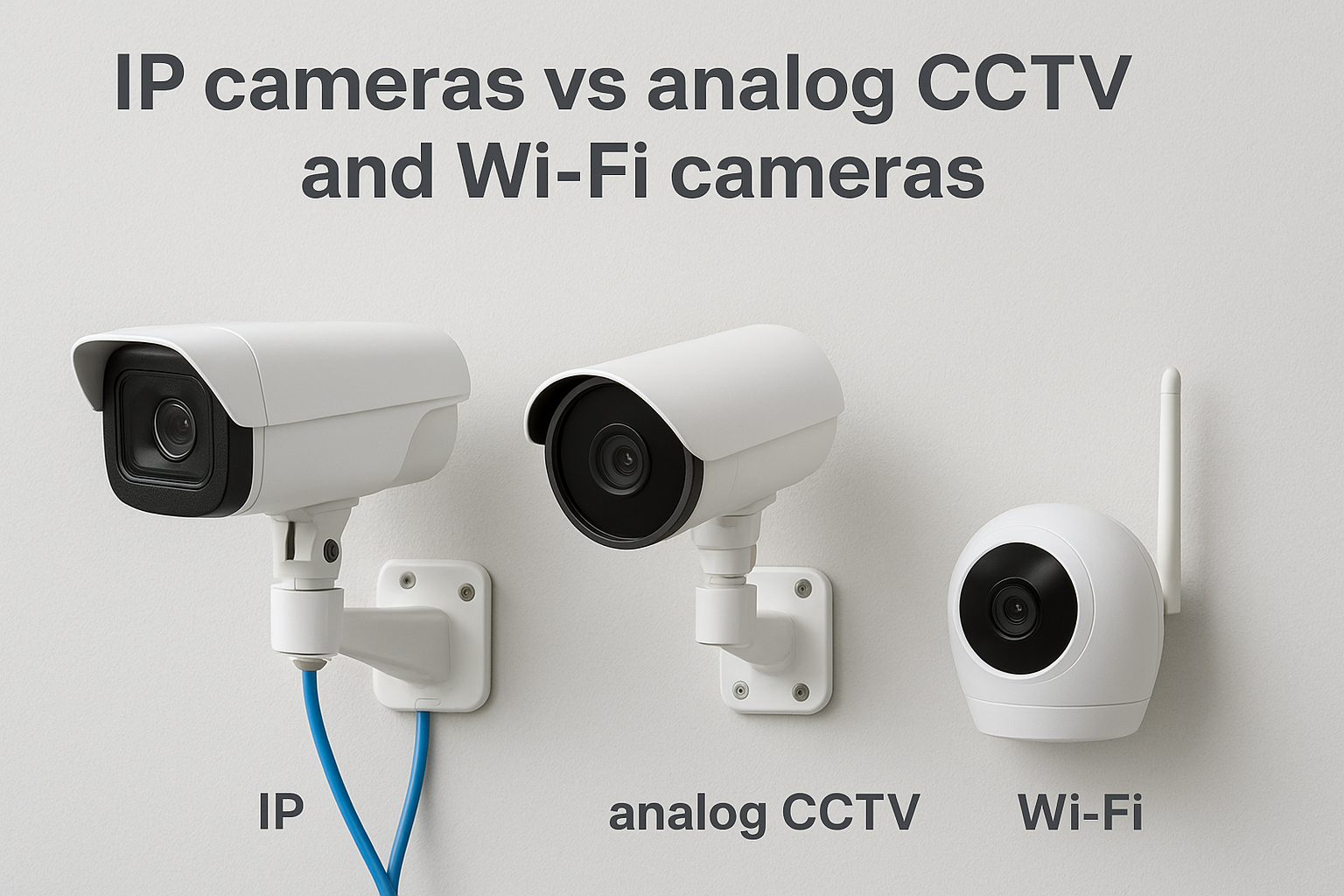
The most important difference between IP and analog systems is where video processing happens. Analog cameras capture raw footage and send an unprocessed signal over coaxial cable to a DVR, which handles all recording and compression. IP cameras do that processing onboard, which means higher resolution, more flexible storage options, and full network-based access from the start.
Analog systems top out at relatively low resolutions that work adequately in small enclosed spaces but fall short in larger environments. IP cameras routinely deliver 1080p, 4K, or higher resolution, giving you the detail needed to identify individuals or read license plates across a parking lot or warehouse floor. The infrastructure trade-off is real: analog requires coaxial cable to every camera location, while IP cameras run on the Cat6 cabling your network already uses or can be extended with.
Coaxial cable expansion is expensive and disruptive. Running Cat6 for IP cameras typically costs less and leaves you with infrastructure that serves multiple purposes across your facility.
Wi-Fi cameras process video the same way wired IP cameras do, but they transmit data over your wireless network instead of a physical Ethernet connection. For a small office or single-floor retail space, that difference may not create meaningful problems. For a commercial facility with large floor plans or dense construction materials, it creates real reliability concerns.
Wireless connections introduce variables that wired connections don’t: signal interference, bandwidth congestion, and dead zones in concrete-heavy buildings like warehouses or manufacturing plants. A Wi-Fi camera operating at the edge of your network’s coverage range will drop frames, lose connectivity, or reduce resolution to compensate for a weak signal. Wired IP cameras connected via Cat6 deliver consistent, stable throughput regardless of what else is happening on your wireless network at the same time.
The operational case for wired IP cameras comes down to consistent performance under real conditions. Your security system needs to function when an incident actually occurs, not only when signal conditions happen to be favorable. For facilities with multiple buildings, dense construction materials, or large floor plans, a wired IP infrastructure gives you a dependable foundation you can expand on over time.
Part of understanding what are IP security cameras involves knowing that they don’t all work the same way. Different camera types serve different physical environments, and the hardware you select should match the actual layout and coverage requirements of your facility rather than a generic default configuration.
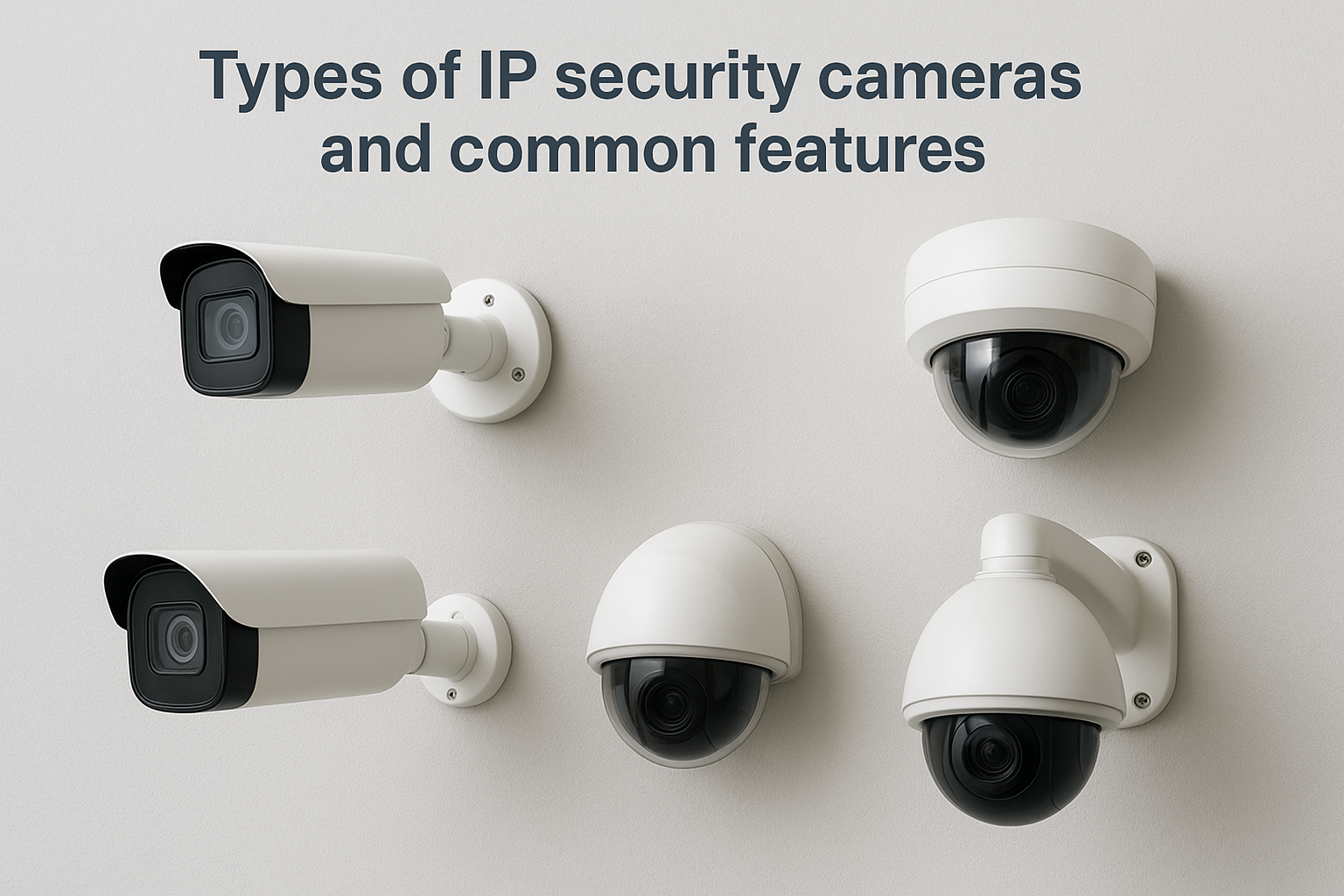
Fixed cameras point in a single direction and capture a defined field of view. They work well for entrances, exits, narrow corridors, and specific assets like server rooms or cash handling areas where you already know exactly what you need to monitor. Dome cameras house the lens inside a vandal-resistant enclosure mounted to a ceiling, which makes the direction of coverage less obvious to anyone in the space. Bullet cameras extend outward from a wall or ceiling mount and typically handle longer focal ranges, making them a practical choice for parking lots, loading docks, and perimeter monitoring.
The right form factor depends on your specific environment. A distribution center with high bay ceilings and wide open floor space has different needs than a multi-tenant office building with enclosed corridors and individual suite entrances. Mixing camera types across a single facility is common and often necessary to cover every zone without gaps.
PTZ cameras (pan-tilt-zoom) can rotate horizontally, tilt vertically, and optically zoom in on a target without losing image quality. They cover a wider area than a fixed camera and let operators track movement across a large open space in real time. A single PTZ unit can cover ground that would otherwise require multiple fixed cameras, which affects both your upfront hardware cost and your cable run planning.
PTZ cameras add flexibility, but they require active management to capture events outside their current field of view, which makes them a complement to fixed cameras rather than a replacement.
Regardless of the form factor you choose, most commercial IP cameras share a set of capabilities that directly affect how useful your footage is day to day. Wide dynamic range (WDR) handles high-contrast scenes like a backlit entrance where bright outdoor light and darker indoor areas appear in the same frame. IR night vision extends camera usefulness after dark without requiring additional lighting infrastructure. Motion detection with configurable zones reduces the volume of irrelevant footage your system stores, and onboard storage via SD card provides a local backup if your network connection to the NVR is temporarily interrupted.
Knowing what are IP security cameras is only useful if you also understand where they deliver real value and where they create operational challenges. No security technology is universally the right fit for every facility, and making an informed decision means looking at both sides before you commit budget and infrastructure to a system.
IP cameras consistently outperform older systems in the areas that matter most for commercial operations. Resolution is the most immediate advantage: modern IP cameras capture 1080p, 4K, and higher, giving you footage that holds up under scrutiny whether you’re reviewing a theft incident, filing an insurance claim, or working with law enforcement. You also gain remote access to live and recorded footage from any internet-connected device, which changes how you manage security across large or multi-site facilities.
The ability to review an incident remotely minutes after it happens is a capability analog systems simply cannot match.
The advantages of IP cameras extend beyond image quality:
The tradeoffs with IP cameras are real, and ignoring them during the planning phase leads to performance problems after installation. Bandwidth is the most significant factor. A large deployment with dozens of high-resolution cameras puts substantial load on your network, and a network that wasn’t designed with camera traffic in mind will experience congestion that affects both your footage quality and your other business systems.
Upfront costs are also higher than a comparable analog setup. Hardware, licensing for video management software, and the network infrastructure required to support the system all contribute to a larger initial investment than many facilities expect. Cybersecurity adds another layer of responsibility: because IP cameras are networked devices, they require firmware updates, strong password policies, and proper network segmentation to prevent unauthorized access. Treating your camera system as a standalone device rather than a networked endpoint is a mistake that creates vulnerabilities in your broader security posture.
Selecting the right system comes down to matching hardware and infrastructure to the specific demands of your facility. Understanding what are IP security cameras and how they operate on a network helps, but the practical selection process requires you to evaluate your physical environment, network capacity, and operational needs before you specify a single camera. Making those assessments upfront prevents costly changes after installation is already underway.
Your facility’s layout determines the camera types, quantities, and mounting positions you need. Large open spaces like warehouse floors or loading docks benefit from high-resolution bullet cameras or PTZ units that cover wide angles without requiring a camera every 20 feet. Enclosed areas like server rooms, reception desks, or corridors call for fixed cameras with narrower fields of view and vandal-resistant housings.
Walk through your facility and identify every zone that needs coverage, including entrances, exits, blind corners, parking areas, and high-value asset locations. A written coverage map created before you purchase hardware saves you from discovering gaps after your system is already installed and configured.
Resolution affects how usable your footage actually is under real conditions. 4K cameras deliver the detail you need for large open spaces, while 1080p handles most standard interior zones adequately. Higher resolution directly increases your storage requirements, so you need to calculate your retention needs based on how many cameras you’re running, the resolution of each, and how many days of recorded footage your operations or compliance requirements demand.
Run your storage calculation before you size your NVR, because underestimating here forces an expensive hardware upgrade sooner than you expect.
Your video management software (VMS) also affects how practical the system is to operate day to day. Look for platforms that support the camera brands you’re deploying, offer role-based access controls for different staff members, and provide mobile access without requiring complex ongoing configuration.
Existing network infrastructure sets the ceiling on what your camera system can realistically deliver. Confirm that your switches support PoE at the wattage your cameras require and that your cabling meets Cat6 standards at every planned camera location. A basic pre-installation checklist helps here:
Planning a physical installation is different from selecting hardware. Even if you have a clear answer to what are IP security cameras and how they function on a network, the actual deployment involves sequencing decisions that affect both your timeline and your final results. Getting the order of operations right means your cameras go up cleanly, your network supports them from day one, and you avoid the rework that comes from skipping steps in the planning phase.
Before any cabling starts, walk your facility with a floor plan and mark every location that needs coverage. Note entrances, exits, parking areas, loading zones, server rooms, and any interior spaces where incidents have occurred in the past. Identify mounting heights and angles for each position so your installer knows exactly what hardware goes where before a single cable is pulled.
Once your positions are confirmed, group them by network switch location. Cameras closer to an IDF closet share a cable run back to that switch, while cameras at the far end of a building may require longer runs or an additional switch. A simple zone map keeps your installation organized and prevents you from discovering mid-project that a critical location falls outside your planned cabling reach.
A coverage map created before installation starts is the single most effective way to prevent gaps that only become visible after cameras are already mounted and configured.
Structured cabling must be completed and tested before cameras arrive on site. Running cable after cameras are already mounted wastes time, creates scheduling conflicts, and often forces shortcuts that affect long-term reliability. Confirm that your PoE switches are rack-mounted, powered, and configured with the correct VLANs before your camera installer arrives.
Your NVR or video management server also needs to be online, storage-formatted, and connected to your network before cameras get added to the system. Trying to configure cameras and recording infrastructure at the same time adds confusion and extends your installation window. Treat cabling, switching, and recording infrastructure as prerequisites, not parallel tasks, and your installation runs on schedule without surprises.
Finally, document every camera’s IP address, physical location, and switch port before you close out the project. That reference saves significant troubleshooting time when you need to add cameras, replace hardware, or adjust your configuration months down the road.
Understanding what are IP security cameras and how they integrate with your network gives you a solid foundation for planning a system that actually performs under real commercial conditions. The gap between a camera system that looks good on paper and one that delivers reliable, high-quality footage every day comes down to how well the underlying network infrastructure supports it. Resolution, storage, coverage zones, and cabling all connect back to decisions made before a single camera gets mounted.
If you manage a warehouse, office complex, or multi-building facility in Southwest Florida, those decisions carry real consequences for your safety, liability, and daily operations. Getting the infrastructure right from the start is far less expensive than fixing problems after the fact. CommX Networks has been designing and installing commercial-grade security and network infrastructure across the region for 18 years. Reach out to the team at CommX Networks to discuss what your facility needs.