
Choosing the right access point can make or break a commercial wireless network. Whether you’re outfitting a warehouse floor, an office complex, or a multi-building campus, the hardware you select determines your coverage, reliability, and room to grow. Extreme Networks wireless access points have earned a strong reputation among IT teams and facility managers for delivering enterprise-grade Wi-Fi performance across demanding environments.
At CommX Networks, we design and install wireless infrastructure for commercial properties throughout Southwest Florida. That hands-on experience across warehouses, offices, and industrial facilities gives us a practical perspective on which access points hold up when it matters. Extreme Networks is a brand we know well, and their current lineup offers solid options for businesses at different scales and budgets.
Below, we break down five Extreme Networks wireless access points worth evaluating for your next network build-out or upgrade, covering specs, standout features, and ideal use cases for each.
1. CommX Networks pick: Extreme Networks AP5020
The AP5020 is the access point we recommend most often for demanding commercial environments. When clients ask which extreme networks wireless access points hold up under the toughest indoor conditions, this one tops our list. It combines tri-radio Wi-Fi 6E performance with a rugged build that most standard indoor APs simply can’t match.
What it is
The Extreme Networks AP5020 is a Wi-Fi 6E tri-radio indoor access point built specifically for industrial and high-density spaces. It supports the 6 GHz band, which separates it from older dual-band hardware and opens up far less congested spectrum for your devices to use.
Key wireless specs
The AP5020 runs 4×4 MIMO on both its 5 GHz and 6 GHz radios, plus a dedicated 2.4 GHz radio for legacy clients and IoT devices. Aggregate throughput reaches 10.8 Gbps, giving you real headroom for hundreds of concurrent connections without performance degradation.
Deploying the AP5020 in a high-density facility means you can push modern Wi-Fi 6E clients onto the 6 GHz band entirely, keeping interference from older devices off your primary traffic.
Where it fits best
This AP excels in warehouses, manufacturing floors, and large open commercial spaces where RF interference from metal structures and equipment creates constant challenges. It handles both high client density and wide coverage zones that smaller APs struggle to serve reliably.
Power and cabling considerations
The AP5020 requires 802.3bt PoE++ from your switching infrastructure, which rules out older PoE+ switches. Your cabling should be Cat6A to fully support the multi-gigabit uplink speeds this AP can push.
Management and licensing fit
Extreme manages the AP5020 through ExtremeCloud IQ. You need an XIQ subscription license to unlock AI-driven RF optimization and full cloud management capabilities.
Pricing factors to plan for
Hardware list prices typically land above $1,000 per unit. Budget separately for XIQ licensing fees and factor in professional installation costs to ensure proper placement and channel planning from the start.
2. Extreme Networks AP4060
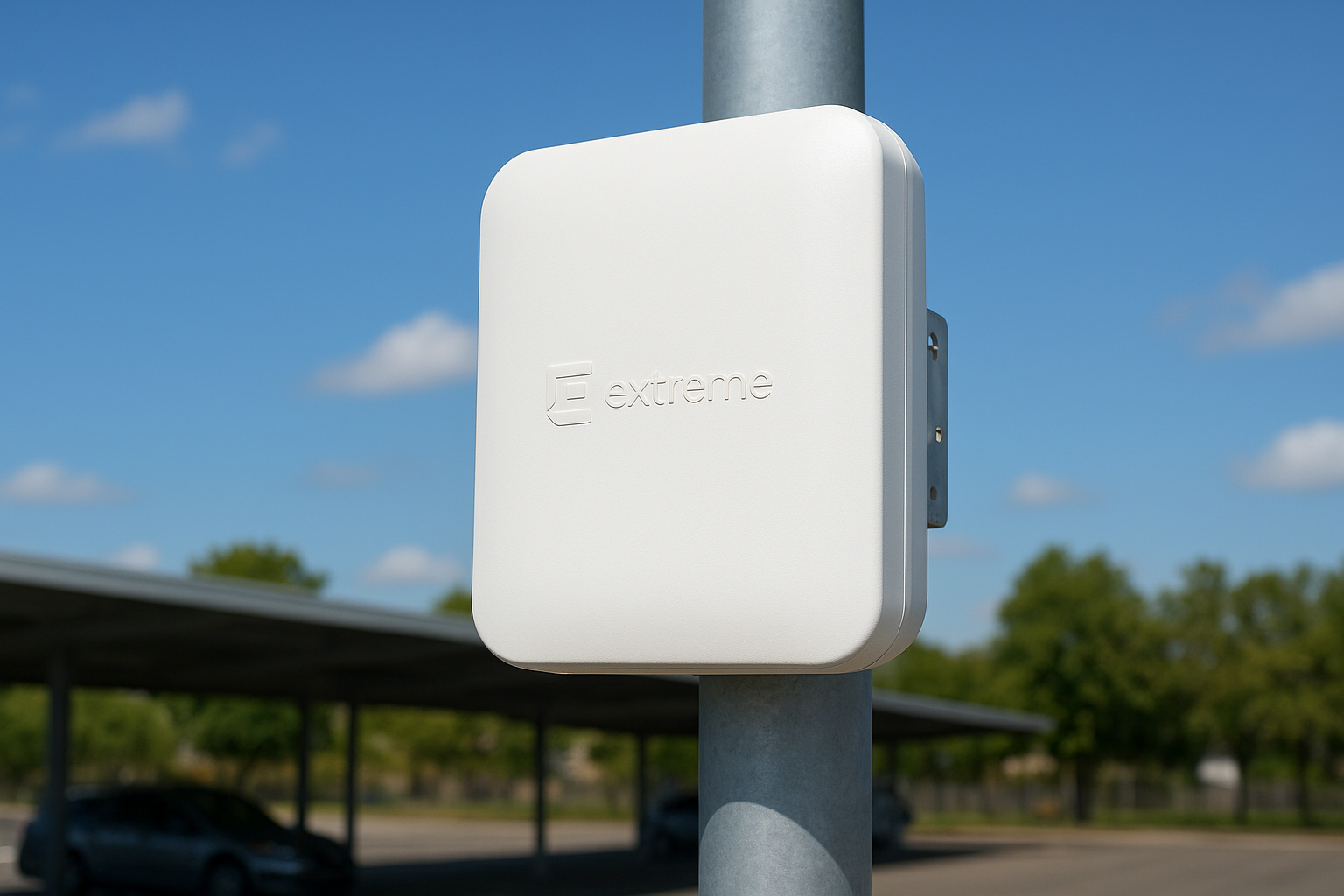
When your coverage needs extend beyond interior walls, the AP4060 earns its place as a purpose-built outdoor option within the Extreme Networks wireless access points lineup. It handles the environments where standard indoor hardware simply fails.
What it is
The AP4060 is a Wi-Fi 6 dual-radio outdoor access point with an IP67 rating for dust and water resistance, built to operate reliably through rain, heat, and debris exposure.
Key wireless specs
It delivers 4×4 MIMO across both the 2.4 GHz and 5 GHz bands with aggregate throughput up to 3.55 Gbps, which covers dense outdoor client loads without degrading performance.
The AP4060 supports OFDMA and target wake time, giving battery-powered outdoor devices the same Wi-Fi 6 efficiency benefits as clients inside the building.
Where it fits best
This AP suits outdoor plazas, covered parking structures, and building perimeters where weather exposure rules out any indoor-rated hardware from the start.
Power and cabling considerations
The AP4060 runs on 802.3at PoE+, which most current switches already support. Run outdoor-rated Cat6 cabling through weatherproof conduit to protect the infrastructure long term.
Management and licensing fit
It integrates with ExtremeCloud IQ and requires an XIQ subscription license for AI-driven optimization and centralized cloud management.
Pricing factors to plan for
Hardware costs sit below the AP5020 but remain in the commercial range. Budget for mounting hardware, conduit, and weatherproofing materials as part of your total project cost.
3. Extreme Networks AP5010
The AP5010 fills a practical gap in the Extreme Networks wireless access points lineup, covering standard indoor office environments where you need solid Wi-Fi 6 performance without the cost of higher-tier models.
What it is
The AP5010 is a dual-radio Wi-Fi 6 indoor access point built for typical office densities. It targets medium-sized workspaces where client counts stay manageable and coverage requirements are straightforward.
Key wireless specs
The AP5010 runs 2×2 MIMO on both 2.4 GHz and 5 GHz radios, delivering aggregate throughput up to 1.77 Gbps. That covers standard office workloads without overbuilding for spaces that don’t require higher MIMO configurations.
If your office runs a mix of laptops and mobile devices on standard business applications, the AP5010 delivers Wi-Fi 6 efficiency without paying for capacity you won’t use.
Where it fits best
This AP works well in conference rooms, open office floors, and mid-size retail spaces with predictable client densities.
Power and cabling considerations
The AP5010 operates on 802.3at PoE+, making it compatible with most existing switching infrastructure. Cat6 cabling handles its throughput without requiring any upgrades.
Management and licensing fit
It connects to ExtremeCloud IQ and requires an XIQ subscription for full cloud management features.
Pricing factors to plan for
Hardware costs land below the AP5020 and AP4060, making it a lower-cost option for standard office rollouts. Still budget for XIQ licensing as a separate line item.
4. Extreme Networks AP4020
The AP4020 sits at the entry point of the extreme networks wireless access points portfolio, giving smaller commercial spaces a straightforward path to Wi-Fi 6 without the cost of higher-tier hardware.
What it is
Designed for light commercial deployments, the AP4020 is a dual-radio Wi-Fi 6 indoor access point where budget and simplicity take priority over raw throughput.
Key wireless specs
It runs 2×2 MIMO on 2.4 GHz and 5 GHz, with aggregate throughput up to 1.2 Gbps, covering basic business connectivity without excess capacity.
For small branch offices or retail storefronts with under 30 concurrent clients, the AP4020 delivers Wi-Fi 6 efficiency at a lower hardware cost.
Where it fits best
This AP suits small offices, retail kiosks, and single-room deployments where client density stays low and coverage zones are compact.
Power and cabling considerations
The AP4020 runs on 802.3af PoE, the most basic power standard. Standard Cat6 cabling handles its throughput without requiring any infrastructure upgrades.
Management and licensing fit
ExtremeCloud IQ manages the AP4020, and you still need an XIQ license for full cloud management features, including AI-driven RF tools.
Pricing factors to plan for
Hardware costs land at the lower end of the Extreme Networks lineup. Budget separately for XIQ licensing, which adds to your total per-unit cost regardless of hardware tier.
5. Extreme Networks AP5050U or AP5050D
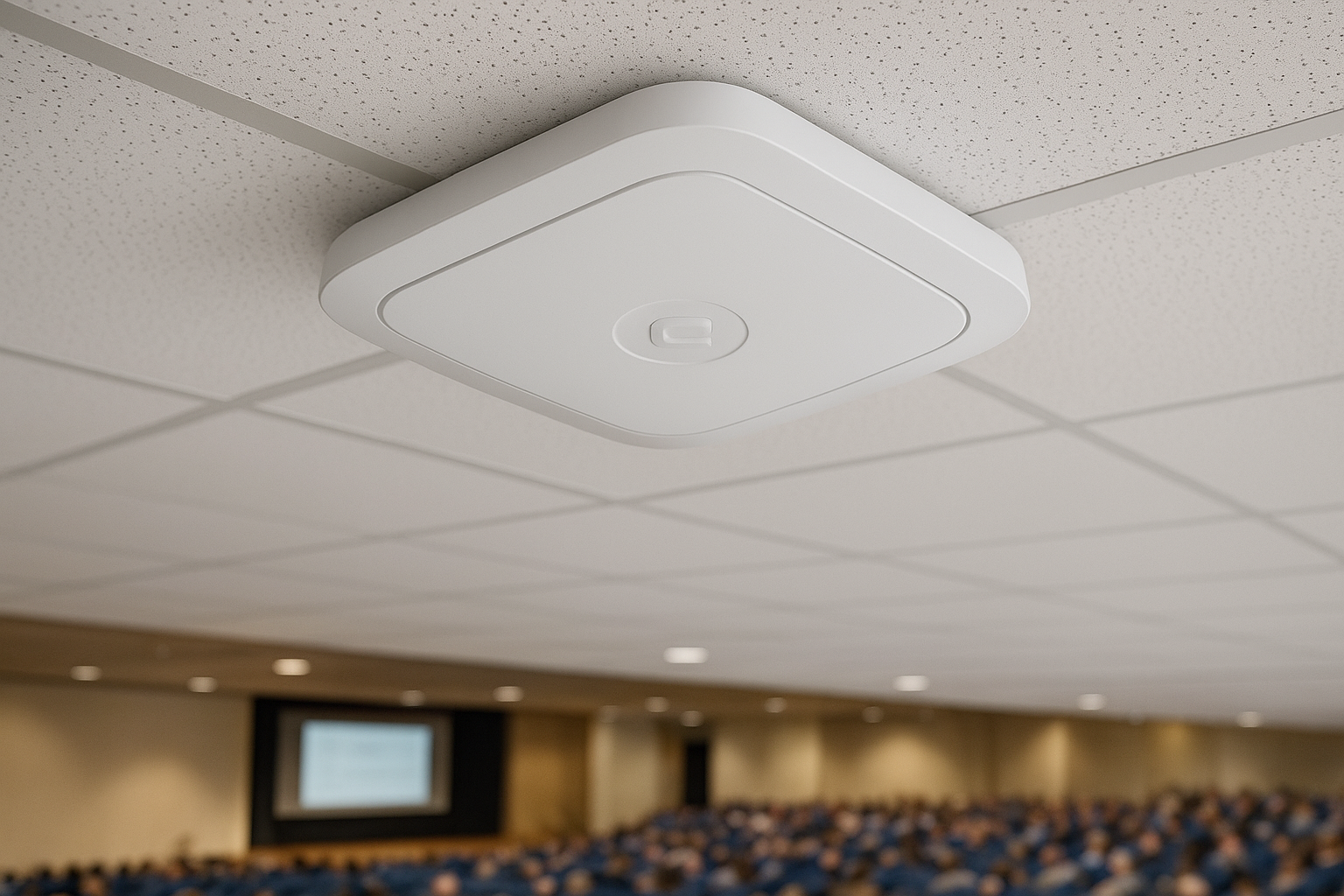
The AP5050 series covers high-density indoor venues where standard ceiling-mount APs can’t manage the client load or RF directionality needed. These two models within the extreme networks wireless access points lineup share the same core hardware but differ in how they orient RF energy for their mounting position.
What it is
The AP5050U installs facing upward into dropped-ceiling tile systems, while the AP5050D mounts facing downward in standard overhead positions. Both are Wi-Fi 6E tri-radio indoor access points designed specifically for stadium-style and high-density deployments.
Key wireless specs
Both models run 4×4 MIMO on 5 GHz and 6 GHz radios with aggregate throughput reaching 10.8 Gbps, sustaining performance even when hundreds of clients connect simultaneously.
When you need controlled RF patterns in packed spaces, the AP5050 variants outperform omni-directional hardware in the same environment.
Where it fits best
These APs suit auditoriums, convention centers, and high-density open facilities where directional coverage makes a real difference in client experience.
Power and cabling considerations
Both models require 802.3bt PoE++ switching and Cat6A cabling to support full multi-gigabit uplink speeds.
Management and licensing fit
ExtremeCloud IQ handles both variants, and an XIQ subscription license is required to access AI-driven RF optimization and full cloud management.
Pricing factors to plan for
Hardware costs sit at a similar level to the AP5020. Budget for XIQ licensing and professional installation alongside the hardware to get the directionality advantage these APs are built to deliver.
Next Steps
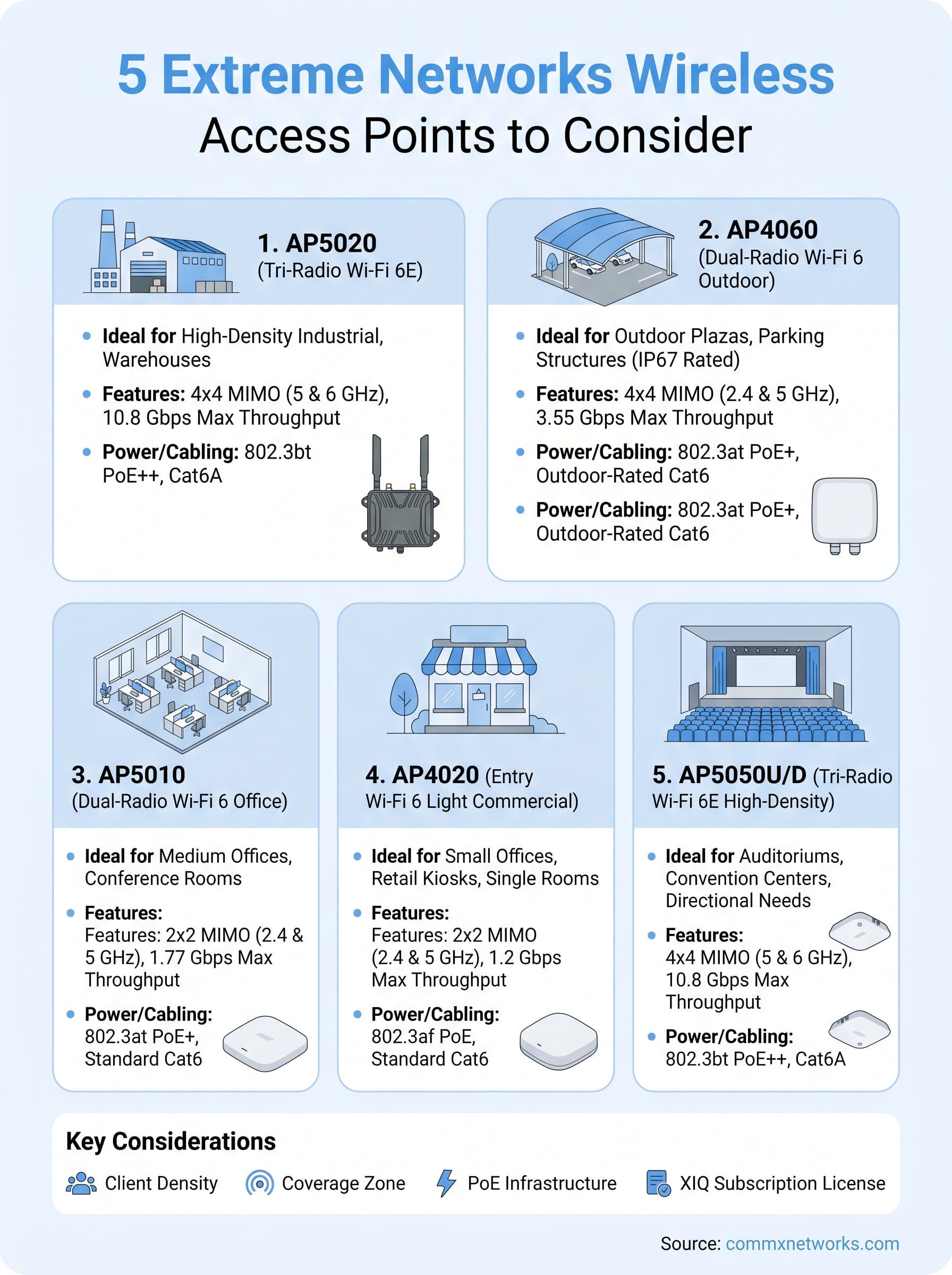
Each of these extreme networks wireless access points covers a different performance tier and environment, so your first step is matching the right model to your actual facility. Think about your client density, coverage zone, and PoE infrastructure before committing to any hardware.
If you’re planning a new build-out or upgrading existing wireless infrastructure across a commercial property in Southwest Florida, getting the cabling and switching right matters just as much as the AP selection. The wrong power standard or cabling category will limit what your hardware can actually deliver, regardless of what the spec sheet says.
CommX Networks handles the full physical layer from structured cabling and switching to access point placement and deployment. Reach out to the team at CommX Networks to discuss your project and get a clear plan in place before you purchase hardware.