
A flat network is a single point of failure waiting to happen. One compromised device, a printer, a workstation, an IoT sensor, and an attacker can move laterally across your entire LAN without resistance. That’s why network segmentation best practices matter more than ever for commercial environments. Segmentation breaks your network into isolated zones, each with its own access rules, so a breach in one area doesn’t cascade into a full-scale disaster.
At CommX Networks, we design and build the physical layer infrastructure, structured cabling, MDF/IDF setups, access points, that makes proper segmentation possible for warehouses, office complexes, and industrial facilities across Southwest Florida. We’ve spent 18 years learning that good segmentation starts at the cable, not just the software config.
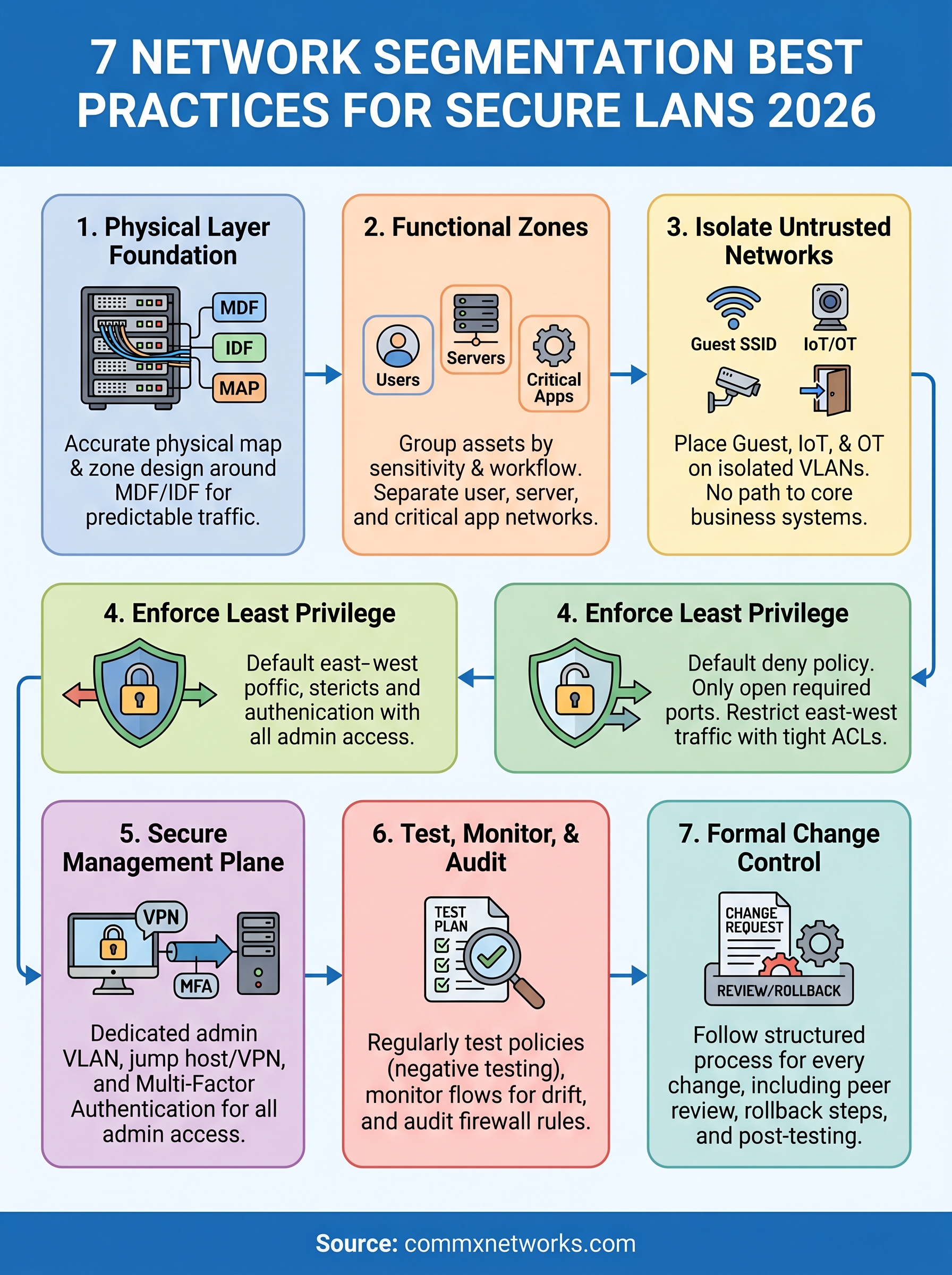
This guide covers seven proven practices to segment your LAN for stronger security, easier compliance, and long-term scalability. Whether you’re building out a new facility or upgrading legacy infrastructure, these steps will help you contain threats, control traffic, and keep your business operations running without interruption.
1. Plan segmentation from the physical layer up
Software-defined policies only work if your physical infrastructure can actually support them. Before you configure a single VLAN or firewall rule, you need a clear picture of how your cabling, switching hardware, and access points are laid out. Skipping this step is one of the most common reasons segmentation projects fail in commercial facilities.
Start with a site survey and a current network map
Walk your facility and document every network closet, cable run, and active device before you touch a config file. A current network map shows you where traffic physically travels, which switches connect which floors or zones, and where your single points of failure are. Without this foundation, you’re designing segmentation on assumptions, and those assumptions will create gaps.
An accurate physical map is the most important document your segmentation project will produce.
Design zones around MDF, IDF, and cable pathways
Your main distribution frame (MDF) and intermediate distribution frames (IDFs) define the natural boundaries for your security zones. Design your segments so that each IDF serves a specific functional area, such as a warehouse floor, a server room, or a guest lobby. When your VLAN boundaries align with your physical cable pathways, inter-zone traffic follows predictable routes that are far easier to monitor and control.

Consider building a simple table that maps each IDF to its physical location, the devices it serves, and the VLAN it belongs to. That document becomes the reference point for every change you make going forward.
Build clean handoffs between switching, routing, and Wi-Fi
Each layer of your network, access switches, distribution switches, your core router, and your wireless access points, needs a defined role in carrying segmented traffic. Trunked uplinks between switches should carry only the VLANs that belong on that link. Your access points should broadcast isolated SSIDs that map directly to the correct VLAN, not dump all wireless traffic onto a single network.
Know when to use an on-site network infrastructure team
Complex commercial environments, especially warehouses and multi-floor office buildings, often have cabling that doesn’t match any existing diagram. An on-site team can identify mismatched patch panels, undocumented runs, and overloaded closets that would quietly break your segmentation plan after deployment. Getting the physical layer verified by experienced hands saves you significant rework later.
2. Group assets into security zones by function
Once your physical layer is mapped, you need to decide what belongs where and why. Grouping devices into security zones based on function prevents you from creating segments that look clean on paper but create constant friction in daily operations. The goal is zones that reflect how your business actually works.
Inventory and classify devices by sensitivity and risk
List every device on your network and assign it a sensitivity level and a risk profile. A finance workstation handles regulated data, a warehouse barcode scanner moves inventory data, and a lobby printer serves visitors. Treating all three as equals exposes your most sensitive assets to unnecessary risk from lower-trust devices.
Define zones that match real business workflows
Your zone design should follow how data flows through your business, not just how devices are grouped by type.
Build zones around the actual workflows your teams run. If your accounting team never needs to reach warehouse floor devices, your segmentation should reflect that. Zones that mirror real traffic patterns are far easier to maintain and far harder for attackers to abuse.
Separate user, server, and critical application networks
Keep end-user devices on their own segment, servers on a dedicated server VLAN, and business-critical applications on a tightly controlled network that only authorized systems can reach. This three-way split is a foundation of solid network segmentation best practices.
Keep compliance scope small for regulated data
Shrink your compliance boundary by placing regulated data, such as cardholder data or health records, on its own isolated segment. A smaller scope means fewer systems that auditors review and fewer places where sensitive data can leak.
3. Isolate guest Wi-Fi, IoT, and OT networks
Guest users, IoT sensors, and operational technology equipment share one thing: they connect to your network but shouldn’t have any path to your business-critical systems or regulated data. Isolating these device groups is a core part of network segmentation best practices because mixing them on the same VLAN creates risk that’s hard to detect and harder to contain.
Segment guest access with its own SSID and VLAN
Give every guest network its own dedicated SSID and separate VLAN that routes traffic straight to the internet without touching your internal LAN. Configure your access points to enforce this separation at the wireless layer, not just at the firewall.
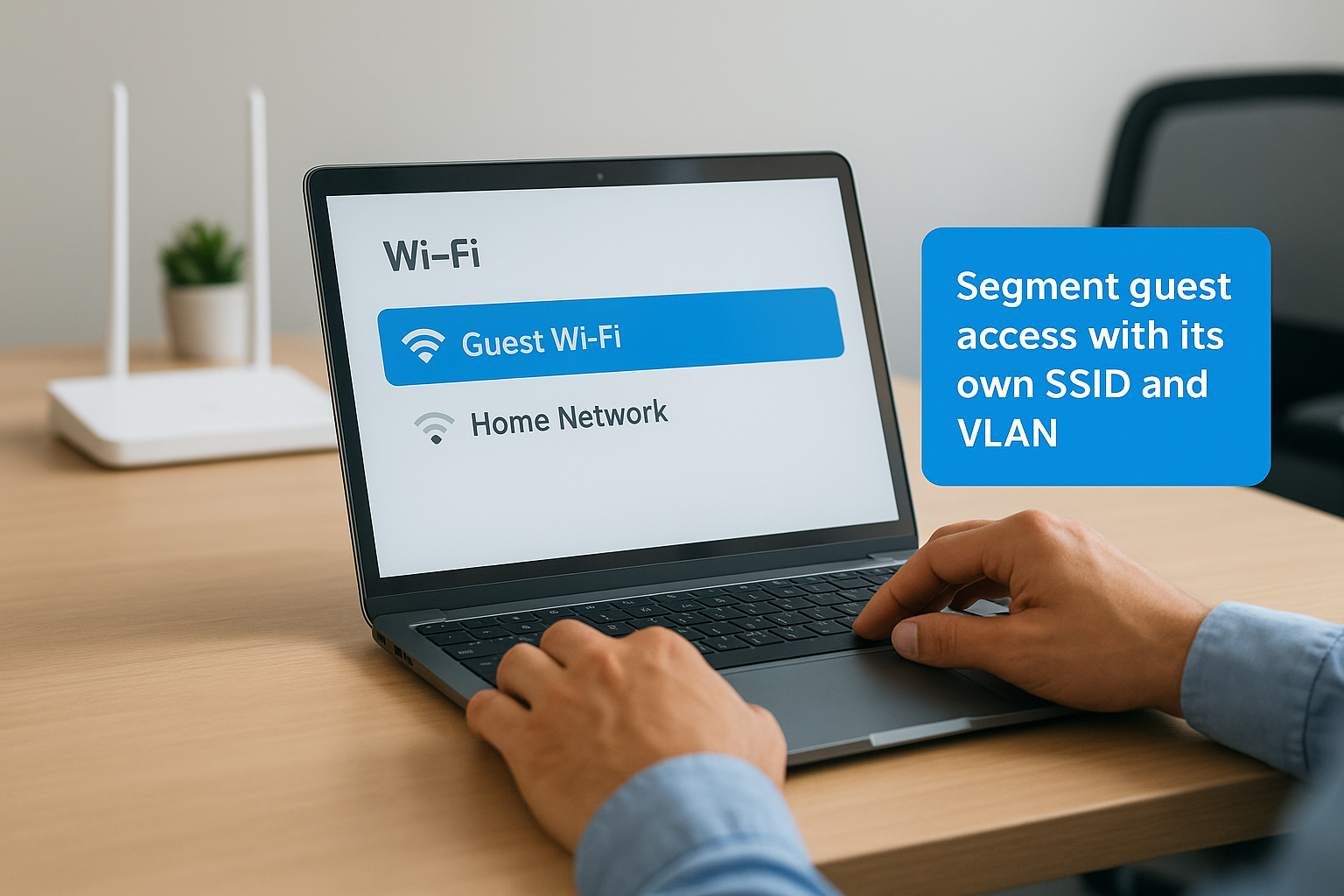
Guest users should never be one misconfigured rule away from reaching your internal resources.
Lock down cameras, door access, and building systems
Your security cameras, badge readers, and building automation systems belong on their own isolated VLAN, separate from user devices and guest traffic. These systems rarely need to connect to other parts of your network, so your firewall policy for this zone should default to deny with only minimal, documented exceptions.
Control IoT and OT east-west traffic inside the zone
Place IoT devices and OT equipment on dedicated VLANs and restrict east-west traffic between them. Most sensors and controllers only need to reach a specific management server, not each other.
Prevent IoT from becoming a bridge into business systems
Treat every IoT device as untrusted by default and block any direct path from the IoT VLAN to your core business network. Many of these devices run outdated firmware with known vulnerabilities, making them a common pivot point for attackers.
4. Enforce least privilege with firewalls and ACLs
Segmentation without strict access control is just organization. Your firewalls and access control lists (ACLs) are what actually enforce the boundaries between zones, and applying least privilege across every inter-zone policy is a foundational network segmentation best practice.
Default to deny and open only required ports
Start every zone policy with a default deny rule at the bottom of your firewall policy. From there, open only the specific ports and protocols that a documented business need requires.
Any traffic not explicitly permitted gets blocked. That single discipline eliminates a large category of risk without requiring complex configuration.
Control inter-VLAN routing with explicit policy
Your layer 3 switch or firewall should be the only device routing between VLANs, and every inter-VLAN route needs an explicit policy attached to it. Avoid generic permit-any statements between zones, even for internal traffic that feels low-risk.
Permissive internal policies are where most lateral movement attacks find their footing.
Reduce lateral movement with tight east-west rules
East-west traffic, meaning device-to-device communication within and between your internal zones, is where attackers move once they gain a foothold. Tight ACLs that restrict which devices can initiate connections to others cut those movement paths off before an attacker can exploit them.
Your firewall logs will quickly confirm whether your east-west rules are doing their job.
Document every rule with an owner and a purpose
Every firewall rule and ACL entry should carry a comment that names the person who requested it, the business reason it exists, and the date it was created. Rules without owners and context accumulate fast and create gaps that nobody catches during audits.
5. Protect the management plane and remote access
The management plane is the highest-privilege layer of your network, and it needs its own dedicated controls. If an attacker reaches your switch, router, or firewall management interfaces, every segmentation boundary you’ve built becomes reversible in minutes. Protecting this layer is a critical part of network segmentation best practices that many organizations skip until after an incident forces the issue.
Put network device management on a dedicated admin network
Place all management interfaces on a dedicated out-of-band management VLAN that carries no user traffic. Only authorized admin workstations should have a route into this VLAN, and that route should require explicit documentation before it’s opened.
Keep this VLAN completely isolated from internet-facing paths and user-accessible network segments to limit exposure from every direction.
Use a jump host or VPN and require MFA for admins
Route all administrative sessions through a dedicated jump host or VPN tunnel and enforce multi-factor authentication on every admin account without exception.
An admin account without MFA is an open door into the highest-privilege layer of your network.
Restrict and secure SNMP, SSH, RDP, and web consoles
Replace SNMP v1 and v2 with SNMPv3 using strong authentication, and restrict SSH and RDP to specific, documented source IPs. Disable any web-based management consoles that aren’t actively in use.
Limit login attempts with lockout policies and log every session to your SIEM or log aggregator for regular review.
Keep configs, firmware updates, and time sync under control
Back up device configurations to a version-controlled system and validate firmware updates in a staging environment before pushing them to production. Sync every device to a trusted NTP server so your logs carry accurate timestamps when you need them most.
6. Test, monitor, and audit segmentation over time
Building segmentation is only half the work. Testing, monitoring, and auditing your segments on a regular schedule is what keeps your network segmentation best practices producing real security results over time, not just on day one. Networks change constantly, and without ongoing validation, even well-designed segmentation erodes.
Validate segmentation with test plans and negative testing
Run structured tests after every major change to confirm that traffic flows only where policy allows it to. Negative testing, where you deliberately attempt connections that your rules should block, is the fastest way to catch misconfigured ACLs before attackers find them. Document both the expected results and the actual results so you have a clear record of what your segmentation enforced at each point in time.
Monitor flows and logs to catch policy drift fast
Use NetFlow data and firewall logs to build a baseline of normal inter-zone traffic. Any connection that deviates from that baseline, especially unexpected east-west flows, should trigger an alert so your team can investigate before a small gap becomes a larger problem.
Policy drift is silent. Active monitoring is the only way to catch it before it turns into a breach.
Review firewall rules on a schedule and remove dead access
Schedule quarterly firewall rule reviews and remove any rule that no longer has an active owner or a documented business purpose. Dead rules accumulate fast in busy environments and quietly expand your attack surface without anyone noticing.
Tie changes to a change control process that engineers follow
Every segmentation change should go through a formal change control process that includes peer review, rollback steps, and post-change testing. This keeps your network configuration consistent and gives you a clear audit trail when compliance reviews come around.
Next steps for your network
These seven network segmentation best practices give you a framework to build a LAN that contains threats, satisfies auditors, and scales with your business. The steps build on each other, so start with your physical layer, get your zone design right, and work through access controls and ongoing monitoring from there. Skipping the foundation makes every layer above it less reliable.
Executing this well in a commercial facility requires accurate cabling documentation, properly deployed MDF and IDF setups, and access points configured to match your VLAN design. That physical infrastructure has to be right before your software policies can hold. If your current setup has gaps, undocumented runs, or aging hardware that can’t support proper segmentation, those problems will surface fast once you start enforcing zone boundaries.
CommX Networks designs and installs the physical network infrastructure that makes segmentation work in warehouses, office complexes, and industrial facilities across Southwest Florida. Contact us to get your project started.