
You’ve mounted your new wireless access point, run the cable, and plugged everything in, but nothing powers on. The problem is almost always the same: you need a PoE injector for access point power delivery, and picking the wrong one can mean anything from a device that won’t boot to hardware damage you can’t reverse.
A PoE (Power over Ethernet) injector sends electrical power and data through a single Ethernet cable, eliminating the need for a separate power outlet at the access point location. Simple concept, but the details matter. Wattage, PoE standard, and voltage compatibility all have to match your specific access point model, or you’re throwing money at a problem you’ll have to solve twice. For commercial environments with dozens of access points spread across a warehouse or office floor, getting this right the first time is non-negotiable.
At CommX Networks, we design and install wireless infrastructure for commercial facilities across Southwest Florida, and we’ve seen firsthand how a mismatched PoE injector can stall an entire deployment. This guide breaks down exactly how to choose the right PoE injector for your access point, covering compatibility standards, power requirements, and what to look for based on your specific hardware and environment.
Why you might need a PoE injector
Most commercial access points don’t include a power adapter in the box. They’re designed to receive power over Ethernet, which means you need either a PoE-capable network switch or a standalone injector. If your existing switch doesn’t support PoE, or if you only need to power a small number of access points without replacing your entire switching infrastructure, a PoE injector is the practical solution.
Your network switch doesn’t support PoE
Not every switch ships with PoE capability. Unmanaged or older switches often lack the hardware to deliver power over Ethernet, and upgrading to a full PoE switch can cost significantly more than the project warrants, especially if you only need to add one or two access points in a specific area of your facility.
A single PoE injector typically costs between $15 and $60, making it a far more cost-effective option than replacing a functional switch just to gain PoE ports.
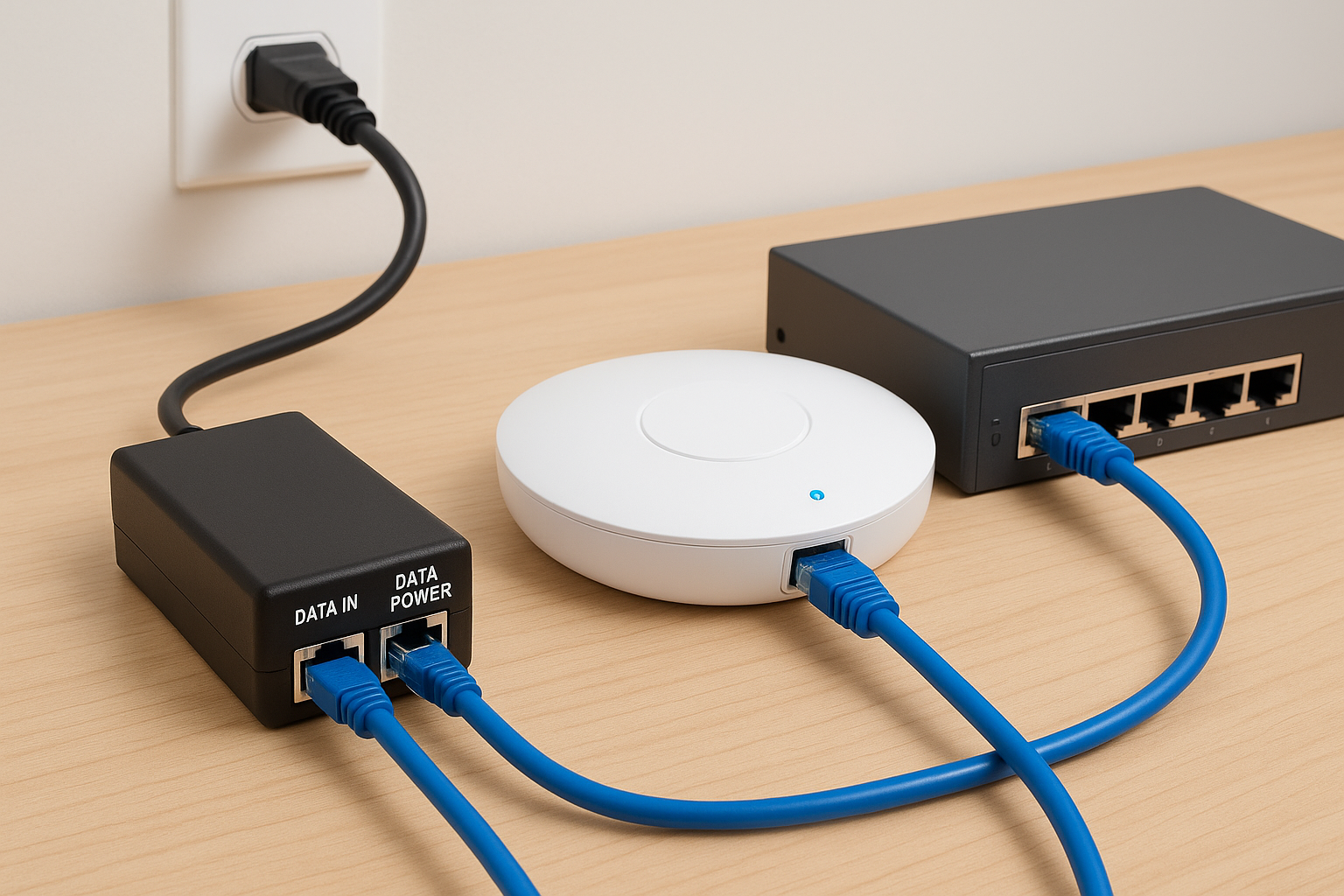
In that situation, a PoE injector sits between your existing switch and the access point. You plug a standard Ethernet cable from your switch into the injector’s data-in port, then run a second cable from the injector’s data+power port to your access point. Your existing network infrastructure stays in place with no additional hardware required beyond the injector itself.
You’re expanding into a new area
When you’re extending wireless coverage to a new wing, floor, or outbuilding, you may not have a PoE switch installed nearby. Running new switch cabling to that location just to support a single access point rarely makes sense. A PoE injector for access point installations in these scenarios lets you use the nearest available network drop and power the device without committing to larger infrastructure changes.
Adding access points during an office expansion or warehouse buildout is one of the most common situations where a standalone injector saves both time and budget. Rather than redesigning your entire switching layout, you drop in an injector, connect the cable run, and the access point comes up without issue.
PoE standards and access point compatibility
Not every PoE injector delivers the same wattage, and using the wrong standard with your access point will cause problems that range from poor performance to no power at all. Your access point’s spec sheet lists exactly which IEEE standard it requires, so pull that document up before you order anything.
The main PoE standards to know
Three IEEE standards cover the vast majority of commercial access point installations:
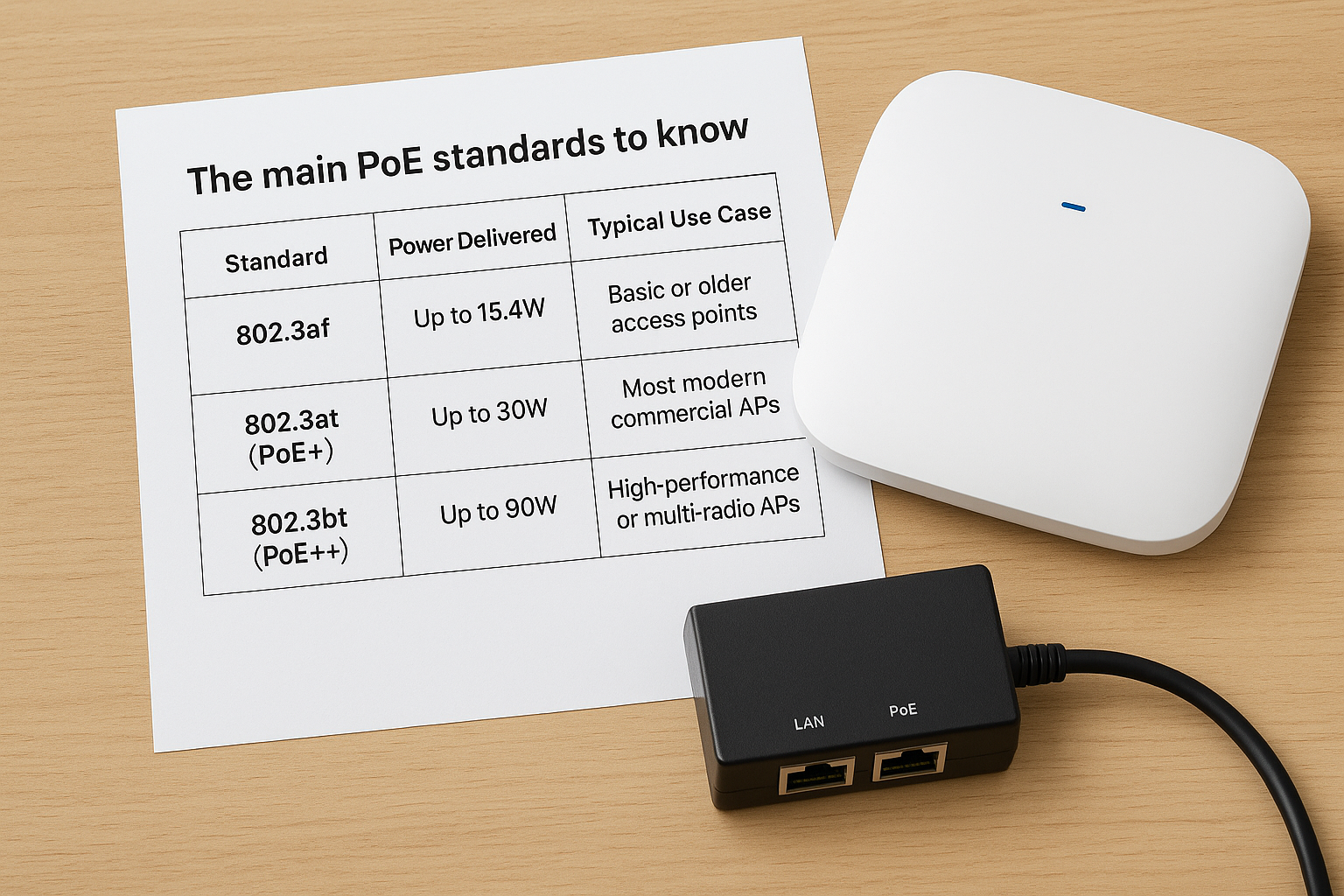
| Standard | Power Delivered | Typical Use Case |
|---|---|---|
| 802.3af | Up to 15.4W | Basic or older access points |
| 802.3at (PoE+) | Up to 30W | Most modern commercial APs |
| 802.3bt (PoE++) | Up to 90W | High-performance or multi-radio APs |
If your access point requires PoE+ and you connect it to a standard 802.3af injector, the device will either underperform or refuse to boot entirely.
Matching the standard to your access point
Before you order a PoE injector for access point deployment, confirm the required input wattage directly from the manufacturer’s data sheet. Brands like Cisco, Ubiquiti, and Aruba each publish this information in their product documentation, and matching the standard before you buy takes less than five minutes.
Pay particular attention to access points with advanced features like dual-radio operation or integrated Bluetooth, since those models often require PoE+ or higher. Assuming a basic standard applies without checking is one of the most common mistakes on commercial wireless projects.
How to choose the right PoE injector
Once you’ve confirmed the PoE standard your access point requires, a few additional factors determine whether the injector will perform reliably. Wattage headroom, build quality, and active versus passive support all matter in a commercial environment where uptime is critical.
Choosing the cheapest injector without checking these factors is the fastest way to create a problem you’ll need to solve twice.
Check the wattage budget
Your access point’s data sheet lists a maximum power draw, and the injector you select should comfortably exceed that number. Cutting it close with a unit that barely meets the rated wattage increases the risk of intermittent dropouts under load.
Select a unit with at least 10 to 15 percent more capacity than your access point’s peak draw for a safe operating margin. That buffer also protects the injector’s internal components from thermal stress during sustained operation.
Verify active PoE support
Always choose an active PoE injector over a passive one for commercial access points. Active units perform an IEEE handshake with the connected device to negotiate the correct voltage before delivering power.
Passive injectors skip that negotiation and push a fixed voltage regardless of what the device needs. That creates a real risk when deploying a poe injector for access point hardware that expects a specific power profile.
How to connect a PoE injector to an access point
Connecting a PoE injector for access point power delivery takes under five minutes once you have the right hardware in hand. Every injector has two clearly labeled ports: a data-in port for your switch connection and a data+power port that runs cable out to your access point.
Label your cables at both ends before you start, especially when multiple runs look identical after installation.
The connection steps
Follow this step-by-step sequence to bring your access point online without errors. Confirm the injector is unplugged from the wall before you make any cable connections.
- Plug an Ethernet cable from your network switch into the injector’s data-in port.
- Run a second cable from the injector’s data+power port to your access point.
- Connect the injector’s power adapter to a standard wall outlet.
- Check the injector’s status LED to confirm an active link before moving on.
Verify the access point is powered
Once connected, your access point should boot within 60 seconds and show a solid status LED. If the indicator stays dark, reseat the cable connections at both ends and confirm the power adapter is fully seated.
Your access point’s management interface should become reachable within a minute of the LED stabilizing. If it doesn’t respond, verify that the data-in port connects to an active and functioning switch port.
Common mistakes and troubleshooting
The most frequent errors on a poe injector for access point installation come down to two things: skipping the spec sheet and purchasing the lowest-cost unit available. Both decisions cost more time and money to fix than the few minutes of research they require upfront. Catching these issues before finalizing your order is always faster than diagnosing them on-site.
Confirming wattage and standard compatibility before purchasing takes five minutes and prevents hours of troubleshooting after the fact.
Mixing up passive and active injectors
Passive injectors are the most common purchase mistake in commercial deployments. They push a fixed voltage without negotiating with the connected device, which can damage your access point’s internal power circuits over time. Always verify the injector is IEEE-compliant and labeled as active before you place an order.
Access point won’t boot after connection
If your access point stays dark after installation, work through these checks in order before assuming the hardware is defective. Loose cable connections and mismatched PoE standards account for the majority of no-power scenarios in the field.
- Confirm the injector standard matches the access point’s requirement
- Reseat both Ethernet cables at the injector ports
- Test the wall outlet with a different device to rule out a power supply issue
- Swap the Ethernet cable to rule out a cable fault
Wrap-up and next steps
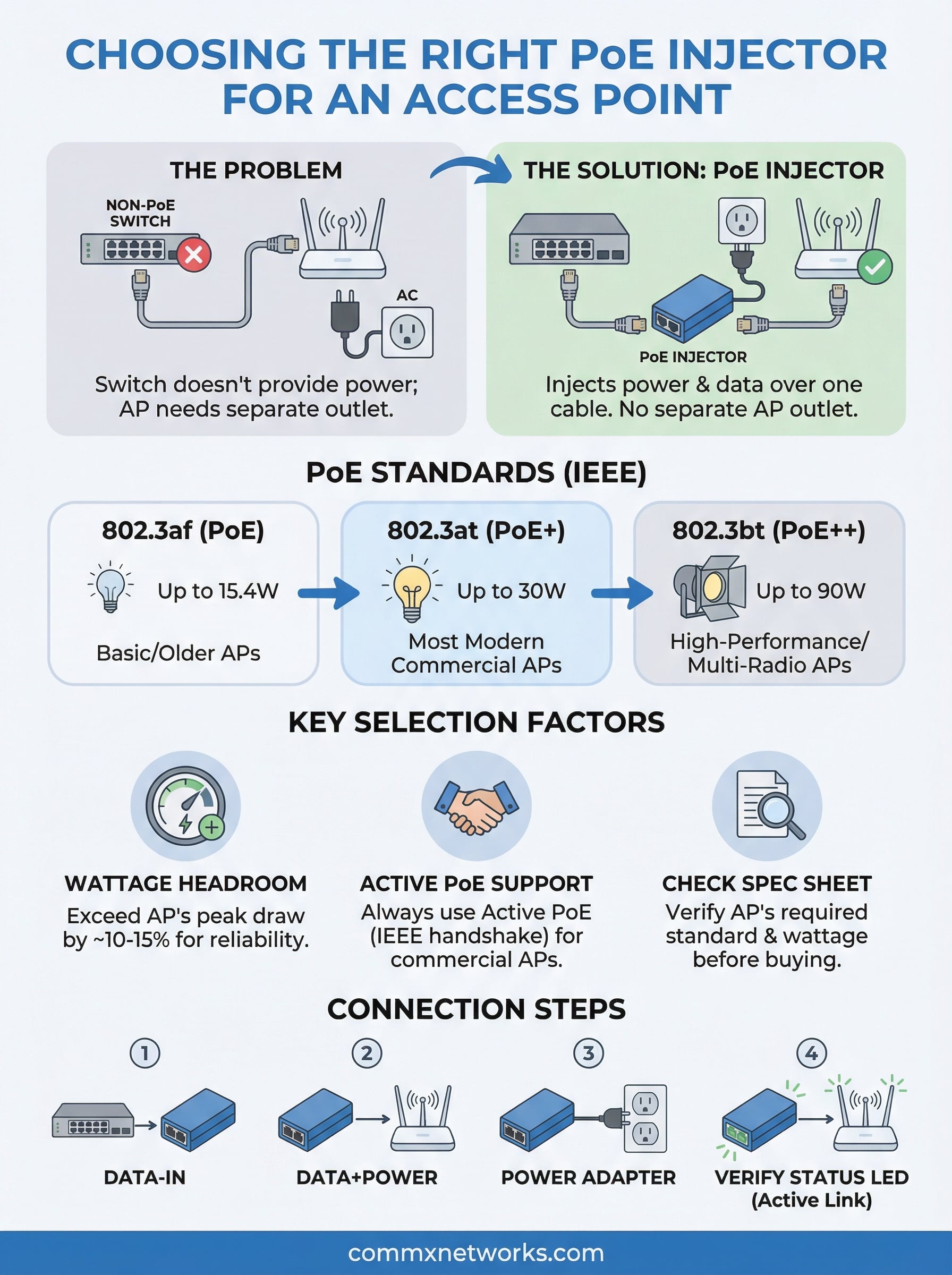
Selecting the right PoE injector for access point installations comes down to three things: confirming the IEEE standard your access point requires, verifying the injector’s wattage exceeds your device’s peak draw, and choosing an active unit that negotiates power before delivering it. Skip any of those steps, and you’re looking at a deployment that either fails on day one or degrades quietly over time.
For most commercial facilities, those details are straightforward once you pull the spec sheet for your specific access point model. Larger deployments with multiple access points spread across a warehouse floor or multi-story office building add complexity, and that’s where having an experienced contractor on-site prevents costly errors before they happen.
If your business needs a complete wireless infrastructure review or a new network buildout across a commercial property in Southwest Florida, contact CommX Networks to discuss your project with a team that has handled these installations for over 18 years.