
Controlling who walks through your doors is just as critical as protecting the data on your network. Axis access control is a system built by Axis Communications, one of the industry’s most respected names in network video and physical security, that handles exactly that. It uses IP-based hardware and software to manage entry points across a facility, from a single office door to hundreds of access points spread across a campus.
For business owners, facility managers, and IT directors running commercial properties in Southwest Florida, understanding how these systems work matters before you invest. The hardware side includes network door controllers, readers, and credentials. The software side ties it all together with centralized management, scheduling, and integration with existing security cameras and network infrastructure. Getting the physical layer right, the cabling, network drops, and power, is where a project like this succeeds or fails before a single card is swiped.
This article breaks down how Axis access control works, what hardware and software are involved, and what it takes to deploy it in a real commercial environment.
Why Axis access control matters in facilities
Managing access in a commercial facility is not just about locking doors. Large-scale environments like warehouses, distribution centers, and office complexes have dozens of entry points, shift workers coming and going at different hours, and vendors or contractors who need temporary access. Without a structured system, you are relying on physical keys, manual logs, or outdated card hardware that gives you no real-time visibility into who is where.
The cost of uncontrolled access
Unmanaged entry points create liability that shows up in ways you might not expect: stolen equipment, unauthorized after-hours activity, compliance violations, and insurance complications. When something goes wrong, your ability to pull an audit trail and show exactly who entered which door at what time makes a real difference. Axis access control gives facility managers that documentation without a complicated manual process.
A reliable audit trail is often the difference between resolving an incident in hours and spending weeks trying to piece together what happened.
Facilities that house sensitive equipment, controlled inventory, or personnel data face stricter expectations from clients and insurers. A networked system lets you set permissions by role, schedule access windows, and revoke credentials the moment an employee leaves.
Why IP-based systems outperform older hardware
Traditional card readers and keypads operate as standalone devices with no central oversight. IP-based systems connect every reader and controller to your network, so changes you make in the software push out immediately across every door in the building. You get real-time alerts, remote management, and direct integration with your security camera system.
Those capabilities add up quickly in a real commercial environment:
- Instant credential revocation across all doors simultaneously
- Scheduled access windows tied to shift times or contractor visits
- Event logs tied to specific doors, times, and user credentials
- Remote lockdown from any authorized device on the network
The core hardware in an Axis access control system
Every axis access control deployment starts with physical hardware installed at each door or entry point. The key components are network door controllers, readers, and the credentials your staff carries. Each piece has a specific role, and a weak link in any one of them affects how the whole system performs.
Getting your hardware selection right from the start prevents costly rework once cabling is in the wall and controllers are mounted.
Network door controllers
The network door controller is the brain of each access point. It connects to your LAN, receives decisions from the software, and signals the lock hardware. Axis controllers like the A1601 support Power over Ethernet, so one Cat6 cable handles both data and power. Confirm these specs before ordering:
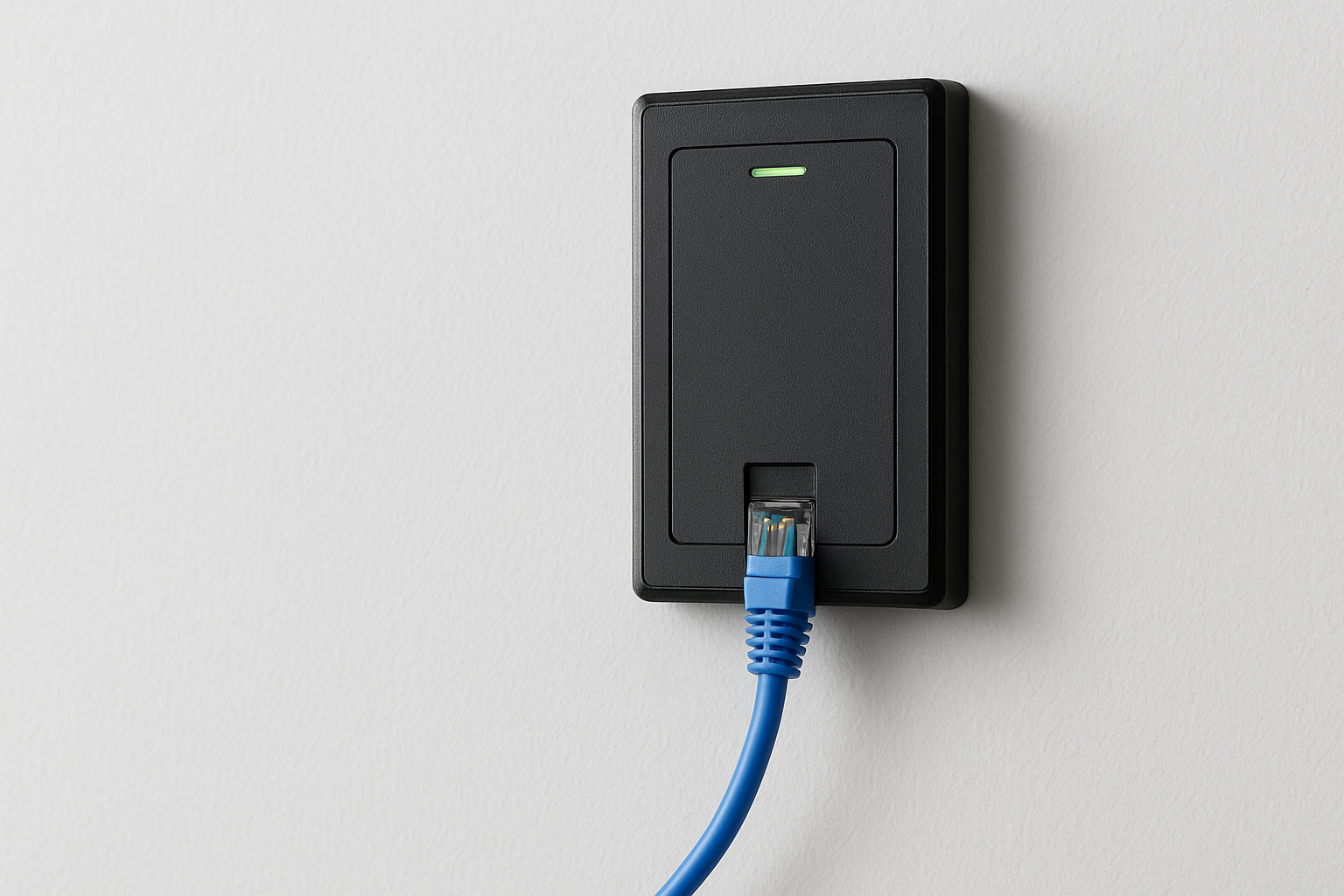
- Door count per unit (single vs. multi-door models)
- PoE class and switch compatibility
- Supported credential protocols
Readers and credentials
Card readers and mobile credential readers mount at the door and capture input from your staff. Axis supports multiple credential formats to fit different security requirements:
- RFID cards and key fobs for standard entry points
- PIN keypads for higher-security areas
- Mobile credentials via the Axis Mobile Credential app
Your choice of reader for each location depends on the security tier and the volume of traffic moving through that door daily.
The software and integrations that run it
Hardware alone does not make an axis access control system functional. The software layer is what turns individual controllers and readers into a unified, manageable system you can operate from a single interface.
AXIS Camera Station Secure Entry
AXIS Camera Station Secure Entry is the primary access management platform that ties all your door controllers together. You use it to create user credentials, assign door permissions by role, and set scheduled access windows for contractors or shift workers. The interface also generates event logs and reports you can pull at any time for audits or incident reviews. It runs on your existing network infrastructure, which means your IT team can manage it alongside other networked systems without needing separate hardware.
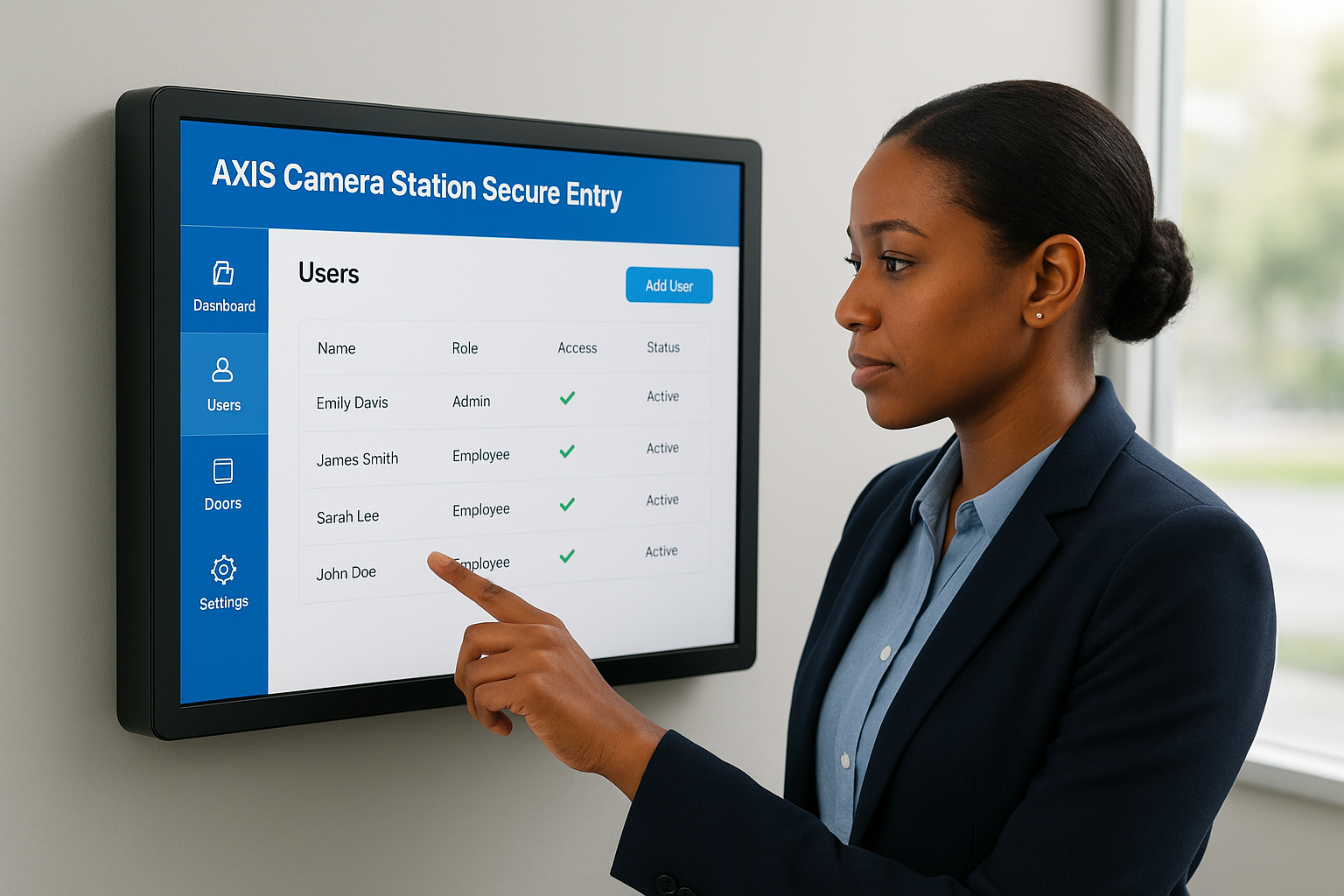
The tighter your software configuration, the less manual work your team spends managing permissions and chasing down access issues.
Connecting access control to your broader security stack
Axis systems are built to integrate directly with network video recorders and IP cameras, so a door event can trigger a camera to record or send an alert. You can also connect to HR systems or active directory platforms to automate credential provisioning when employees join or leave, cutting the manual steps out of the process entirely.
How Axis access control works day to day
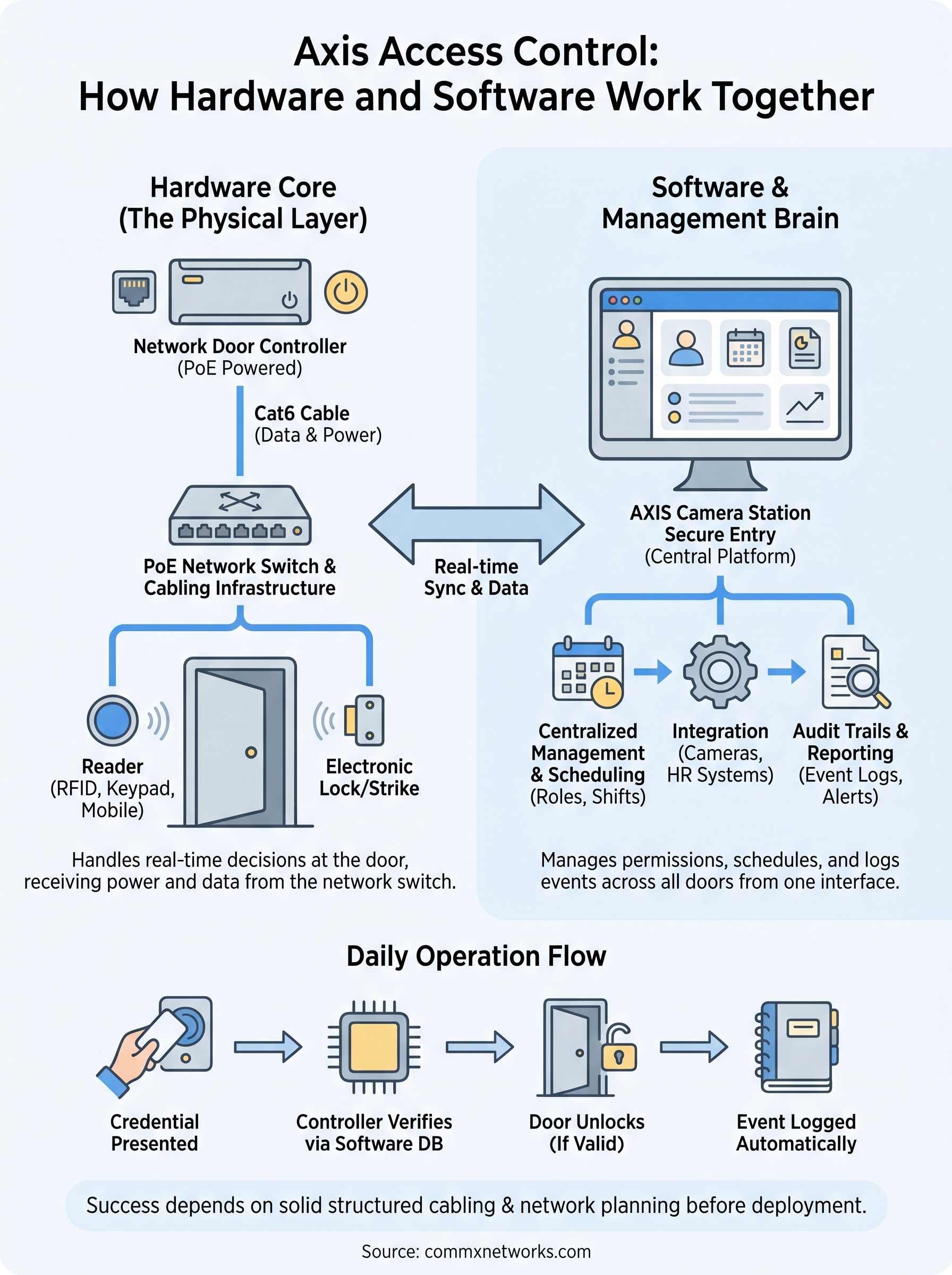
On a typical workday, axis access control runs without anyone actively managing it. Staff present their credentials at readers, controllers verify permissions against the software database, and the door releases or stays locked in under a second. Every transaction gets logged automatically, so your audit trail builds itself without any manual input from your team.
Credential verification and door events
When someone presents a card or mobile credential, the reader sends the data to the controller, which checks it against the permissions configured in AXIS Camera Station Secure Entry. If the credential is valid and the time falls within the scheduled access window, the controller signals the lock to release. Invalid attempts get flagged immediately, and the software logs the door, time, and credential involved.
That real-time logging means you can pull a complete access history for any door or user in seconds, without digging through paper records.
Managing changes without disrupting operations
Adding a new employee, updating shift schedules, or revoking a departed contractor’s access takes minutes in the software and pushes to all affected controllers instantly. Your team handles those changes from a single interface, and no one needs to visit each door physically to apply them across the facility.
Planning, wiring, and deployment checklist
Before any axis access control hardware ships to your site, the physical infrastructure has to be mapped out. Skipping this step means rework after cabling is already in the wall, which costs significantly more than doing it right the first time.
A thorough site survey before installation begins is the single most effective way to keep a deployment on budget and on schedule.
Site survey and cable planning
Your survey should confirm door hardware compatibility, lock type, and the distance from each controller location to your nearest network switch. Every controller needs a dedicated Cat6 run back to the IDF or MDF, and PoE availability on the switch has to be verified before you mount anything.
- Measure cable runs to confirm they stay under 328 feet (100 meters)
- Identify conduit requirements for exposed runs in warehouse or industrial areas
- Confirm power availability for any non-PoE lock hardware
- Document each door number, reader type, and controller placement before ordering
Pre-deployment checklist
Once cabling is complete, work through these steps in order to avoid configuration gaps:
- Terminate and test all cable runs with a cable tester before controller installation
- Mount controllers and confirm PoE link status at each unit
- Configure door permissions and schedules in the software before granting any user credentials
A practical next step
An axis access control deployment is only as reliable as the physical infrastructure it runs on. If your cable runs are too long, your switches lack PoE capacity, or your conduit routes were not planned before installation began, the system will have problems that no software update can fix. Getting the cabling and network layer right from the start is the foundation every other component depends on.
Your next move is to get a professional site assessment before you commit to any hardware. A qualified installer will walk your facility, document every entry point, confirm switch capacity, and map out cable routes before anything gets ordered or mounted. That work upfront prevents costly rework down the road.
CommX Networks doesn’t sell or install access control systems. If your Southwest Florida facility needs structured cabling, network infrastructure or commercial security cameras, call (239) 322-6340 or contact our team for a site assessment.