
Every door, server rack, and sensitive file in your facility is only as secure as the system controlling who gets access. When businesses start evaluating types of access control systems, they quickly discover that "access control" isn’t a single product, it’s a broad category that spans physical hardware like card readers and biometric scanners all the way to logical security models that govern user permissions on a network.
Understanding the differences matters because the wrong choice can leave gaps, either in your building’s physical security or in your digital infrastructure. Physical access control keeps unauthorized people out of rooms and facilities. Logical access control (models like RBAC, DAC, and MAC) determines what users can do once they’re on your network. Most commercial environments need both working together.
This article breaks down both physical and logical access control models so you can identify which combination matches your facility’s security requirements.
Why access control matters for businesses
When you run a commercial facility, controlling who enters specific areas and who can access sensitive data directly affects your bottom line. A security failure, whether physical or digital, can result in stolen equipment, compromised client records, regulatory fines, and damaged client trust. Businesses across every sector, from distribution centers to medical offices, face the same core risk: the wrong person in the wrong place at the wrong time creates damage that takes months or years to undo. Building a reliable access control strategy is not optional for commercial operations at any scale.
The real cost of unrestricted access
Leaving access ungoverned creates compounding problems fast. Unauthorized physical entry to server rooms, inventory storage, or restricted work areas creates immediate liability. At the same time, unsecured digital access means a single compromised credential can expose your entire network. According to research published in the Verizon Data Breach Investigations Report, stolen or misused credentials remain one of the most commonly exploited vectors in confirmed data breaches year after year.
When physical and digital access go unmanaged at the same time, your security posture has no reliable foundation to build from.
Many businesses underestimate how quickly losses accumulate when access goes unchecked. Consider what unrestricted access looks like in practice across a typical commercial facility:
- Employee theft from unlocked storage rooms or unsecured equipment areas
- Data exfiltration by former staff whose network accounts were never deactivated
- Regulatory penalties for failing to restrict access to protected records like healthcare or financial data
- Higher insurance premiums following documented security incidents tied to poor access management
Each of these outcomes is preventable with the right combination of types of access control systems applied at both the physical and logical layers of your infrastructure. The key is recognizing that no single tool covers both, so your planning needs to account for both dimensions from the start.
Compliance and liability requirements
Your industry almost certainly has specific rules about access control that carry real consequences. Healthcare organizations must comply with HIPAA, which mandates both physical safeguards (locked server rooms, restricted access to patient record areas) and technical safeguards (role-based access to electronic health records). Financial services firms operate under standards like PCI DSS, which require strict control over who can reach cardholder data, both physically and through network systems.
Beyond regulated industries, commercial property owners and facility managers carry general liability when unauthorized individuals access restricted areas. If a contractor enters a server room without proper credentials and equipment gets damaged, establishing accountability becomes very difficult without a documented access log tied to your system.
Your physical infrastructure plays a direct role in meeting these requirements. The structured cabling that connects your card readers, cameras, and access control panels must be installed correctly and to code for your system to perform reliably during an audit or incident investigation. A poorly installed system that drops events or fails at a critical moment can put your compliance standing at risk, regardless of how thorough your written policies appear on paper.
How access control systems work end to end
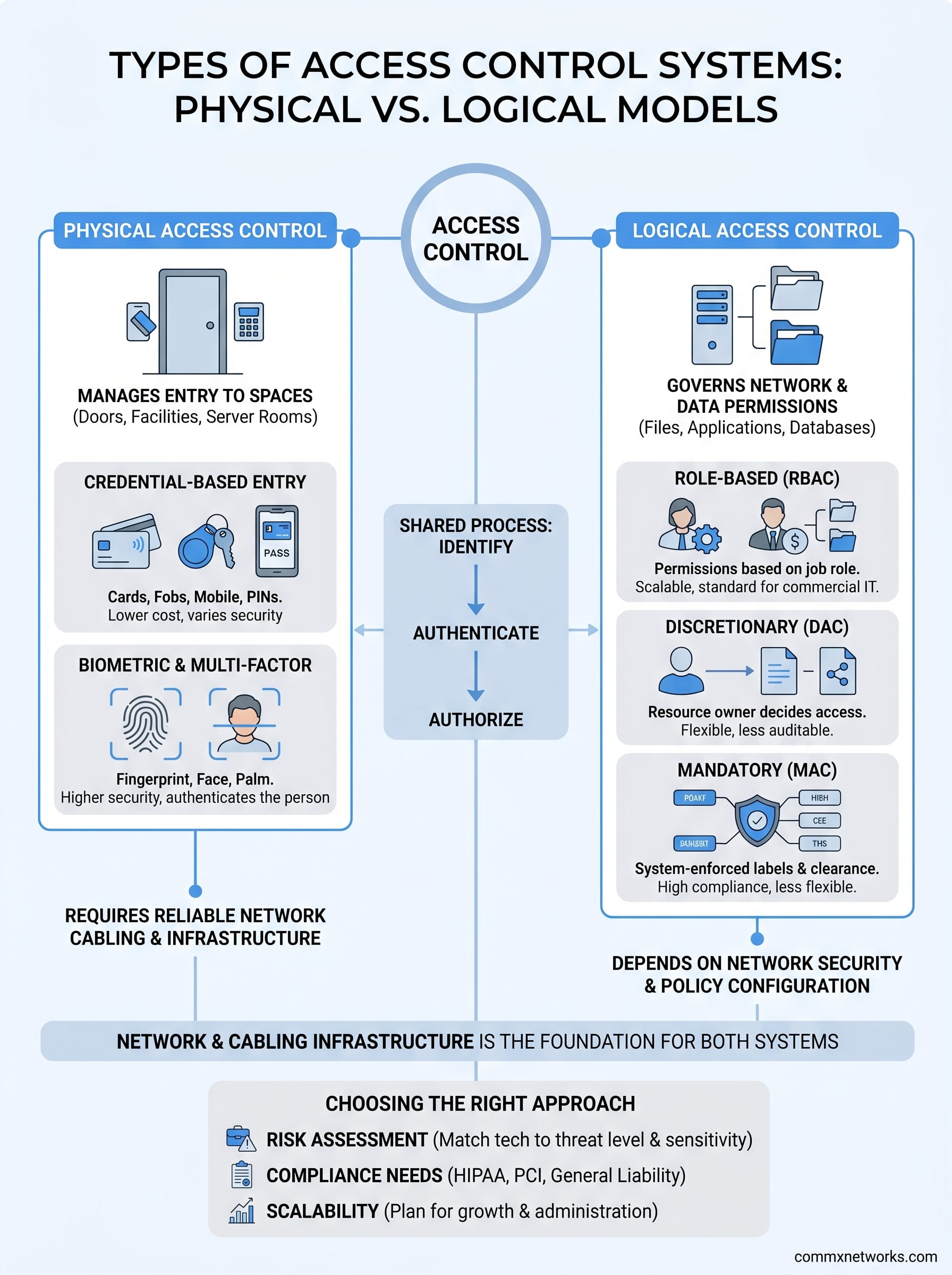
Before selecting from the types of access control systems available, you need to understand the underlying process they all share. Every access control system, regardless of whether it operates on a door or a database, follows the same three-step sequence: identify, authenticate, and authorize. The system first identifies who is requesting access, then verifies that the identity is legitimate, and finally decides what that identity is permitted to do. When any one of these steps breaks down, the entire system fails.
The identification and verification step
Identification is how the system recognizes you. This can be a card tap, a PIN entry, a fingerprint scan, or a username typed into a login prompt. Authentication is the step where the system confirms that the credential you presented actually belongs to you. Modern systems often layer multiple authentication factors together to make this confirmation harder to spoof.
The three widely recognized authentication factors are:
- Something you know: a PIN, password, or security question
- Something you have: a smart card, key fob, or mobile device
- Something you are: a fingerprint, retinal scan, or facial recognition
Using more than one factor at the same time is called multi-factor authentication (MFA), and it significantly raises the difficulty for anyone attempting unauthorized access.
How physical and logical layers connect
Once a user clears the authentication step, the authorization layer determines what areas or resources they can reach. In a physical system, this means a door lock releases or stays engaged. In a logical system, it means file directories open or remain hidden. Your network infrastructure plays a critical role here because the authorization decision travels across cabling and hardware before it reaches the lock, reader, or server responding to the request.
The cabling and switching infrastructure that carries these signals must be reliable, because a dropped connection at the wrong moment can lock out legitimate users or, worse, fail to stop an unauthorized one.
Both layers depend on a stable, well-structured physical network to operate correctly under real-world conditions.
Physical access control system types and methods
Physical access control covers every system that governs entry into a space, whether that’s a server room door, a warehouse loading bay, or a restricted executive suite. When you start mapping out the types of access control systems for your facility, the physical layer is usually where you begin because it directly controls what people can reach with their hands. Each method below differs in cost, security strength, and how well it integrates with your existing network infrastructure.
Credential-based entry methods
Credential-based systems are the most widely deployed physical access control option in commercial environments. They grant or deny entry based on something a person presents, such as a proximity card, smart card, or key fob. The reader at the door sends the credential data through your network to a controller, which checks it against an access database and returns an unlock signal if the credential is valid.
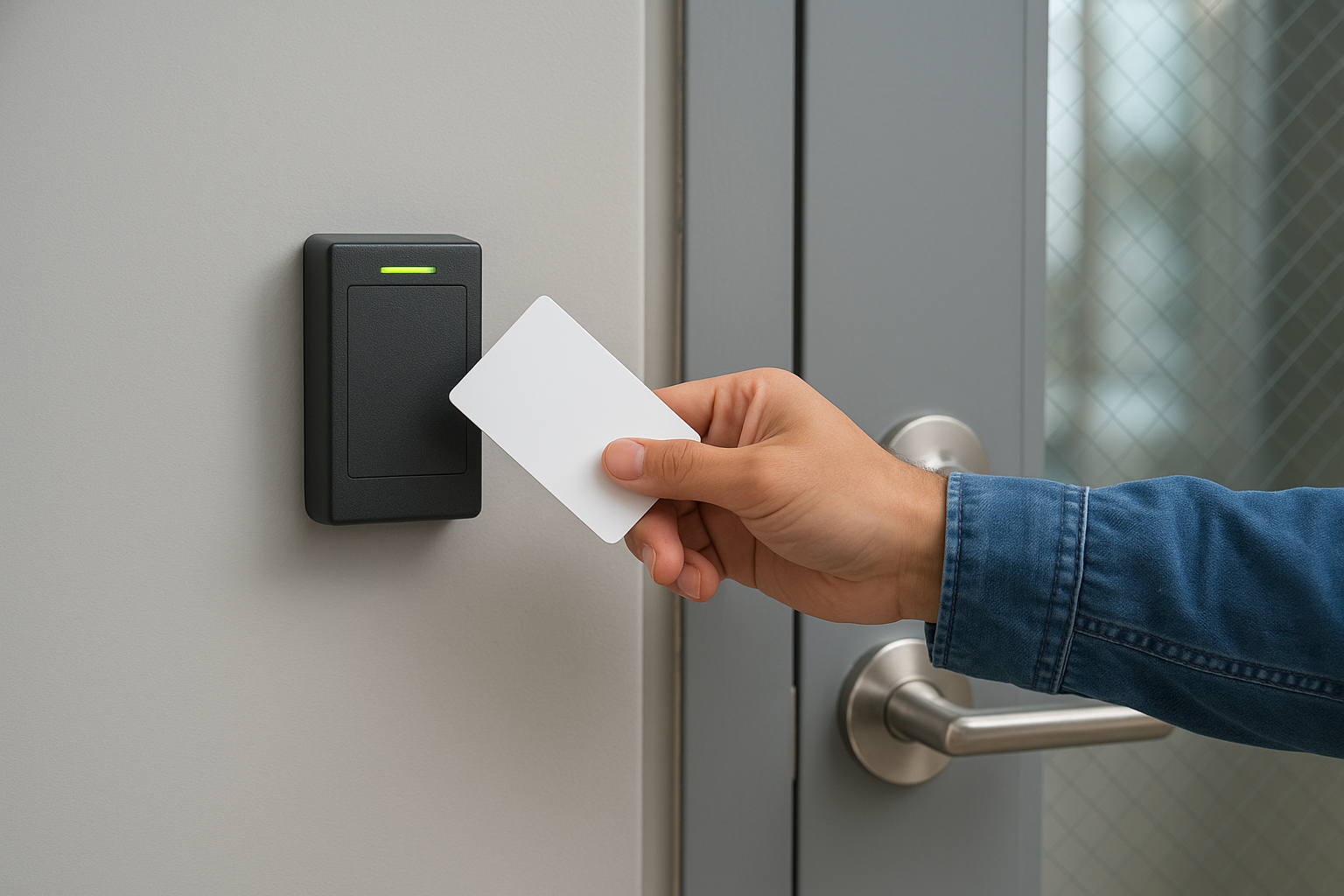
The reliability of this process depends entirely on the cabling and switching infrastructure connecting the reader to the controller, which is why proper installation matters from the start.
These systems work well for facilities that need to manage access across many users with different permission levels. Common credential formats include:
- Proximity cards (125 kHz): Older format, lower security, easy to clone
- Smart cards (13.56 MHz): Encrypted credentials, significantly harder to duplicate
- Mobile credentials: Access via a smartphone app using Bluetooth or NFC
- PIN pads: Low-cost option suitable for lower-risk areas when combined with a card reader
Biometric and multi-factor systems
Biometric readers verify identity using a physical characteristic, typically a fingerprint, palm vein pattern, or facial scan. Because biometrics authenticate something you are rather than something you carry, they eliminate the risk of a stolen card granting entry. Large commercial facilities like manufacturing plants and data centers increasingly combine biometric readers with card credentials to create a two-factor physical checkpoint.
Your choice of physical hardware should also account for how the system logs and reports activity. Audit trails tied to specific credentials give facility managers a timestamped record of every entry attempt, which supports both internal investigations and compliance documentation.
Logical access control models for IT systems
Logical access control governs what users can do once they are inside your network, not your building. While physical systems handle doors and rooms, logical models determine whether an authenticated user can read a file, modify a database record, or reach a specific application. When you evaluate the full range of types of access control systems, the logical layer is where your IT policies become enforceable rules. Three models dominate commercial IT environments: role-based, discretionary, and mandatory access control.
Getting your logical model wrong means that even a perfectly secured building can still expose sensitive data through misconfigured user permissions.
Role-based access control (RBAC)
Role-based access control (RBAC) assigns permissions to roles rather than to individual users. An employee gets access to specific systems because of the job function they fill, not because an administrator manually granted them rights. A warehouse coordinator role might access inventory software and shipping records, while an accounting role reaches payroll and financial reports. Neither role overlaps with the other unless an administrator explicitly creates that connection.
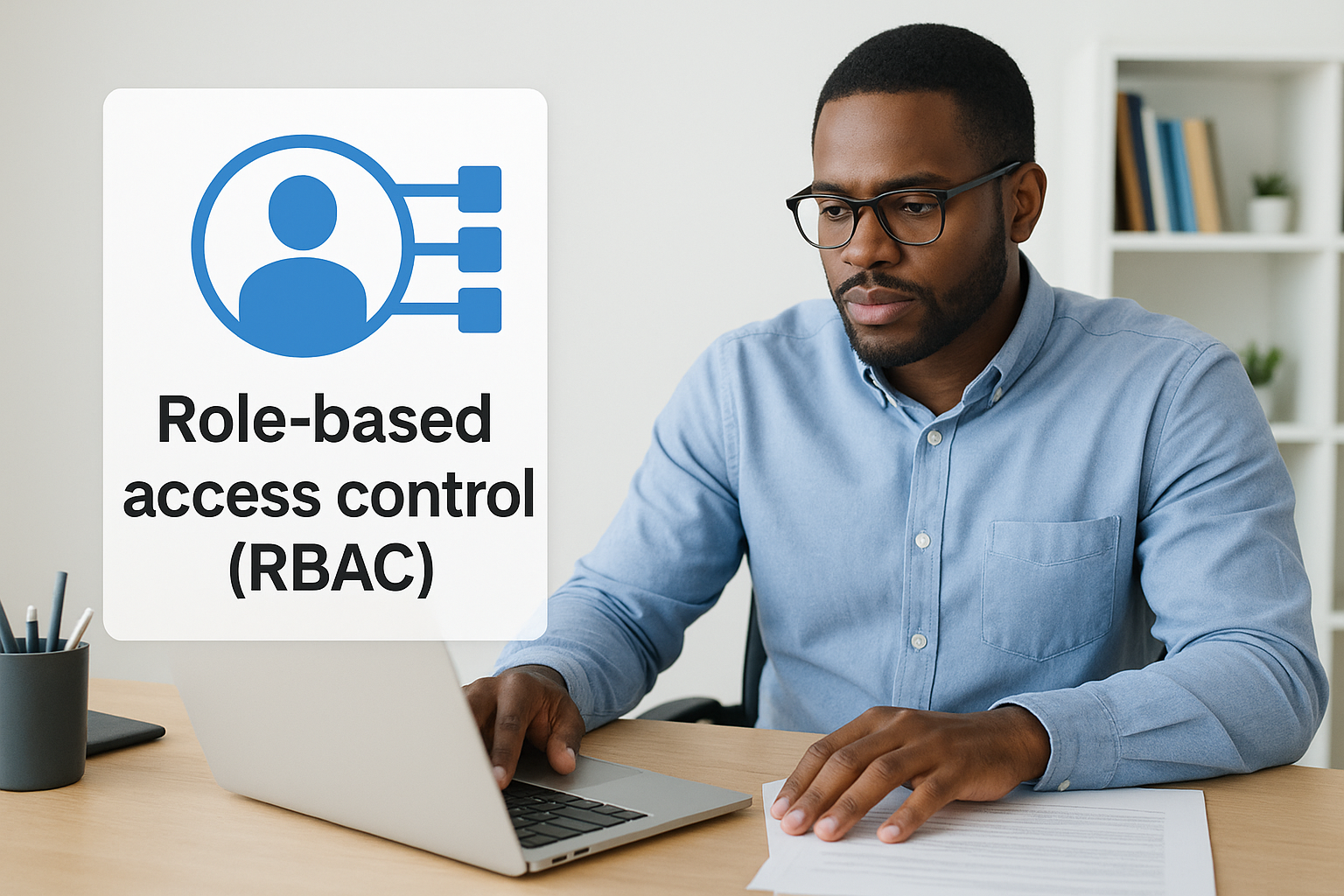
RBAC is the most widely adopted logical model in commercial IT environments because it scales well. When a new employee joins, you assign them a role and they immediately inherit the correct permission set. When they leave, removing the role revokes access across every connected system at once. Microsoft’s documentation on Azure role-based access control illustrates how this scales in cloud environments, but the same principle applies to on-premises networks.
Discretionary and mandatory access control
Discretionary access control (DAC) lets the owner of a resource decide who can access it. A department manager can share a folder with specific colleagues without involving IT. This flexibility is useful in smaller teams, but it creates risk at scale because permission decisions are distributed and harder to audit consistently.
Mandatory access control (MAC) operates at the opposite end of the spectrum. A central policy engine assigns classification labels to both users and resources, and the system enforces matches automatically. MAC is common in government, defense, and high-compliance environments where no individual user can override the access policy, regardless of their role or seniority.
How to choose and implement the right approach
Choosing between the types of access control systems available starts with an honest assessment of your facility’s risk profile and operational structure. Physical size, staff count, and the sensitivity of the data or spaces you’re protecting all feed directly into which combination of physical and logical controls makes sense for your environment.
Start with a site and risk assessment
Before you select any hardware or configure any software policy, you need a clear picture of your facility’s layout and the specific areas that carry the highest risk. Restricted server rooms, inventory storage, and executive areas each require a different level of protection than a general open workspace.
Work through these questions before committing to any hardware or software platform:
- Which areas require restricted entry, and who legitimately needs access to each?
- What compliance requirements apply to your industry?
- How many users will the system support, and how frequently does that number change?
- Do you need a unified audit trail connecting physical entry events to network access logs?
Match the technology to the threat level
Once you have a clear risk picture, align your hardware and logical model choices to the actual threat level each area or system carries. A loading dock and a data center don’t carry the same risk, and over-engineering low-risk areas wastes budget while under-securing high-risk areas creates real liability.
Your physical cabling infrastructure must be installed correctly from the start, because retrofitting structured cabling through a finished commercial facility costs significantly more than getting it right during the initial build-out.
For most commercial environments, a layered approach works best: credential-based readers for general access points combined with biometrics for high-security zones, and RBAC governing network and application permissions. This combination covers the majority of commercial use cases without unnecessary complexity.
Plan for growth and administration
Any system you install today needs to scale with your business. Cloud-managed access control platforms allow you to add users, adjust permissions, and review audit logs without being physically present at the site. On the logical side, choosing RBAC from the start keeps new staff onboarding manageable as your headcount grows, since you assign a role rather than configuring individual permissions every time.
Scalability also applies to your physical infrastructure. Cabling and switching capacity installed with room to grow prevents expensive rework when you add new doors, readers, or floors to your facility later.
Conclusion
Selecting from the available types of access control systems is not a single decision but a layered process that starts with your facility’s physical infrastructure and extends to how your network handles user permissions. Physical credential readers, biometric checkpoints, and logical models like RBAC each solve specific problems, and combining them strategically gives you the coverage a single-layer approach cannot deliver.
Your physical cabling and network hardware form the foundation that every one of these systems depends on to function reliably. Without properly installed structured cabling and network infrastructure connecting your readers, controllers, and cameras, even the best access control software will underperform. Getting that foundation right from the start saves you from costly rework later and ensures your access system holds up during audits, incidents, and growth.
CommX Networks doesn’t sell or install access control systems. If your Southwest Florida facility needs structured cabling, network infrastructure or commercial security cameras, call (239) 322-6340 or contact our team for a site assessment.