
Getting a security camera installation quote for your commercial property shouldn’t feel like a guessing game. But without knowing what drives the final number, camera types, cable runs, labor, licensing, it’s hard to tell whether a quote is fair or inflated. That uncertainty costs businesses time, and sometimes thousands of dollars in overspending or rework.
At CommX Networks, we’ve spent 18 years installing commercial-grade security camera systems across Southwest Florida, warehouses, office complexes, distribution centers, and everything in between. We handle the full scope: structured cabling, network infrastructure, and camera deployment, all built to industry standards. That hands-on experience gives us a clear picture of what these projects actually cost and what separates a reliable quote from a vague estimate.
This guide breaks down the real factors that affect pricing, what a professional quote should include, and how to evaluate proposals so you can make a confident decision. Whether you’re outfitting a new facility or upgrading an aging system, you’ll walk away knowing exactly what to look for before signing anything.
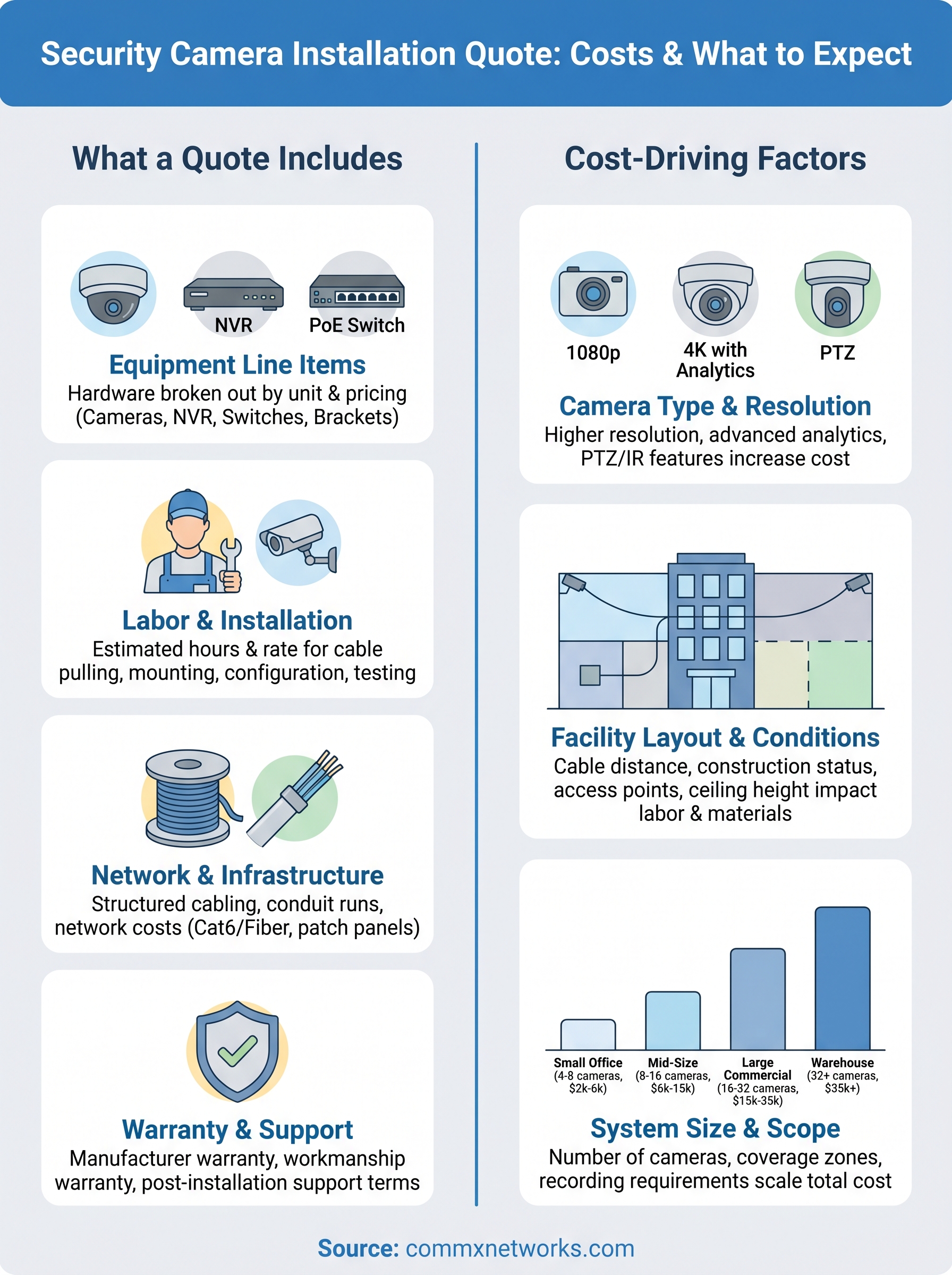
What a security camera installation quote includes
A professional security camera installation quote is more than a single number on a page. A reliable quote breaks down every cost so you know exactly what you’re paying for and what you get in return. If a contractor hands you a one-line total with no itemization, that’s a red flag. Every line item tells part of the story, and understanding those parts puts you in a stronger position when comparing proposals. You’ll use that breakdown to spot gaps in scope, compare competing bids fairly, and avoid surprises when the final invoice arrives.
Equipment line items
The equipment section lists every piece of hardware the contractor plans to install, broken out by unit with individual pricing. For a 16-camera IP system in a commercial facility, that typically includes:
- 16 x 4K dome IP cameras (unit price listed per camera)
- 1 x 16-channel NVR with storage capacity noted (for example, 8TB)
- 2 x 8-port PoE switches
- Mounting brackets, enclosures, and junction boxes
- Patch panels and cable terminations
Each item should carry a unit cost and quantity, not just a combined total. That detail makes it straightforward to verify you’re getting commercial-grade hardware and not lower-tier equipment billed at a premium.
Labor and installation breakdown
Labor is typically one of the largest cost variables in any camera installation, and it should be clearly separated from equipment costs in the document. Your quote should specify the estimated hours and rate for cable pulling, camera mounting, device configuration, and system testing. Some installers bundle labor as a flat fee, which can obscure how much work is actually involved. Ask for a task-level breakdown if the quote only shows a single labor line. If you’re managing a large facility with 30 or more cameras, the labor portion alone can reach several thousand dollars, so this line deserves close attention.
A quote that lumps labor and equipment into one number makes it nearly impossible to compare proposals or identify where costs can be adjusted.
Network and infrastructure costs
Structured cabling and conduit runs are often priced separately from cameras and recording equipment, and they should be. Your quote should include the footage of Cat6 or fiber cable required, the number of conduit runs, and any wall or ceiling penetrations needed to route cable through your facility. For large commercial buildings, this section can represent a significant share of the total project cost.
A 100,000-square-foot warehouse might require several thousand feet of cabling to connect cameras back to a central MDF or IDF closet. Verify that this section reflects an actual site assessment, not a rough estimate, since cabling costs scale directly with your facility’s physical size.
Warranty and support terms
The final section of a complete quote covers warranty coverage and post-installation support. Your document should state the manufacturer’s warranty on all hardware, the installer’s workmanship warranty, and what’s included if something fails within that period. Some contractors also list ongoing maintenance agreements as optional add-ons with separate pricing. Review these carefully because a system without clear support terms leaves you responsible for repair costs the moment something goes wrong.
Ask specifically how long the workmanship warranty lasts and whether on-site service calls are included. A standard workmanship warranty runs 1 to 2 years, while manufacturer warranties on cameras and NVRs typically range from 1 to 5 years depending on the brand. If these terms aren’t written into the quote, request them in writing before you sign anything.
Estimate your costs before you request quotes
Walking into the quoting process with a realistic cost range gives you leverage. When you know what a project of your size typically costs, you can quickly identify whether a contractor is pricing the work fairly or padding the bill. Before you reach out to any installer for a formal security camera installation quote, spend 10 minutes building a rough internal estimate based on your facility type and camera count. That number doesn’t need to be exact; it just needs to be informed enough to serve as a reference point when proposals start arriving.
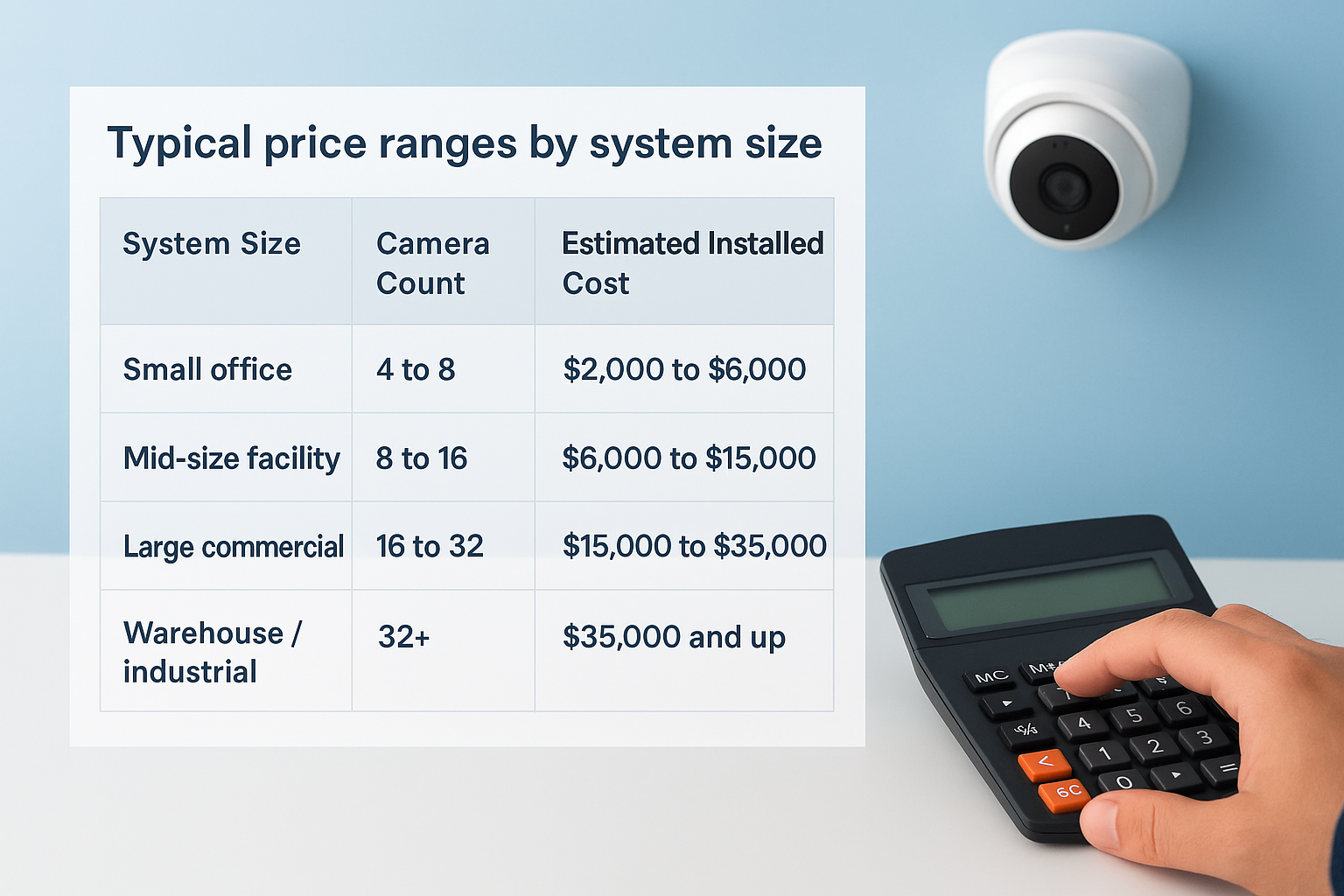
Typical price ranges by system size
Commercial security camera installations vary widely depending on the number of cameras, the hardware tier, and the complexity of your cabling infrastructure. The table below reflects typical installed costs for commercial systems in the United States, including equipment, cabling, and labor, but excluding ongoing monitoring fees. Use these ranges as a starting benchmark, not a final budget.
| System Size | Camera Count | Estimated Installed Cost |
|---|---|---|
| Small office | 4 to 8 cameras | $2,000 to $6,000 |
| Mid-size facility | 8 to 16 cameras | $6,000 to $15,000 |
| Large commercial | 16 to 32 cameras | $15,000 to $35,000 |
| Warehouse / industrial | 32+ cameras | $35,000 and up |
These ranges assume commercial-grade IP cameras and professional structured cabling. Consumer-grade systems installed without proper infrastructure typically cost less upfront but carry higher long-term replacement and maintenance costs.
Build your own rough estimate
Start by counting the access points, entry and exit doors, parking areas, and interior zones you need to cover. Assign one camera to each coverage zone, then add 10 to 15 percent to that total to account for blind spots or future expansion. Multiply your final camera count by a per-camera installed cost of $400 to $800 for a mid-tier commercial IP system. That range covers the camera hardware, cable run, mounting, and labor per drop.
For a 20-camera system at $600 per camera, your internal benchmark sits around $12,000. If a quote comes in significantly below that number, confirm the contractor is using commercial-grade hardware and not cutting corners on cabling. If a quote exceeds that range by a wide margin, ask for a line-by-line breakdown to understand exactly what’s driving the higher number before you move forward.
Know what drives price up or down
Once you have a rough benchmark, the next step is understanding which specific variables push a security camera installation quote higher or lower. These factors explain most of the pricing differences you’ll see between competing proposals, and knowing them helps you ask sharper questions when you review each line item.
Camera type and resolution
The hardware tier you select is one of the fastest ways to shift the total cost of your project. Entry-level 1080p IP cameras run $80 to $150 per unit, while 4K cameras with built-in analytics like license plate recognition or person detection range from $200 to $500 each. On a 20-camera job, that spec difference alone moves the equipment total by $2,400 to $7,000 before labor is added.
Common camera types and their cost impact:
- 1080p bullet or dome cameras: Best for standard indoor coverage, lowest hardware cost
- 4K dome cameras: Higher detail, suited for wide open spaces or large parking areas
- PTZ (pan-tilt-zoom) cameras: Higher unit cost and additional configuration time required
- IR or low-light cameras: Necessary for exterior or unlit areas, adds $50 to $150 per unit
Selecting a lower resolution to cut upfront costs often produces unusable footage during an incident, which eliminates the practical value of the entire system.
Facility layout and site conditions
Cable distance is a direct cost multiplier. Every camera needs a dedicated run back to your NVR or patch panel, and longer runs mean more material and more labor hours. A compact office might need 1,500 feet of Cat6 for 10 cameras, while a 50,000-square-foot warehouse with the same count could require 8,000 feet or more, depending on where your MDF or IDF closet sits relative to each camera location.
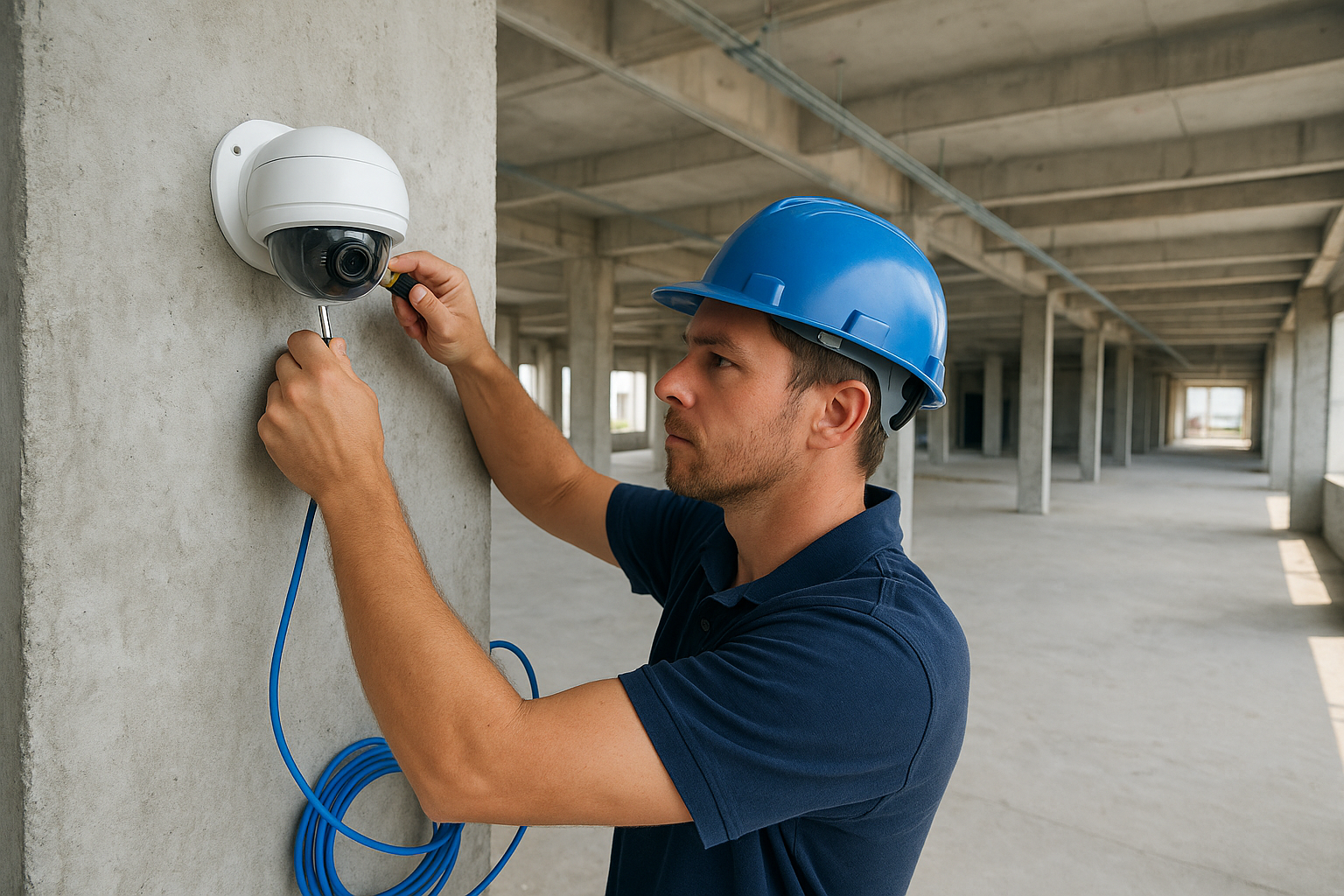
Buildings under active construction allow cabling to be roughed in before walls close, which cuts installation time significantly compared to a retrofit in an occupied space. Pre-wired facilities also cost less because contractors can reuse existing infrastructure. Concrete walls, steel beams, and high ceilings all add labor time and, in some cases, require specialized conduit or aerial runs that raise the final total.
Request accurate quotes from installers
Getting accurate numbers starts before you make a single phone call. The quality of information you provide to a contractor directly determines how precise your security camera installation quote will be. Vague requests produce vague estimates, and vague estimates almost always lead to change orders, cost overruns, or scopes that don’t match what you actually need. If you approach every installer with the same detailed brief, you set the conditions for a fair, apples-to-apples comparison.
Send a pre-quote information sheet
Before you contact any installer, put together a one-page summary of your facility and project scope to share with every contractor you reach out to. Sending the same document to all bidders keeps the comparison fair and prevents each contractor from making different assumptions about your job. Include the following:
- Facility size and type: Square footage, building layout (single-floor vs. multi-story), and current use (warehouse, office, retail)
- Estimated camera count and locations: Number of cameras, preferred placement zones (entry points, parking, interior aisles), and any existing conduit or cabling
- Recording requirements: Storage duration (30 or 60 days), remote access needs, and whether you require cloud backup
- Timeline: Your target installation date and whether the facility will be occupied during the work
- Access restrictions: Areas that require escorted entry or have after-hours limitations
Contractors who receive this sheet can price your job accurately from the start, which eliminates the most common cause of quote revisions and unexpected change orders after work begins.
Ask these questions before you commit
Once a contractor reviews your information sheet, schedule a brief call or an on-site walkthrough before accepting any quote. Use that conversation to clarify details that don’t show up on paper. Ask each installer:
- Are you licensed and insured in Florida for low-voltage and security system installation?
- What specific camera models and NVR brands does this quote include?
- How do you handle cable routing through concrete walls or steel structures?
- What does the workmanship warranty cover, and how long does it last?
- Is a formal site walk included before the final quote is issued?
Contractors who hesitate on these questions or give vague answers are likely quoting without a full understanding of your project. A confident installer answers these directly, because they’ve done the groundwork before putting numbers on the page.
Compare quotes and choose the right installer
Once you have two or three proposals in hand, the process shifts from gathering information to making a structured comparison. Raw price is rarely the deciding factor in a commercial project. What matters is whether each security camera installation quote covers the same scope, uses comparable hardware, and comes from a contractor who can actually deliver what they’ve written down. Skipping this step and choosing the lowest number is one of the most common reasons commercial camera projects end with disputes, missing features, or re-installation costs.
Build a side-by-side comparison
Lay every proposal out in a single document so you can compare each line item directly across all contractors. Don’t compare totals; compare components. Use the table below as a working template to organize proposals from up to three installers:
| Comparison Factor | Installer A | Installer B | Installer C |
|---|---|---|---|
| Camera model and resolution | |||
| NVR brand and storage capacity | |||
| Cable type and estimated footage | |||
| Labor hours and rate | |||
| Workmanship warranty length | |||
| Hardware warranty terms | |||
| Licensed and insured (Y/N) | |||
| Total installed cost |
Fill this in using the line items from each proposal. Any column with missing or vague entries tells you the contractor didn’t scope the job thoroughly. That gap is worth a direct follow-up call before you rule anyone out or move forward.
Red flags that disqualify a quote
Some warning signs should remove a contractor from your shortlist regardless of how competitive their pricing looks. Watch for these:
- No itemized equipment list, only a lump-sum total
- Camera brands not specified by model number
- No mention of licensing or insurance in the proposal
- Labor priced well below market without explanation
- No workmanship warranty or a warranty shorter than 12 months
- Quote issued without a site visit or floor plan review
A contractor who prices a large commercial job without walking the facility is guessing, and that guess becomes your problem once the work starts.
Choose the installer who matched your scope completely, provided clear documentation, and answered every question on your pre-quote sheet without hesitation.
Next steps
You now have the framework to approach a security camera installation quote with confidence. You know what a complete proposal should include, what a realistic cost range looks like for your facility size, and which red flags should remove a contractor from consideration before you spend another minute on their bid. The information in this guide applies directly to your next conversation with any installer, whether you’re outfitting a small office or a 100,000-square-foot warehouse.
Your next move is to build that one-page project brief, set a camera count based on your coverage zones, and start reaching out to licensed and insured contractors in your area. If your facility is in Southwest Florida, CommX Networks has handled commercial camera projects across the region for 18 years. Visit our commercial security camera installation services page to learn more about our process, or contact us directly to schedule a site assessment and get an accurate quote for your project.