
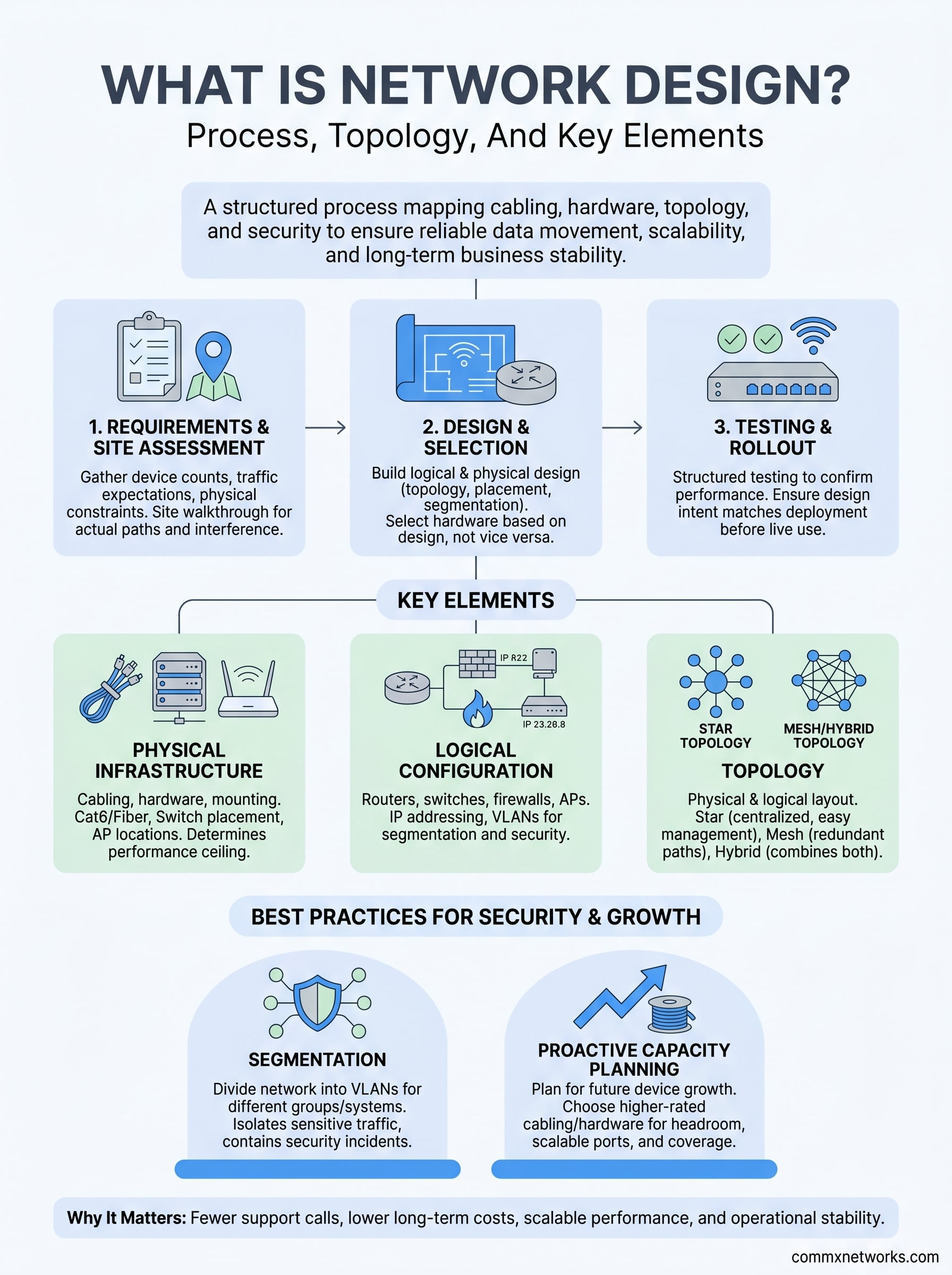
Every cable run, switch placement, and access point location in a commercial building starts with a plan. So what is network design? It’s the structured process of mapping out how all the components of a network, from cabling and hardware to topology and security, work together to move data reliably across your business. Without a solid design behind it, even expensive equipment will underperform, create bottlenecks, or fail to scale when your operation grows. A well-designed network isn’t just an IT concern; it’s a business-critical foundation that affects everything from daily communications to long-term facility planning.
At CommX Networks, we’ve spent 18 years designing and building network infrastructure for commercial environments across Southwest Florida, warehouses, office complexes, distribution centers, and industrial facilities. That hands-on experience has shown us exactly where network projects succeed and where they fall apart, and the difference almost always traces back to design.
This article breaks down the core elements of network design, including topology types, the step-by-step planning process, and the hardware and protocols that hold it all together. Whether you’re building out a new facility or rethinking an existing setup, this guide gives you a clear framework for understanding how professional network design works and why it matters.
Why network design matters for businesses
A network that works today might not work six months from now. When you understand what is network design and what goes into building one correctly, you see why skipping or rushing the planning phase leads to problems that compound over time. Cabling installed without a layout plan, switches placed without load calculations, and access points positioned by guesswork all create performance gaps that are expensive to fix after the fact.
Poor design creates compounding problems
Most network failures in commercial environments don’t start with a hardware breakdown. They start with a design that didn’t account for traffic volume, physical distance, or future expansion. A warehouse that runs 50 devices today might run 200 in three years. If the original design didn’t plan for that growth, you’re looking at a full infrastructure replacement instead of a simple upgrade.
The cost of redesigning a network after installation is consistently higher than getting the design right before a single cable is pulled.
Interference, bottlenecks, and security gaps are also common symptoms of a rushed design. Wireless access points placed too close together cause signal conflicts. Switches without proper segmentation expose sensitive systems to broader network traffic. These aren’t minor inconveniences; they create real downtime and real liability for your business.
A solid design supports long-term performance
When your network is built with clear documentation, proper hardware selection, and defined traffic paths, your team can troubleshoot faster, expand without disruption, and meet compliance requirements more easily. Facility managers and IT directors who invest in a thorough design phase typically see fewer support calls and lower total infrastructure costs over a five-year period.
Scalability, security, and reliability are not features you add to a network later. They have to be built into the design from the start, which is why network design isn’t just a technical exercise; it’s a direct investment in your operational stability.
Key elements of network design
When you break down what is network design at its core, you’re looking at a set of interconnected components that each play a defined role. No single element works in isolation, and the decisions you make about one part directly affect how the others perform. Understanding these elements before you touch a single cable is what separates a network that holds up under pressure from one that constantly needs fixes.
Physical infrastructure
The physical layer covers all the cabling, hardware, and mounting locations that form the backbone of your network. Cat6 or fiber optic runs, switch placement in MDF and IDF closets, and access point positioning all fall into this category. Getting these placements right during the design phase prevents costly retrofits after installation is complete.
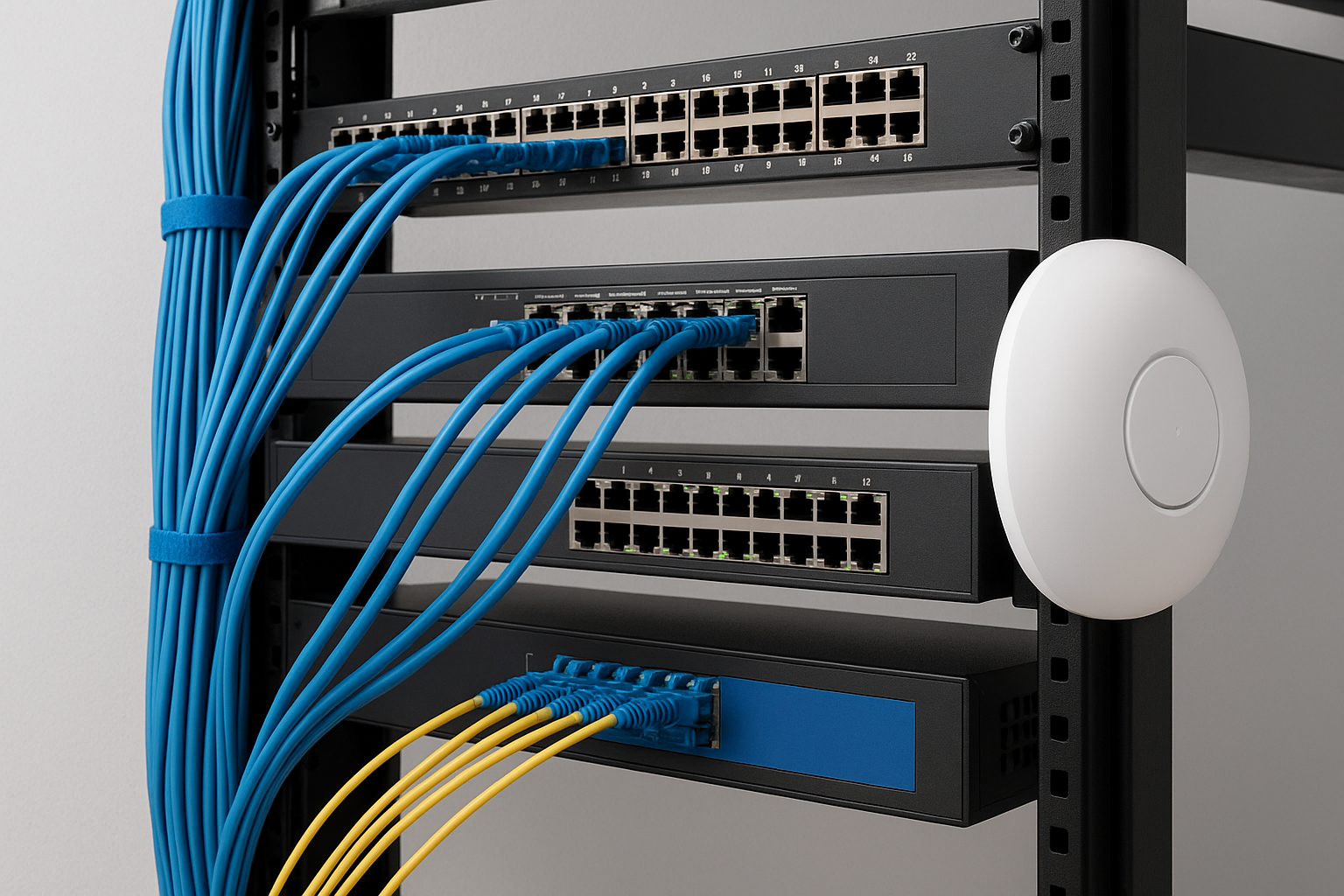
Your cabling decisions lock in your network’s performance ceiling before a single device ever connects.
Network devices and logical configuration
Beyond the cables, your design must account for routers, switches, firewalls, and wireless access points and how they communicate with each other. This includes defining your IP addressing scheme and segmenting traffic using VLANs to keep sensitive systems isolated from general use. Proper device selection and traffic segmentation ensures your network handles load without degrading performance as your operation scales.
Common network topologies and when to use them
Topology is the physical and logical layout of your network, and it directly shapes how data moves between devices. When you think about what is network design at a practical level, topology is one of the first decisions you lock in because it determines your cabling paths, device connections, and fault tolerance before a single component gets installed.
The topology you choose at the start of a project shapes every infrastructure decision that follows.
Star topology
Star topology connects every device back to a central switch or hub, making it the most common choice for commercial office environments. If one connection fails, the rest of the network keeps running, which gives you predictable fault isolation and straightforward troubleshooting when issues come up.
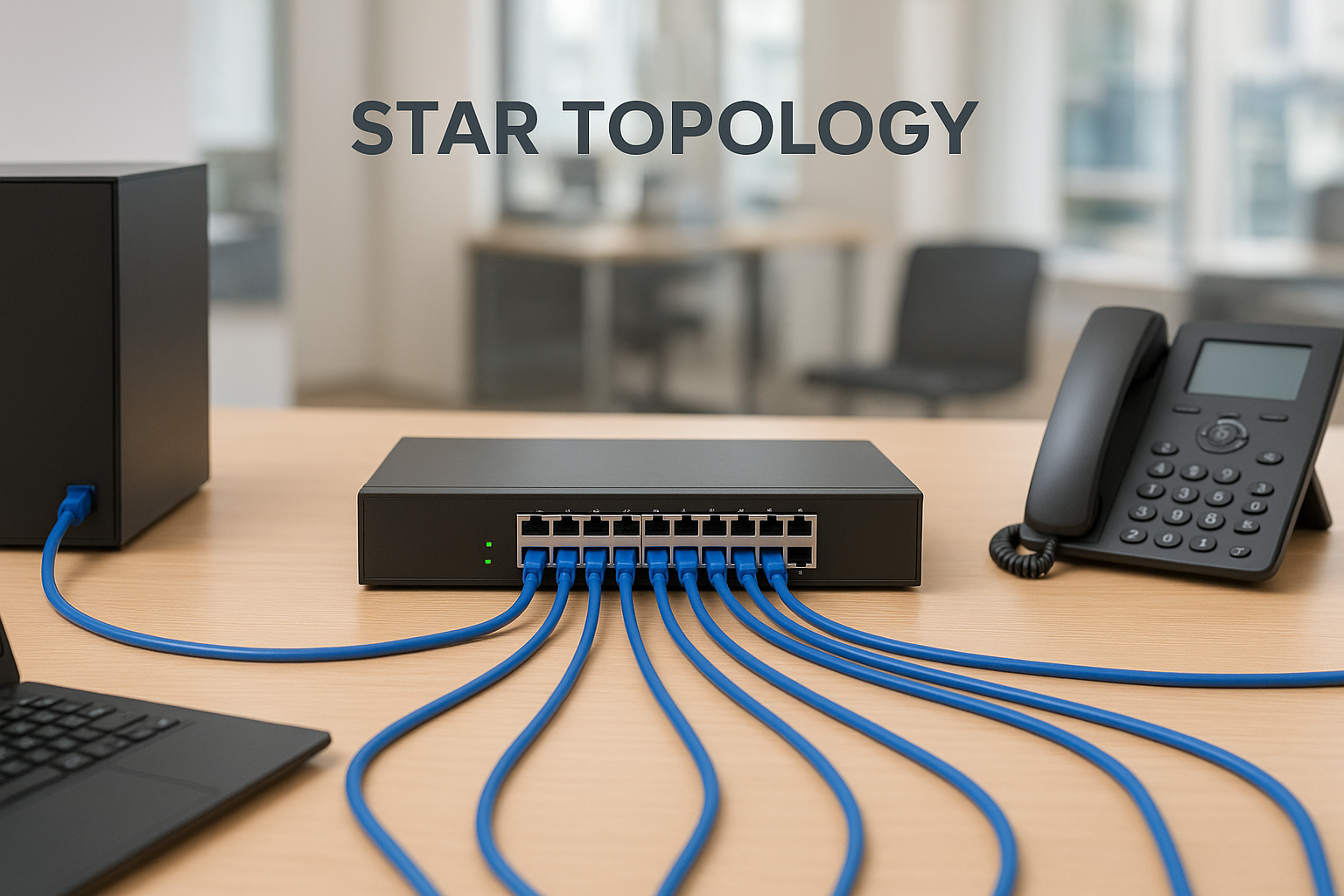
Your IT team can add new devices, replace hardware, or reconfigure ports without taking down the entire network. That flexibility makes star topology the standard layout for most office expansions and structured cabling projects.
Mesh and hybrid topologies
Mesh topology creates multiple redundant paths between nodes, so the network reroutes traffic automatically if one path goes down. This setup performs well in large warehouses and industrial facilities where any downtime carries direct operational cost.
Hybrid designs combine star and mesh elements, giving you centralized management in office areas while maintaining redundant paths for high-demand zones. Matching the right topology to each zone of your facility is what separates a resilient network from one that struggles under real-world load.
The network design process from requirements to rollout
Understanding what is network design means recognizing it as a repeatable, structured process that runs from the first client conversation through final testing and handoff. Every phase builds on the one before it, and cutting corners at any stage creates problems that surface later when your network is under real operational load.
Rushing past the requirements phase is the single most common reason commercial network projects go over budget.
Step 1: Requirements gathering and site assessment
Before you select a single piece of hardware, you need a documented list of device counts, traffic expectations, and physical constraints for your facility. That documentation drives every downstream decision from cabling type to switch capacity.
A site walkthrough adds a layer of detail that no floor plan captures. You identify actual cable routing paths, closet dimensions, and interference sources that change your hardware choices before installation begins.
Step 2: Design, hardware selection, and testing
With requirements in hand, you build a logical and physical design that maps topology, device placement, and segmentation rules. Your hardware selections follow directly from that design, not the other way around.
Once the infrastructure is in place, structured testing confirms that each segment performs to spec before your business depends on it. That testing step is what ensures your design intent matches your actual deployment.
Network design best practices for security and growth
A key part of understanding what is network design is recognizing that a good design doesn’t just solve today’s problems. It builds in protection and scalability from the start. Two practices consistently separate networks that hold up over time from those that need constant, reactive fixes: network segmentation and proactive capacity planning. Both need to be addressed in the design phase, not added on after deployment.
Segment your network from day one
Network segmentation divides your infrastructure into separate VLANs for different user groups, devices, or systems. This keeps sensitive systems like security cameras or payment processing isolated from general office traffic, which significantly limits your exposure if one segment is compromised.
A segmented network contains the damage of any security incident before it reaches your most critical systems.
Plan for growth in your hardware and cabling choices
Your hardware and cabling decisions carry long-term consequences that compound over time. Selecting Cat6A or fiber over lower-rated cable gives your infrastructure headroom to support higher speeds without a full replacement down the road. Switches with available port capacity and access points rated above your current device count let you add coverage to a zone without removing infrastructure that’s already in place.
Document your full design so future upgrades start from a clear, verified baseline rather than guesswork about what was originally installed.
Next steps
Now that you understand what is network design and how each phase, from topology selection to segmentation, connects to real operational outcomes, you’re in a better position to evaluate your current infrastructure and spot gaps before they become costly problems. Every decision in this process carries long-term consequences, so the best time to address them is before your network is under load, not after.
Start by documenting your current device counts, cabling types, and traffic patterns. That baseline gives you a clear picture of where your infrastructure stands and what it can realistically support as your business grows. If gaps show up during that review, a professional site assessment will surface the details a floor plan alone can’t capture.
CommX Networks has 18 years of experience designing and installing commercial network infrastructure across Southwest Florida. If you’re ready to build a network that performs now and scales later, contact our team at CommX Networks to start the conversation.