
Controlling who walks through your doors is one of the most fundamental security decisions a business can make. Paxton access control systems have built a strong reputation for doing exactly that, managing entry points across commercial buildings with a product line that scales from a single door to an entire multi-site operation. But with several product tiers, different licensing structures, and a range of hardware options, figuring out whether Paxton is the right fit for your facility takes more than a glance at a spec sheet.
This guide breaks down Paxton’s core product lines, system capabilities, pricing considerations, and what to expect from the buying process. Whether you’re outfitting a new warehouse, upgrading an aging office building, or adding access control to a facility that currently relies on traditional locks and keys, you’ll find the details here to make an informed decision.
Why access control matters for commercial buildings
Commercial buildings face a different security reality than homes or small offices. Multiple entry points, rotating staff, contractors, vendors, and shift workers all create ongoing exposure that a simple lock-and-key setup cannot manage reliably. When you add the physical scale of a warehouse or office complex, the number of people who need access on any given day can reach dozens or even hundreds, and tracking who came and went becomes nearly impossible without a dedicated system in place.
The real cost of uncontrolled access
Most business owners think about access control after something goes wrong, which is almost always the wrong time. Theft, vandalism, and unauthorized entry are the obvious threats, but the operational damage often runs deeper. When employees share key fobs, prop doors open, or leave old credentials active after someone leaves the company, your facility becomes significantly harder to manage. Each of these gaps is a compounding liability that builds quietly over time.
When a former employee still has active credentials, every day that passes without deactivating them is a security exposure your business is carrying unnecessarily.
Unauthorized access incidents also generate costs that aren’t always visible upfront: insurance claims, replacement of stolen equipment, potential data breaches if server rooms or sensitive areas are compromised, and the employee hours spent dealing with the fallout. For a warehouse or distribution center moving high-value inventory, that exposure can be substantial.
Liability, compliance, and insurance
Regulated industries carry an additional layer of pressure that makes structured access control non-negotiable. Healthcare facilities, financial offices, and businesses that store personally identifiable information all have compliance requirements tied to who can access certain areas. An audit trail showing exactly when each door was opened, by which credential, gives you documentation that a physical key system simply cannot produce.
Insurance carriers are increasingly attentive to access control when underwriting commercial property policies. Facilities that can demonstrate controlled entry with logged records typically present a lower risk profile. Depending on your coverage type, an upgraded access control installation may directly influence your premiums or coverage terms, so the upfront investment often returns value beyond just security.
What modern access control replaces
A traditional key system has no real flexibility once you distribute keys. Rekeying locks every time an employee leaves is expensive and easy to overlook, and keys can be duplicated without your knowledge. Modern access control systems, including paxton access control platforms, replace that model entirely with credential-based entry that you can activate or deactivate from a software dashboard in seconds.
Your ability to manage permissions becomes precise and immediate with a digital system. You can assign specific time windows to individual users, meaning a contractor only has access during business hours on the days their project is active. You can restrict a delivery crew to the loading dock and nowhere else. You can pull a full report showing every door event over the past 30 days, and none of that requires a single physical key to change hands.
How Paxton access control works day to day
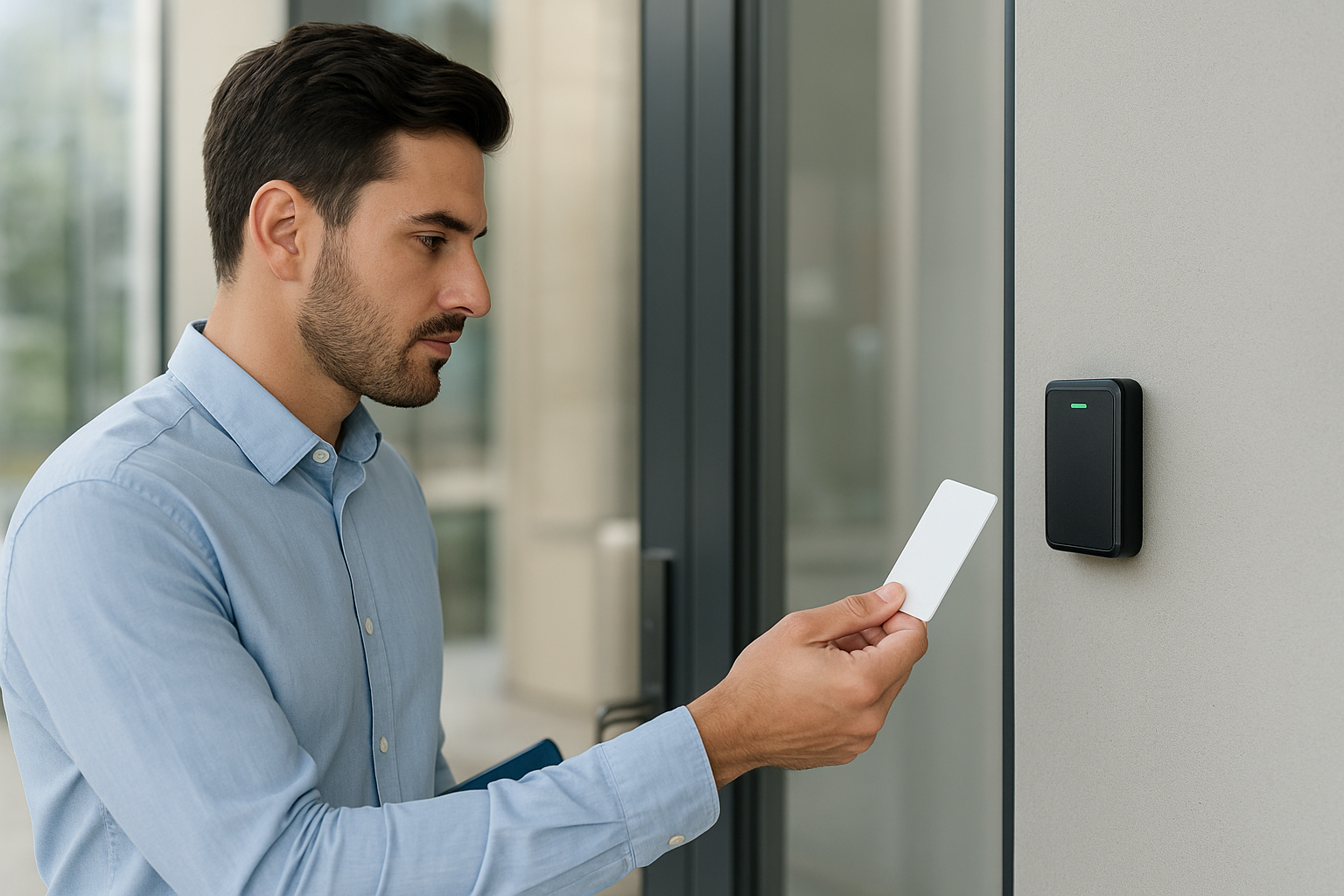
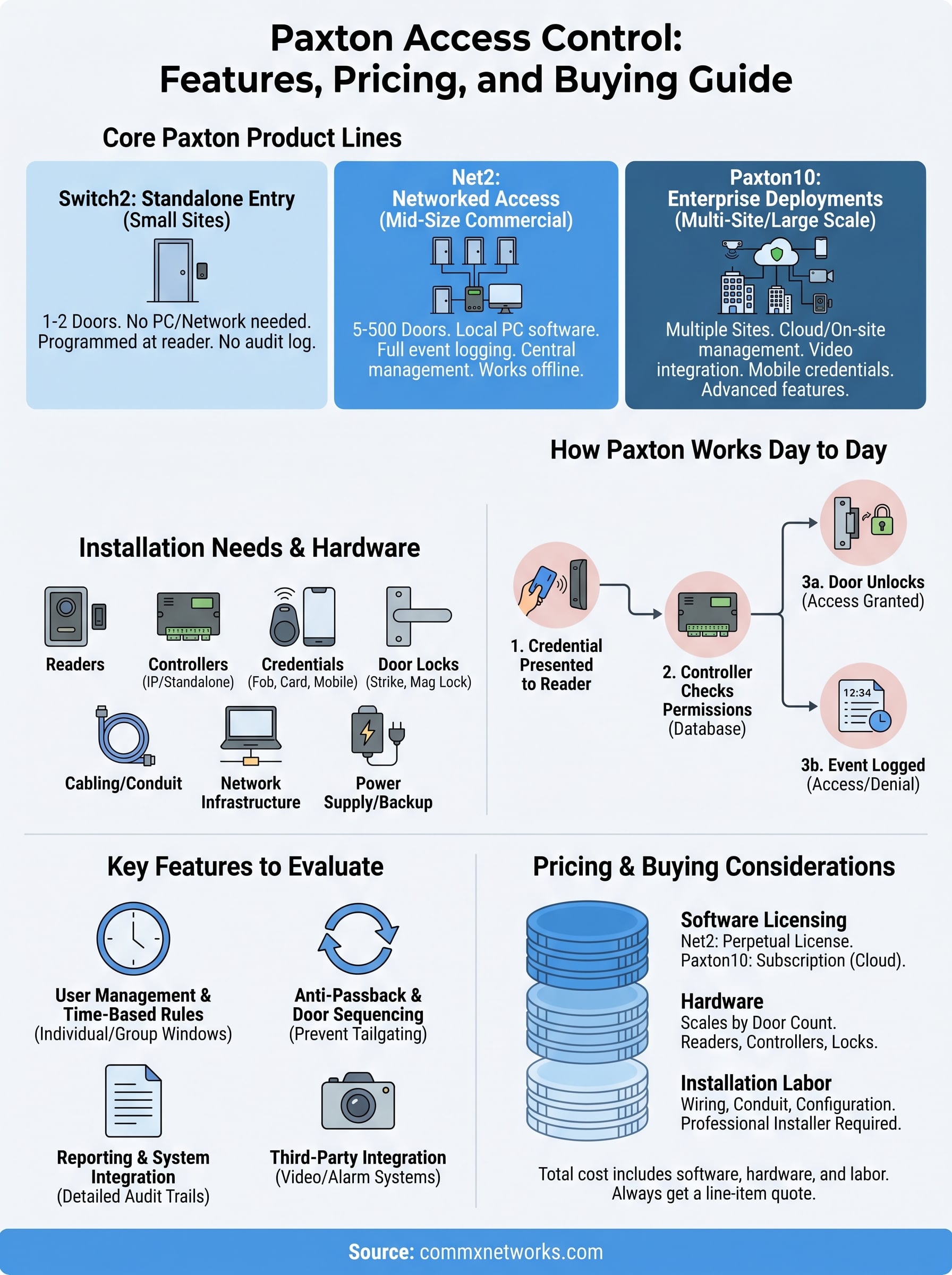
At its core, paxton access control operates on a simple principle: a credential is presented to a reader, the system checks that credential against its permissions database, and the door either opens or stays locked. That exchange happens in under a second, but the infrastructure behind it handles time restrictions, user roles, site-wide rules, and an ongoing event log simultaneously. Understanding what happens at each step helps you plan a system that matches how your building actually runs.
Credentials and reader interaction
Every user in a Paxton system carries a credential, which is typically a smart card, key fob, or mobile phone depending on the product line you install. When someone presents that credential to a wall-mounted reader, the reader sends the credential data to the Paxton controller, which is the physical hardware unit managing that door or group of doors. The controller checks the credential against its stored access rules and either triggers the door release mechanism or logs a denied entry.
The controller is the decision-making hardware at each door, and it operates independently of the software, which means doors still function correctly even if your network goes down temporarily.
This local processing capability matters in commercial settings where network interruptions cannot be allowed to leave doors stuck or wide open. The reader itself handles the physical radio frequency communication while the controller handles the logic, keeping the two functions cleanly separated.
Software management and reporting
Your day-to-day management happens inside the Paxton software, either a locally installed application or a cloud dashboard depending on your setup. From that interface, you can add new users, assign credential types, set time-based access rules, and deactivate credentials instantly without touching any hardware on-site.
Reporting is where the operational value becomes obvious. Every door event gets logged with a timestamp, user identity, and access outcome, giving you a searchable record you can pull at any time. If an incident occurs, you can pull a filtered report showing exactly who accessed a specific door during a specific window rather than relying on guesswork. For large facilities with multiple entry points, that audit capability removes the manual tracking burden entirely and puts verified data in front of you whenever you need it.
Paxton product lines and where each one fits
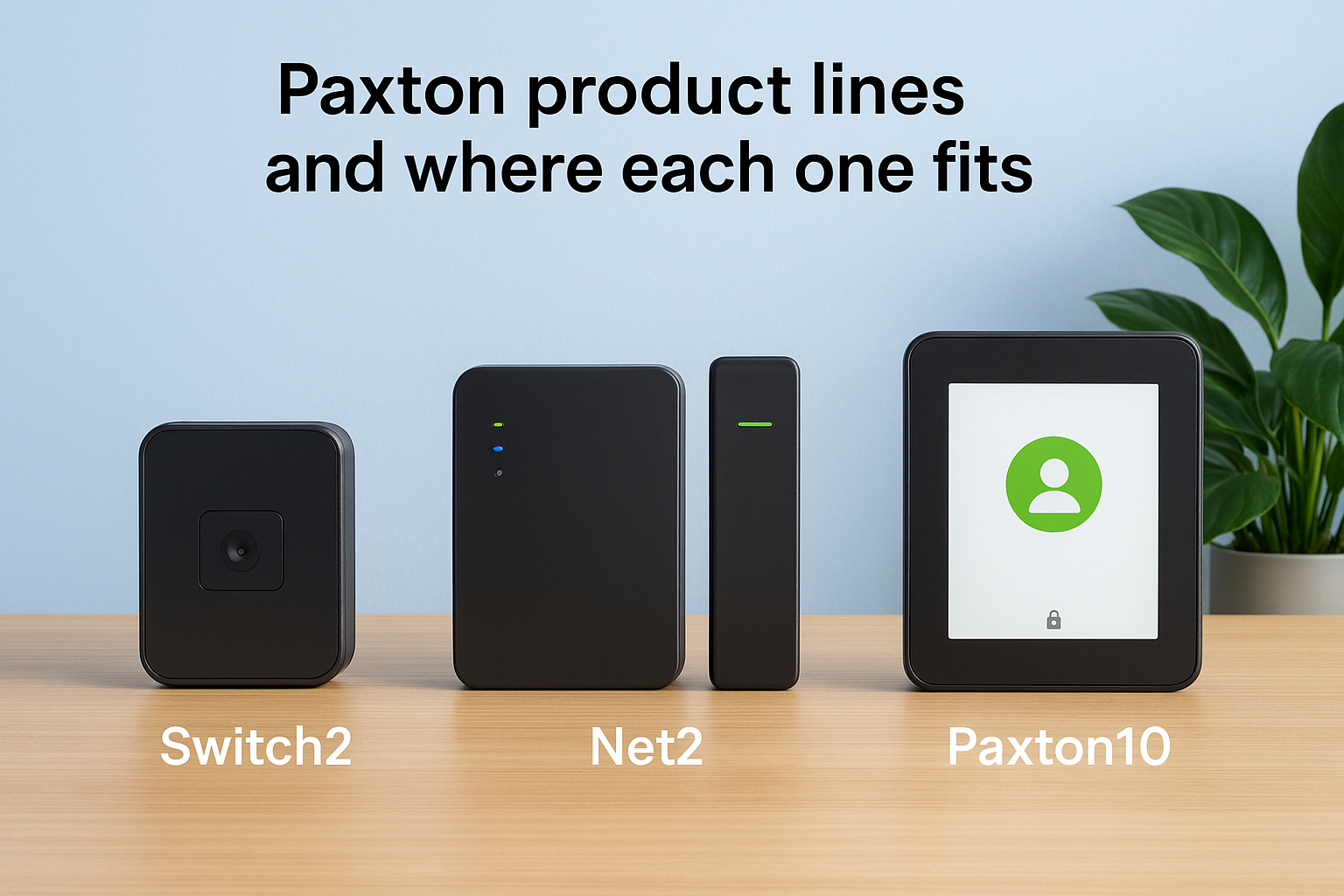
Paxton builds its lineup around three distinct platforms, each targeting a different scale of deployment. Before you evaluate hardware pricing or software licensing, understanding which platform fits your facility size and operational complexity will save you from either over-buying or installing a system that you’ll outgrow in two years. The right paxton access control platform depends on your door count, network infrastructure, and how centrally you need to manage users.
Switch2: standalone entry for smaller sites
Switch2 is Paxton’s entry-level platform, designed for facilities with one or two controlled doors and no requirement for networked management software. The system runs entirely from the controller unit itself, without a PC or server involved. You program users directly at the hardware, which makes it a practical choice for a small office, a server room, or a single restricted area within a larger building where you want quick, low-cost access control without a full software installation.
The trade-off is scope. Switch2 does not produce an audit log you can query, and managing a growing user list through the controller alone becomes time-consuming at any meaningful scale. If your needs stay contained to a handful of doors and a stable team, Switch2 delivers exactly what it promises at a lower total cost.
Net2: networked access for mid-size commercial buildings
Net2 is Paxton’s most widely deployed platform and the one that fits the majority of commercial office buildings, warehouses, and multi-tenant facilities in the 5 to 500 door range. The system runs on locally installed software connected to a network of controllers, giving you centralized management, full event logging, and the ability to handle complex permission structures across multiple entry points from a single workstation.
Net2’s local processing architecture means your doors continue to operate normally during a network outage, which matters significantly in facilities that run 24-hour operations.
You can expand a Net2 installation incrementally by adding controllers and readers as your building grows, making it a strong fit for businesses that are actively scaling their footprint across Southwest Florida.
Paxton10: enterprise deployments and multi-site management
Paxton10 is the company’s current flagship platform, built for large-scale installations and organizations managing access across multiple buildings or locations. The system supports cloud-based management alongside on-site infrastructure, which means your security team can administer the entire network from a single dashboard regardless of where each site is located. Paxton10 also integrates more natively with video systems and third-party platforms, making it the right choice when you need access control to function as part of a broader security ecosystem.
Core features to evaluate before you choose
Not every access control feature carries equal weight for every facility. Before you lock in a platform, you should evaluate which capabilities your day-to-day operations actually require and which ones you’re paying for but will never use. Paxton access control systems offer a consistent core set of features across their product lines, but the depth and configurability of each feature vary depending on which platform you install.
User management and time-based rules
The most critical feature to scrutinize is how the system handles user permissions over time. Your building’s access requirements are not static: staff change roles, contractors come and go, and shift schedules vary seasonally. A system that lets you set granular time windows per user or per group means a vendor’s credential automatically becomes inactive once their project ends, and a night-shift worker can only enter during their scheduled hours. Before committing, confirm the platform supports all three of the following at minimum:
- Individual time-zone assignments per credential
- Group-level permission templates to speed up onboarding
- Bulk credential deactivation for fast offboarding
Anti-passback and door sequencing
Anti-passback rules prevent a single credential from being used to admit multiple people through a door by requiring that each entry event match a corresponding exit event before that same credential works again. For warehouses or facilities managing high-value inventory, this feature closes a significant loophole that allows tailgating to go completely undetected under a standard setup.
If tailgating is a concern in your facility, confirming anti-passback support before installation is far easier than trying to add that logic afterward.
Door sequencing, which forces someone to clear one door before a second unlocks, adds another layer of control for restricted zones like server rooms or cash handling areas. These two features together give you a much tighter perimeter than door control alone.
Reporting and system integration
Audit trail quality varies between platforms, and you should test exactly what a report looks like before committing. Look for filtering by door, user, time range, and access outcome so you can pull precise data during an investigation rather than scrolling through thousands of raw entries.
Beyond reporting, check what third-party integrations the system supports, particularly with your existing camera or alarm infrastructure. A platform that shares data with your video system creates a more complete security picture than one that operates in complete isolation from your other hardware.
Hardware, credentials, and door types supported
The physical hardware layer is where paxton access control becomes concrete in your building. Selecting the right combination of readers, controllers, credentials, and door release mechanisms determines whether your system performs reliably across your specific floor plan. Before anything gets installed, you need a clear picture of what hardware each platform supports and which components match your existing door types and construction.
Readers and controllers
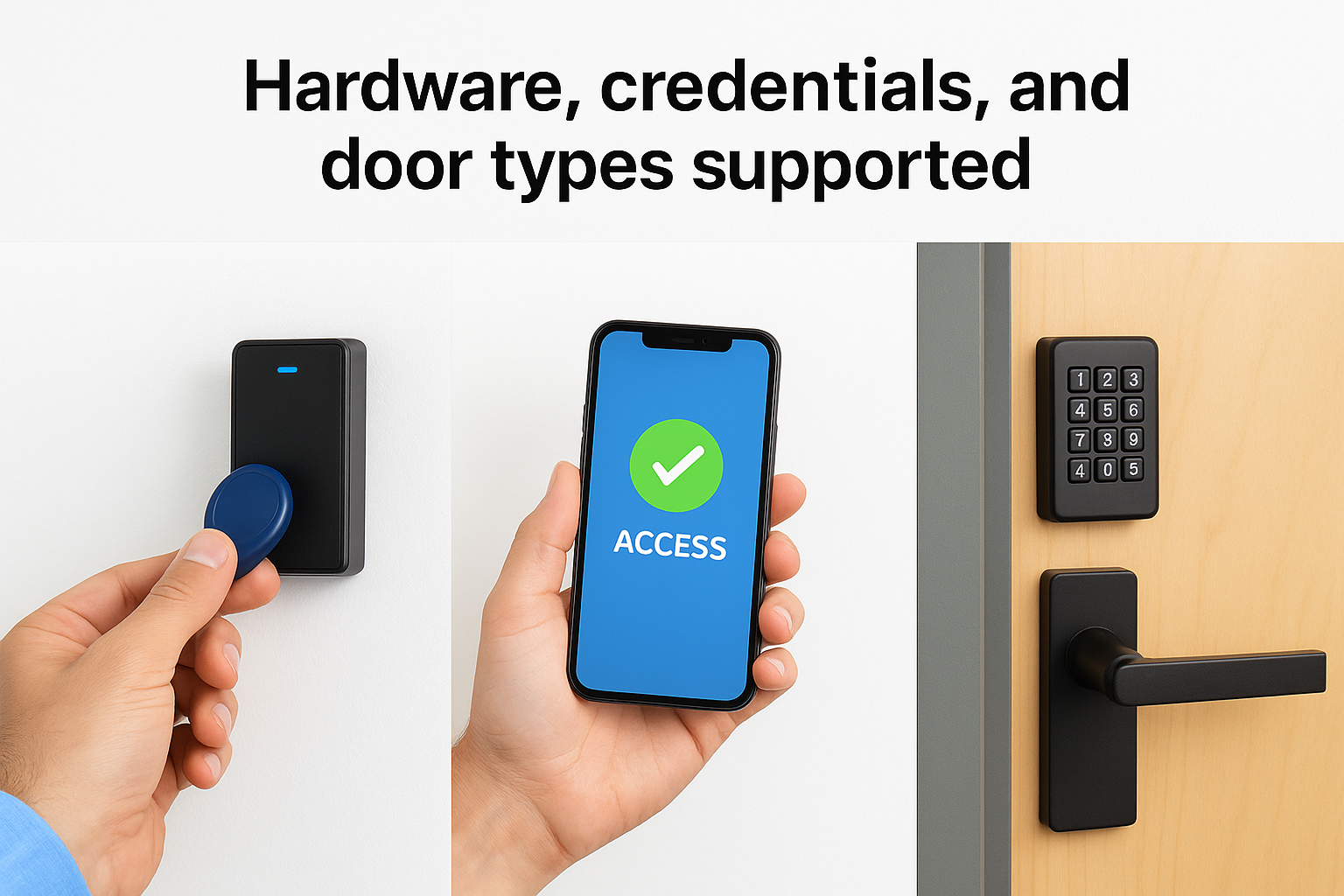
Paxton readers come in two primary form factors: proximity card readers and multi-technology readers that handle both card and mobile credentials. The readers mount to the wall surface adjacent to each door and communicate with the controller unit, which handles the access decision logic. Net2 and Paxton10 both use IP-connected controllers that wire back to your network infrastructure, while Switch2 uses a standalone controller that operates without any network connection.
Your door count directly determines how many controllers you need, since each Net2 controller typically manages one to two doors depending on the model you select.
Controller units mount inside a cabinet near each entry point, so your installation team needs to account for enclosure space and conduit routing during the planning phase rather than after cabling is already in the walls.
Credential types
Paxton supports several credential formats across its product lines, and your choice affects both the hardware you purchase upfront and the ongoing cost of issuing credentials to new users. The main options are:
- Proximity key fobs and smart cards: the most common format for commercial buildings, durable and straightforward to reissue
- Mobile credentials via smartphone: available on Paxton10, using Bluetooth or NFC to authenticate through the Paxton app
- PIN keypads: standalone or combined with card readers for two-factor entry on restricted doors
Mobile credentials reduce your physical inventory of cards and fobs, which simplifies onboarding for larger teams. However, they require users to have compatible smartphones and the Paxton app installed and configured, which adds an IT coordination step before deployment that some facilities prefer to avoid.
Door hardware compatibility
Paxton controllers work with the electric strike, magnetic lock, and electromagnetic lock mechanisms that are standard across commercial door hardware. Electric strikes fit most hollow-metal and aluminum storefront frames, while magnetic locks are common on heavy warehouse doors and fire-rated assemblies. Before finalizing your hardware order, your installer needs to confirm the door frame material, swing direction, and existing closer hardware so the correct release mechanism gets specified for each opening rather than retrofitted after the fact.
Installation needs: wiring, network, and power
Physical installation quality determines whether your paxton access control system performs reliably long-term or creates maintenance headaches within the first year. Controllers, readers, locks, and power supplies all need to connect through conduit and cabling that meets commercial standards. Before any hardware arrives on-site, your installer should conduct a full walk-through to identify conduit pathways, confirm network drop locations, and flag any door frames that need reinforcement for the lock hardware you’ve selected.
Cabling and conduit
Each reader requires a data cable run back to its controller, typically 22-gauge shielded multi-conductor cable routed through conduit from the reader location to the controller enclosure. The controller itself then connects back to your network switch via a standard Cat6 patch cable. Keeping reader cable runs within the manufacturer’s specified distance limits is critical, because signal degradation on longer runs causes intermittent read failures that are time-consuming to diagnose after the walls are closed. In concrete or masonry buildings, conduit installation requires core drilling and sleeve placement before any cable pulls happen, which adds both labor time and planning lead time to your project schedule.
Trying to save cost by skipping conduit in a commercial building almost always results in more expensive remediation work when cables get damaged or a building inspection requires correction.
Network infrastructure requirements
Net2 and Paxton10 controllers both connect to your local area network, which means your existing switch infrastructure needs available ports at or near each controller cabinet. If your building lacks network drops in the areas where controllers will mount, your installation plan needs to include additional Cat6 runs from the nearest IDF or switch closet. For Paxton10 cloud-managed deployments, those controllers also need reliable internet connectivity to sync with the cloud management dashboard, so your network design should account for bandwidth and uptime requirements before deployment begins.
Power supply and backup
Access control hardware runs on low-voltage DC power supplied through dedicated power supply units mounted inside each controller enclosure. Most installations include a battery backup module within each enclosure so doors continue operating normally during a power outage. Sizing your power supply correctly requires accounting for every device connected to that unit, including the controller board, reader, lock hardware, and any auxiliary outputs. Underpowering a controller is one of the most common installation errors and produces unreliable behavior that is difficult to trace without measuring actual current draw at the hardware level.
Pricing, licensing, and total cost to budget for
Budgeting for paxton access control requires looking at three separate cost categories: software licensing, physical hardware, and professional installation labor. None of these costs exist in isolation, and underestimating any one of them will leave your project short of what you need to complete the deployment properly. Paxton does not publish fixed retail pricing directly to end users, so your final numbers come from an authorized distributor or certified installer who quotes based on your specific door count, credential type, and software tier.

Software licensing costs
Net2 uses a perpetual license model where you pay once for the software rather than subscribing monthly, which keeps your long-term software cost predictable. The base license covers a standard user and door count, and you purchase expansion licenses as your deployment grows. Paxton10 moves toward a more subscription-oriented structure for its cloud management capabilities, so multi-site organizations managing access remotely should factor recurring license fees into their annual operating budget rather than treating software as a one-time line item.
Asking your installer for a multi-year cost projection that includes both base licensing and expansion packs gives you a far more accurate budget number than looking at the hardware cost alone.
Hardware and installation costs
Reader and controller hardware costs scale directly with your door count. A single-door kit including a reader, controller, and power supply typically runs in the range of several hundred dollars before labor, and that number compounds quickly across a 20 or 50-door facility. Magnetic locks and electric strikes add a separate hardware cost per door, and the variance between a basic electric strike and a heavy-duty magnetic lock for a warehouse fire door is significant enough to change your per-door average materially. You should build your hardware estimate door by door rather than applying a flat per-door average across your whole floor plan.
Installation labor is the cost category that surprises most buyers. Conduit routing, cabling, controller mounting, software configuration, and user programming all take professional time, and a commercial-grade installation in a warehouse or multi-floor office building involves considerably more labor than a residential or small-office job. A complete system covering 10 to 20 doors in a commercial building, including hardware, labor, and software licensing, typically lands in the low-to-mid five figures depending on site conditions and credential type. Getting a line-item quote from your installer before signing anything lets you compare total project cost accurately rather than comparing hardware prices alone.
How to buy Paxton and plan a rollout in Florida
Paxton does not sell directly to end users. To purchase paxton access control hardware and software, you need to work through an authorized Paxton distributor or a certified installer who sources product on your behalf. That relationship matters because your installer handles not just the purchase but also the system design, hardware specification, and ongoing support, so choosing the right partner shapes every phase of the project.
Finding an authorized installer in Southwest Florida
The Florida climate introduces specific considerations that affect both your hardware choices and your installation timeline. High humidity, extreme heat, and frequent storm activity all affect how controller enclosures and outdoor readers need to be specified and mounted. An installer with direct commercial experience in Southwest Florida understands these conditions and will account for them in your hardware selection before the first component ships to your site.
Working with a local installer who has completed commercial deployments in the region means your system gets specified for conditions that an out-of-state quote might overlook entirely.
When you evaluate potential installers, ask directly about their experience with multi-door commercial deployments and whether they carry a licensed electrical contractor certification in Florida. Access control wiring is low-voltage work, but installers operating in Florida commercial buildings still need to meet state licensing requirements, and verifying that upfront protects you from compliance issues during a building inspection.
Planning your rollout timeline
Most commercial rollouts in Florida benefit from a phased approach that starts with your highest-priority entry points and expands from there. Beginning with your main lobby, server room, or loading dock gives your team time to learn the software and refine your permission structure before you add the remaining doors. Trying to bring every door online simultaneously in a large warehouse or office building increases the risk of configuration errors that affect active operations, so building in a staged cutover date with your installer reduces that exposure significantly.
Your pre-installation planning phase should cover at minimum: a door-by-door hardware specification, a conduit pathway walkthrough, confirmation of network drops at each controller location, and a credential format decision for your entire user base. Completing that groundwork before ordering any hardware prevents the most common cause of project delays, which is discovering on installation day that a door frame, network drop, or power supply does not match what the original plan assumed.
Next steps
You now have a complete picture of what paxton access control involves, from product selection and hardware specification through installation requirements and total cost. The right system for your facility depends on your door count, network infrastructure, and how much administrative control you need day to day. Net2 covers most commercial buildings in Southwest Florida effectively, while Paxton10 makes more sense once you’re managing multiple sites or need tighter integration with your camera and alarm systems.
Before you commit to any hardware, get a site-specific quote that includes line-item costs for cabling, controllers, credentials, and software licensing so you know exactly what the full deployment will cost. Skipping that step leads to budget surprises mid-project.
CommX Networks doesn’t sell or install access control systems. If your Southwest Florida facility needs structured cabling, network infrastructure or commercial security cameras, call (239) 322-6340 or contact our team for a site assessment.