
Every device on your business network is a potential entry point for threats. Firewalls act as the gatekeepers, filtering traffic and blocking unauthorized access before it reaches your systems. But when it comes to choosing between a hardware firewall vs software firewall, the decision isn’t always straightforward. Each type operates differently, protects at a different level, and fits different business needs and budgets.
At CommX Networks, we design and build the physical network infrastructure that commercial facilities across Southwest Florida depend on, from structured cabling and LAN environments to security systems. A properly architected network doesn’t stop at cables and switches; it includes the right firewall strategy positioned at the right points in your infrastructure. That’s why understanding what separates these two firewall types matters before you invest in either one.
This article breaks down how hardware and software firewalls work, where each one excels, and where each falls short. We’ll cover performance, cost, scalability, and real-world use cases so you can determine whether your business needs one, the other, or both working together.
Why the difference matters for network security
Most businesses treat firewalls as a checkbox: install one, move on. But choosing the wrong type of firewall for your environment can leave significant gaps in your protection. A firewall positioned at the wrong layer of your network cannot stop threats it was never designed to see. Understanding the core differences in how hardware and software firewalls operate isn’t just academic; it directly determines what traffic gets inspected, where that inspection happens, and which attacks your network can actually block.
Where threats enter your network
Your network faces threats at multiple points simultaneously. Traffic enters from the internet through your router and switch infrastructure, but threats can also originate inside your network from infected devices, compromised employee endpoints, or rogue equipment. A firewall deployed only at the network perimeter watches external traffic but misses lateral movement inside the network. One deployed only on individual devices protects those endpoints but leaves the broader network exposed at the edge.
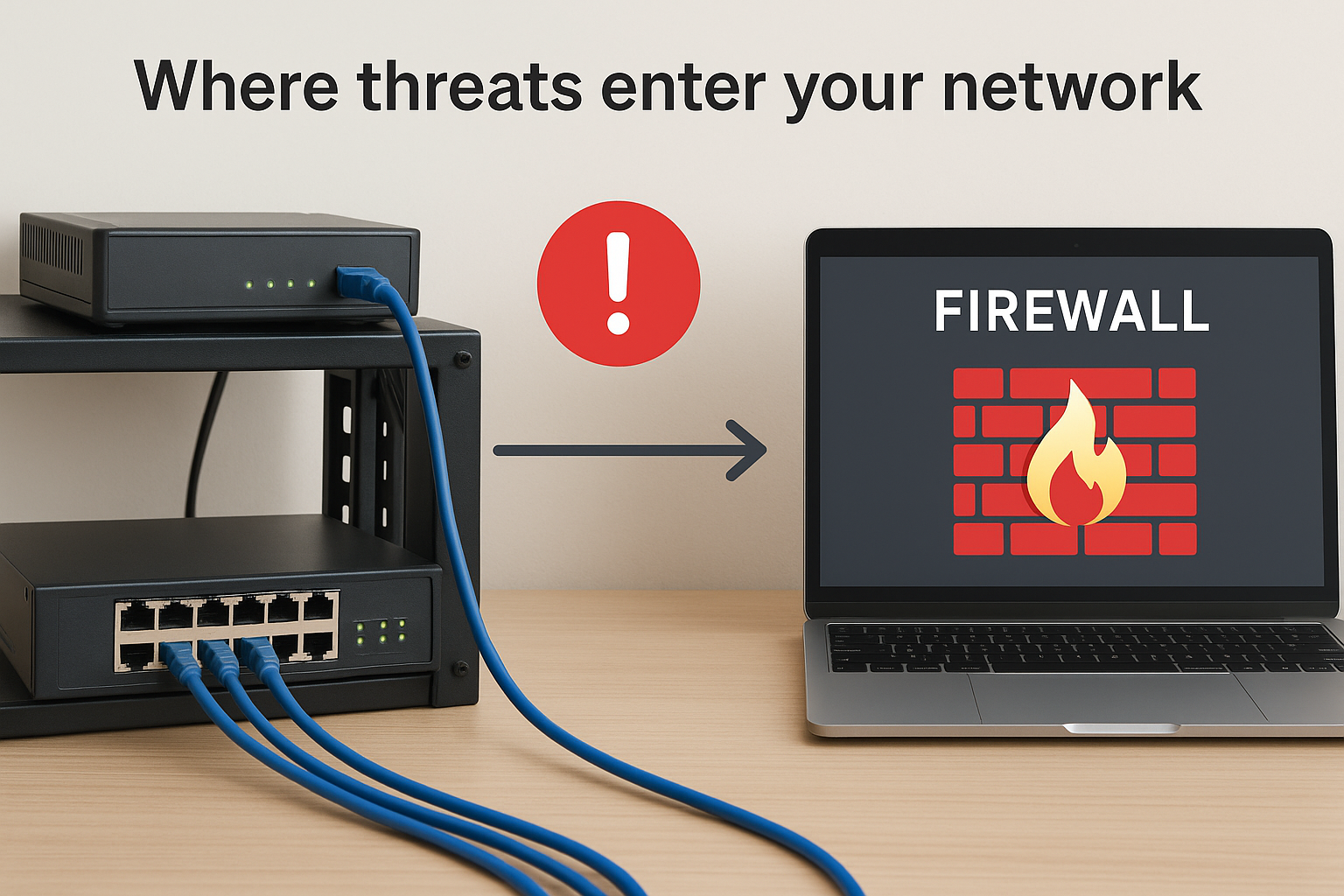
The position of your firewall determines what it can see, and what it cannot see is where attackers operate.
This distinction is exactly why the hardware firewall vs software firewall comparison matters so much in practice. Each type occupies a different physical and logical position in your network, which means each one intercepts threats at a different stage of an attack.
The limits of a single layer of defense
Relying on one firewall type creates blind spots. A hardware firewall inspects traffic as it crosses the network perimeter, but it has no visibility into what happens once that traffic reaches a specific device. If malware arrives inside an encrypted email attachment that passes perimeter inspection, the hardware firewall has already let it through. From that point, only a software firewall running on the endpoint has any chance of blocking the threat before it executes.
The reverse is also true. Software firewalls running on individual machines can be disabled by malware with elevated privileges, bypassed through operating system vulnerabilities, or misconfigured by end users who don’t understand the settings. Perimeter-level hardware protection stays active even when endpoint defenses fail, because it sits outside the reach of the compromised device entirely.
What’s at stake for commercial environments
For commercial facilities, including warehouses, office complexes, and distribution centers, the consequences of poor firewall placement go beyond data breaches. Operational downtime caused by ransomware or a compromised access control system can halt production, delay shipments, or trigger regulatory violations. The physical networks in these environments often connect not just computers but security cameras, building management systems, and industrial control equipment that were never designed with cybersecurity in mind.
Many of those devices cannot run software firewalls at all, which means perimeter protection becomes their only line of defense. A single misconfigured edge device with no perimeter firewall in front of it becomes an open door. Getting the firewall strategy right from the start of a network buildout protects every device on that network, including the ones that cannot protect themselves. That’s exactly why firewall decisions need to happen alongside the physical infrastructure design, not as an afterthought once the cabling is already in place.
Hardware vs software firewalls basics
Understanding the hardware firewall vs software firewall distinction starts with how each one is built and where it sits in your network. A hardware firewall is a dedicated physical appliance, typically installed between your internet connection and your internal network. A software firewall is a program that runs on an individual device, such as a server, desktop, or laptop. Both filter network traffic, but they intercept it at fundamentally different points in your infrastructure, which means they protect against different threats.
What a hardware firewall is
A hardware firewall is a standalone appliance with its own dedicated processor, memory, and operating system built specifically to inspect traffic. It sits at your network edge, usually between your modem or ISP connection and your core switch, and evaluates every packet that crosses that boundary. Because it runs on separate hardware outside your general computing environment, malware on a connected device cannot disable or modify it.
Common hardware firewall platforms include appliances from manufacturers like Cisco, Fortinet, and Palo Alto Networks. These devices handle functions including stateful packet inspection, VPN termination, and intrusion prevention without borrowing resources from the servers or workstations behind them. For commercial facilities with dozens or hundreds of connected devices, a single hardware appliance lets you enforce network-wide security policies from one central point.
A hardware firewall protects every device behind it, including equipment that cannot run its own security software.
What a software firewall is
A software firewall installs directly on a host device and monitors incoming and outgoing traffic for that specific machine only. Windows includes a built-in option through Windows Defender Firewall, and third-party endpoint security suites add more advanced rule sets. Because it only sees traffic tied to the device it runs on, its network visibility is narrower than a perimeter appliance.
What software firewalls give you that hardware alone cannot is application-level control on the endpoint itself. Your software firewall can block a specific application from reaching the internet, catch outbound connections made by malware already running on the machine, and apply rules based on the logged-in user. That level of granularity makes it a meaningful second layer once traffic has already cleared your network perimeter.
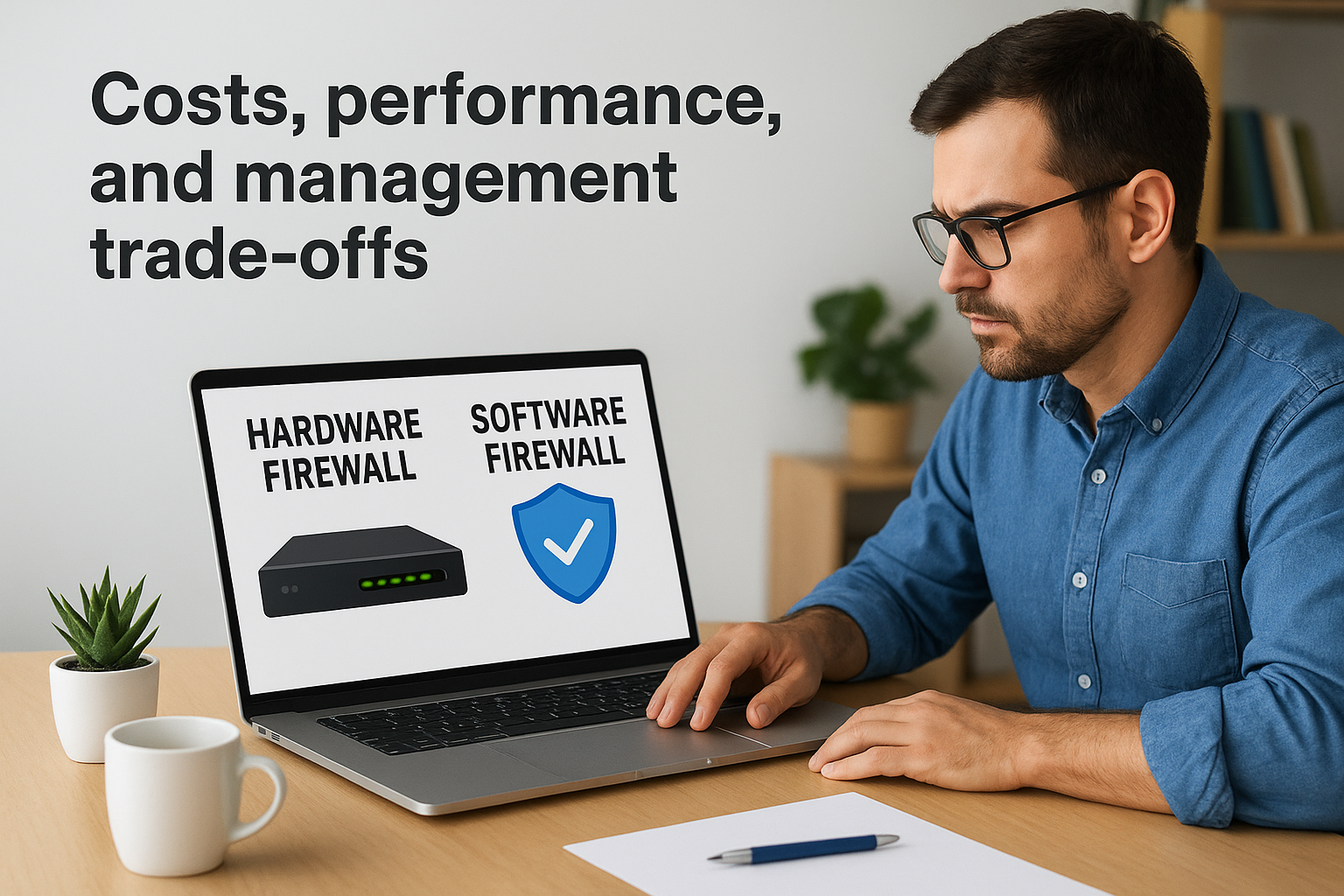
Costs, performance, and management trade-offs
When you evaluate the hardware firewall vs software firewall decision for your business, the technical differences only tell part of the story. Cost structure, throughput capacity, and day-to-day management burden all factor into which option actually fits your operation. Understanding these trade-offs helps you avoid overspending on capacity you don’t need or underspending in ways that create security gaps.
Upfront and ongoing costs
Hardware firewalls carry a higher initial price tag because you’re purchasing a dedicated physical appliance in addition to paying for licensing and support subscriptions. Enterprise-grade appliances from vendors like Fortinet or Cisco can run from a few hundred dollars for small business units to several thousand for commercial-scale deployments. Subscription renewals for threat intelligence feeds, firmware updates, and technical support add recurring costs that stack up over the device’s lifespan.
Software firewalls are generally cheaper to get started with. Many operating systems include a basic built-in firewall at no extra cost, and third-party endpoint security suites bundle firewall features into broader security packages. The catch is that scaling software firewalls across a large workforce means paying per-seat licensing fees that grow with your headcount, which can erode the cost advantage quickly in larger environments.
Performance under load
Hardware appliances are built to handle high packet throughput without degrading the performance of other systems. Because the appliance runs on dedicated hardware, inspection tasks don’t compete for CPU cycles with your servers or workstations. This matters most in commercial environments with heavy data traffic, such as warehouses running automated inventory systems or facilities streaming video from multiple security cameras simultaneously.
Software firewalls consume host device resources, which means heavy inspection workloads can slow down the machines they’re protecting.
Management complexity
Hardware firewalls centralize your policy management in one place, which simplifies audits and makes changes consistent across every device behind the appliance. Most enterprise appliances provide a web-based dashboard that lets your IT team update rules without touching individual machines.
Software firewalls distribute that management task across every device in your fleet. In a small office with five computers, that’s manageable. In a facility with 80 endpoints, maintaining consistent rule sets across all machines without a centralized endpoint management platform becomes a significant time investment that directly affects your team’s operational workload.
How to choose the right setup
Choosing between a hardware firewall and a software firewall comes down to three practical factors: the size of your environment, the types of devices on your network, and your IT management capacity. Most businesses don’t fail at security because they picked the wrong product. They fail because they picked a solution sized for a different problem than the one they actually have.
Consider your environment size and device count
If you manage a small office with fewer than ten devices, a software firewall on each machine combined with a basic perimeter router may provide enough protection for your risk level. The management overhead stays low, and the cost stays minimal. But as your device count grows, that approach breaks down quickly.
Commercial environments with 20 or more endpoints benefit significantly from a centralized hardware appliance at the perimeter. Rather than configuring and auditing security rules on each individual machine, you enforce policies from one appliance that covers every device behind it, including IP cameras, access control panels, and any other hardware that cannot run its own security software. The hardware firewall vs software firewall decision often resolves itself once you map out exactly how many devices need protection and what types they are.
If any device on your network cannot run a software firewall, a hardware appliance is not optional; it is the only protection that device has.
Match your budget to your actual risk exposure
Your budget should reflect the value of what you’re protecting, not just what seems affordable at the time of purchase. A company handling sensitive client data or running systems tied to physical operations, like inventory management or security camera feeds, faces higher consequences from a breach than a business that primarily uses email and basic productivity software.
Hardware appliances carry higher upfront costs, but they protect every device on your network simultaneously. Software firewalls scale per seat, which gets expensive in larger environments. Run both numbers against your actual headcount and device inventory before making a decision, because the cheaper option up front often costs more to manage at scale.
Regulatory requirements add another layer to this calculation. If your industry requires documented network security controls, a hardware appliance with centralized logging and audit trails is far easier to produce compliance evidence from than dozens of individually managed software configurations spread across your entire fleet.
When to use both in a layered design
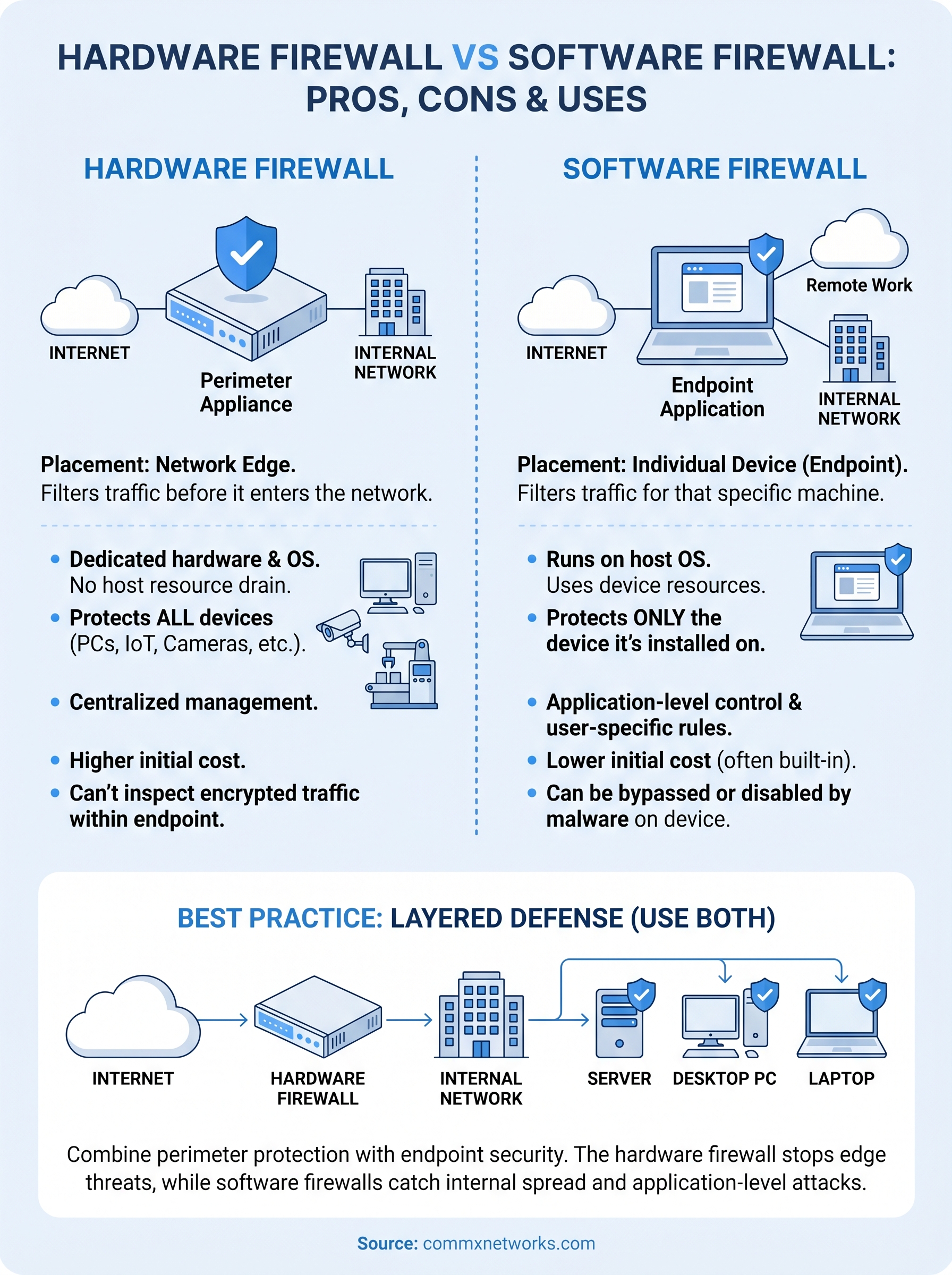
Most commercial environments benefit most from running hardware and software firewalls together, not choosing one over the other. The hardware firewall vs software firewall debate often frames these two options as competing choices, but they actually address different attack surfaces. Using both in a layered design closes the gaps that each option leaves open on its own.
How the layers work together
Your hardware firewall handles perimeter-level traffic inspection before anything reaches your internal network. It blocks unsolicited inbound connections, filters known malicious IP ranges, and enforces rules that apply to every device behind it simultaneously. That protection covers your IP cameras, access control panels, printers, and any other hardware that has no ability to run its own security software.
The hardware layer stops threats at the edge; the software layer catches what slips through to individual machines.
Once traffic clears the perimeter, your software firewalls take over at the endpoint level. They monitor application behavior, catch outbound connections that malware attempts to initiate from inside a device, and apply rules based on the specific programs running on each machine. Together, the two layers create overlapping coverage: if the hardware firewall misses a threat embedded in legitimate traffic, the endpoint software firewall still has the opportunity to block it before it causes damage.
Real-world scenarios where layered protection applies
Commercial facilities with mixed device environments show the clearest case for layered design. A warehouse running both office workstations and networked inventory scanners needs the hardware appliance to protect the scanners, which have no endpoint security capability, while software firewalls protect the workstations from application-level threats those same users introduce through email or web browsing.
Office environments with remote workers face a similar challenge from the opposite direction. Employees working from home laptops operate outside your hardware perimeter entirely, which means their endpoint software firewall becomes their primary protection. When those same employees connect to your main network through a VPN, the hardware appliance picks up again. Designing for both scenarios from the start means your protection stays consistent regardless of where a device is physically located.
The practical steps to implement a layered design are straightforward: deploy a managed hardware appliance at your network edge, install and enforce endpoint security software across all workstations and servers, and document the rules applied at each layer so your team can audit them consistently over time.
What to do next
The hardware firewall vs software firewall decision comes down to where threats enter your network and what devices you need to protect. Hardware appliances cover your entire network perimeter and protect devices that cannot run their own security software. Software firewalls handle endpoint-level threats that perimeter inspection alone misses. For most commercial environments, running both in a layered design gives you the most complete coverage without leaving gaps that attackers can exploit.
Your firewall strategy only works as well as the physical network infrastructure it sits on. Misconfigured switches, unsegmented VLANs, and inconsistent cabling can undermine even a well-chosen firewall setup. Getting the network design right from the start makes every security layer you add on top of it more effective.
If your facility in Southwest Florida needs a network infrastructure that supports a solid security foundation, contact CommX Networks to discuss your project.