
Every door, server room, and network endpoint in your facility is a potential entry point, and every entry point is a decision: who gets in, and who doesn’t. That’s the core question behind what is access control in security, and the answer shapes how businesses protect their people, their data, and their physical assets.
Access control is the system of policies, tools, and technologies that determines who is authorized to enter a space or use a resource. It applies to both the physical world (think badge readers on a warehouse door) and the digital world (think user permissions on a network). For commercial facilities, especially warehouses, office complexes, and distribution centers, these two sides often overlap. A single weak point in either one can expose the entire operation to theft, data breaches, or unauthorized access.
This article breaks down the types, models, and real-world examples of access control so you can make informed decisions about securing your business from the ground up.
Why access control matters in security
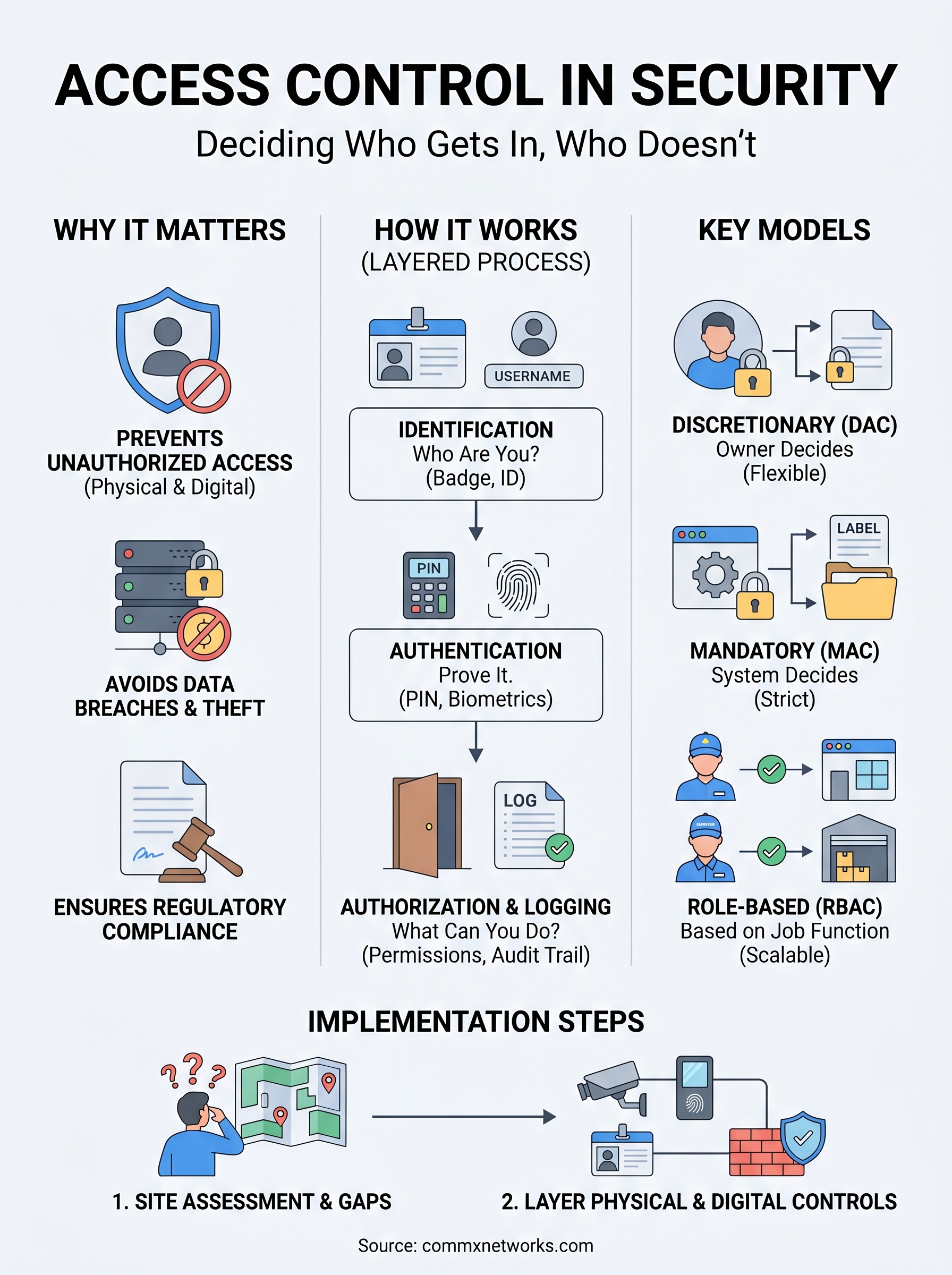
Understanding what is access control in security starts with understanding what happens when you don’t have it. Without clear controls over who can enter your facility, access your network, or interact with your data, you create gaps that are easy to exploit and hard to detect. Unauthorized access is one of the leading causes of both physical theft and data breaches in commercial environments, and the damage it causes almost always runs deeper than what shows up in an initial assessment.
The cost of getting it wrong
When access control fails, the consequences arrive fast and stack up quickly. A single unauthorized person entering a server room, a wiring closet, or a warehouse floor can compromise equipment, steal data, or disrupt operations for days at a time. In commercial environments with high foot traffic, like distribution centers, manufacturing plants, or large office complexes, the risk scales up because there are more entry points and more people moving through the space daily.
The longer a security gap goes unnoticed, the more it costs to close, in direct losses, operational downtime, and the effort required to audit what was exposed.
Regulatory exposure is another factor that businesses often overlook until it becomes a problem. Depending on your industry, failing to restrict access to sensitive areas or data can put your operation out of compliance with industry standards, which adds legal and financial liability on top of the operational damage you’ve already absorbed.
Physical and digital risks are connected
Most businesses treat physical security and network security as two separate concerns, but in practice, they are tightly linked. If someone gains unauthorized physical access to your building, they can plug directly into your network infrastructure, tamper with hardware, or walk out with devices that hold sensitive data. Your cabling, switches, and access points are not just technical components; they are active parts of your security architecture.
Running physical and digital access control as one integrated system is how serious commercial operations reduce their overall exposure. When your entry hardware, cameras, and network infrastructure all sit on a well-planned foundation, you gain consistent visibility and control across the full facility rather than patching isolated problems one at a time.
How access control works in practice
Access control runs as a layered decision process every time someone or something requests entry to a space or resource. Understanding what is access control in security at an operational level means tracking three core steps: identification, authentication, and authorization. Each step builds on the last, and all three must work together for the system to function correctly.
Identification and authentication
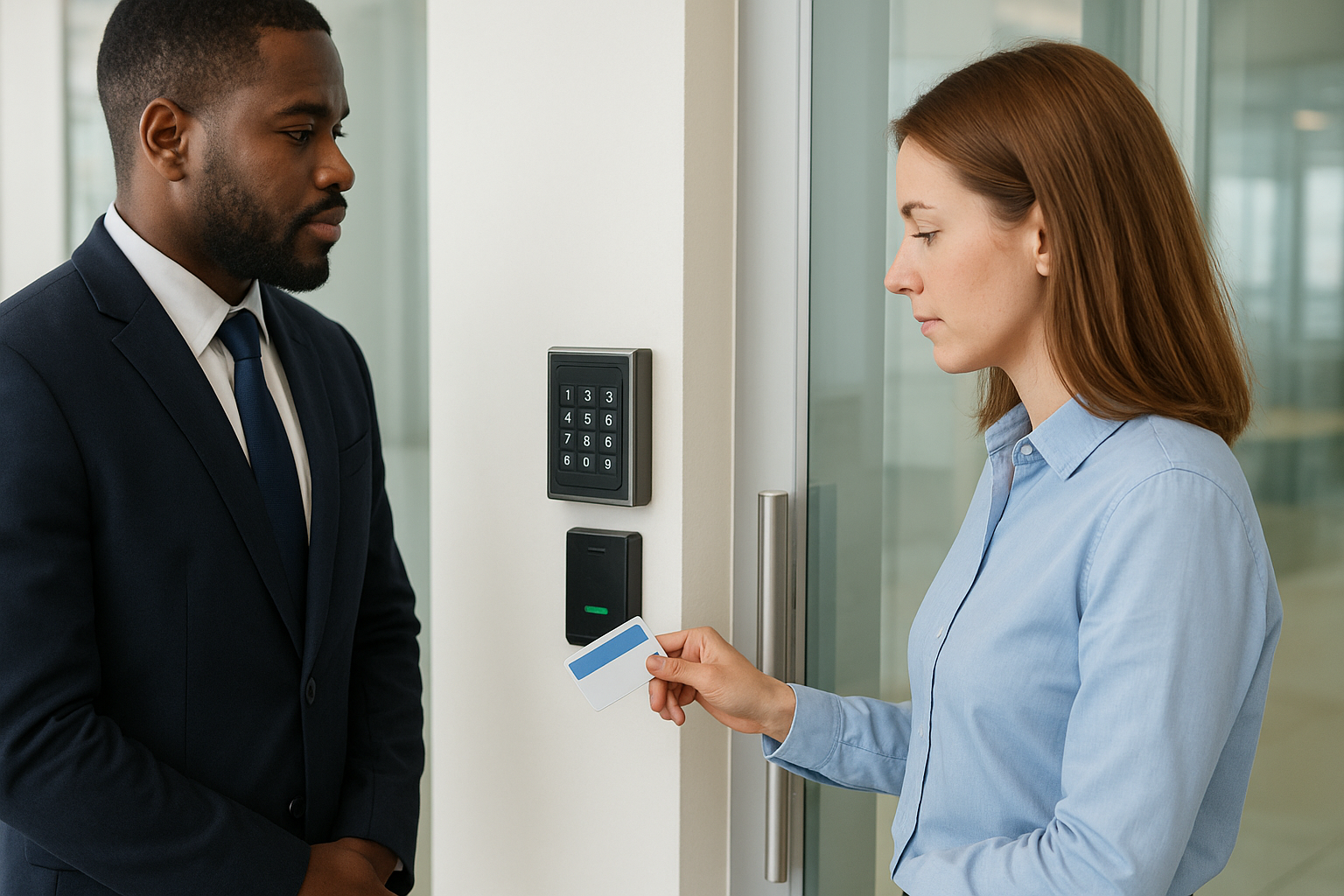
Identification is how a person or device announces who they are: a badge number, a username, or a device ID. Authentication verifies that claim through a PIN, a password, a biometric scan, or a physical key card. Without both working in sequence, the system has no reliable way to make access decisions.
The two steps are distinct but inseparable. A badge without a PIN is just identification. When commercial facilities combine both into a single verification process, they close a gap that single-factor systems consistently leave open.
Authorization and logging
Once identity is confirmed, authorization determines what that person or device can actually do: which doors they can open, which network segments they can reach, or which files they can read. This is where access policies translate business rules into system-level permissions.
The more specific your authorization rules are, the harder it is for unauthorized activity to blend in with normal operations.
Systems also log every interaction, giving you an auditable record of who accessed what, when, and from where. That record is what lets your team catch unusual activity before it turns into a serious incident.
Types of access control models
When you work through what is access control in security, the model you choose defines how your system makes decisions at scale. Each model applies a different logic to permission management, and the right one depends on the size of your operation, the sensitivity of your assets, and how much administrative control you want to maintain.
Discretionary and mandatory access control
Discretionary Access Control (DAC) puts permission decisions in the hands of the resource owner. If you own a file or a space, you decide who else can access it. This model offers flexibility but creates inconsistency in larger organizations where individual owners make different choices about the same types of data.
Mandatory Access Control (MAC) removes that discretion by enforcing rules set at the system level, which makes it a stronger fit for high-security environments.
MAC assigns fixed labels to both users and resources, then only permits access when the labels match. Government facilities and regulated industries rely on this model because no individual user can override the policy, which limits the damage a single compromised account can cause.
Role-based and attribute-based access control
Role-Based Access Control (RBAC) is the most widely deployed model in commercial environments. You assign permissions to roles, then assign roles to users. A warehouse supervisor gets one set of access rights; a floor technician gets another. RBAC scales well because adding a new employee means assigning a role, not rebuilding individual permissions from scratch.
Attribute-Based Access Control (ABAC) goes further by evaluating multiple factors at once, such as a user’s department, the time of day, and the device they are using, before granting access.
Common access control methods and examples
When you apply what is access control in security to real operations, the methods break into two categories: physical and digital. Most commercial facilities need both working together, because a gap in either one leaves the other exposed.
Physical access control methods
Key card and badge readers are the most common entry point for physical access control in commercial buildings. You assign cards to employees, program access levels by role, and revoke them instantly when someone leaves. For high-value areas like server rooms or executive offices, biometric readers such as fingerprint or retinal scanners add a second layer that a stolen card cannot bypass alone.
Combining badge access with video surveillance gives you both prevention and documentation, which matters when you need to investigate an incident after the fact.
Intercoms and video-verified entry work well for controlled perimeters, such as loading docks or restricted labs, where you want a human checkpoint before granting access.
Digital access control methods
On the network side, multi-factor authentication (MFA) is the baseline standard for most business environments. It requires users to confirm their identity through two separate factors before accessing systems or data, which significantly reduces the risk from stolen credentials. Role-based permissions inside your software and operating systems control what authenticated users can actually see or modify once they are in.
Network segmentation is another practical method: it divides your infrastructure into zones so that a compromised device in one area cannot automatically reach sensitive systems in another.
How to implement access control for businesses
Putting what is access control in security into practice at your facility starts with knowing what you’re protecting and where your current gaps are. Before you install any hardware or configure any software, you need a clear picture of your physical entry points, your network architecture, and the sensitivity levels of different areas and data across your operation.
Start with a site assessment
Walk through your facility and identify every point where people, devices, or data move in or out. Map your server rooms, wiring closets, loading docks, and office zones separately, because each area likely needs a different access tier. Once you have that map, match it against your workforce roles so you can build a permission structure that reflects how your business actually operates day to day.
Skipping the assessment phase and jumping straight to hardware often results in overlapping gaps and redundant spend that takes significant effort to untangle later.
Layer your controls and plan for growth
No single tool covers every risk, so combine physical and digital controls rather than treating them as independent projects. Badge readers on sensitive doors should pair with network segmentation inside those same rooms. MFA on your systems should align with the role-based permissions you’ve already assigned to your staff. Each layer reinforces the others, which is how you build a system that holds up as your facility expands or your team changes over time. Commission a licensed contractor to handle the physical cabling and hardware installation to make sure your infrastructure meets commercial standards from the start.
Where to go from here
You now have a working answer to what is access control in security: it is the layered system of policies, hardware, and digital tools that controls who enters your spaces and who reaches your data. The models and methods covered here give you a framework for evaluating your current setup and identifying where your facility has gaps that need to close before they become incidents.
The next step is action, not more research. Start with a site assessment, map your entry points and network zones, and build your permission structure around how your business actually runs. CommX Networks doesn’t sell or install access control systems. If your Southwest Florida facility needs structured cabling, network infrastructure or commercial security cameras, call (239) 322-6340 or contact our team for a site assessment.