
Controlling who walks through your doors, and tracking when they do it, is one of the most fundamental security decisions a business makes. Dormakaba access control systems have become a go-to solution for organizations that need more than a traditional lock and key, offering everything from electronic locks and card readers to full-scale management software that ties an entire facility together.
But dormakaba’s product lineup is broad, and figuring out which components actually fit your operation takes some homework. Whether you’re securing a single office suite or managing access across a multi-building campus, the right combination of hardware and software matters. Understanding what’s available, and how the pieces connect, puts you in a much stronger position before you commit to a system or a vendor.
This guide breaks down dormakaba’s core product categories, locks, readers, and software, so you can evaluate whether their solutions align with your facility’s security requirements and long-term plans.
What dormakaba access control includes
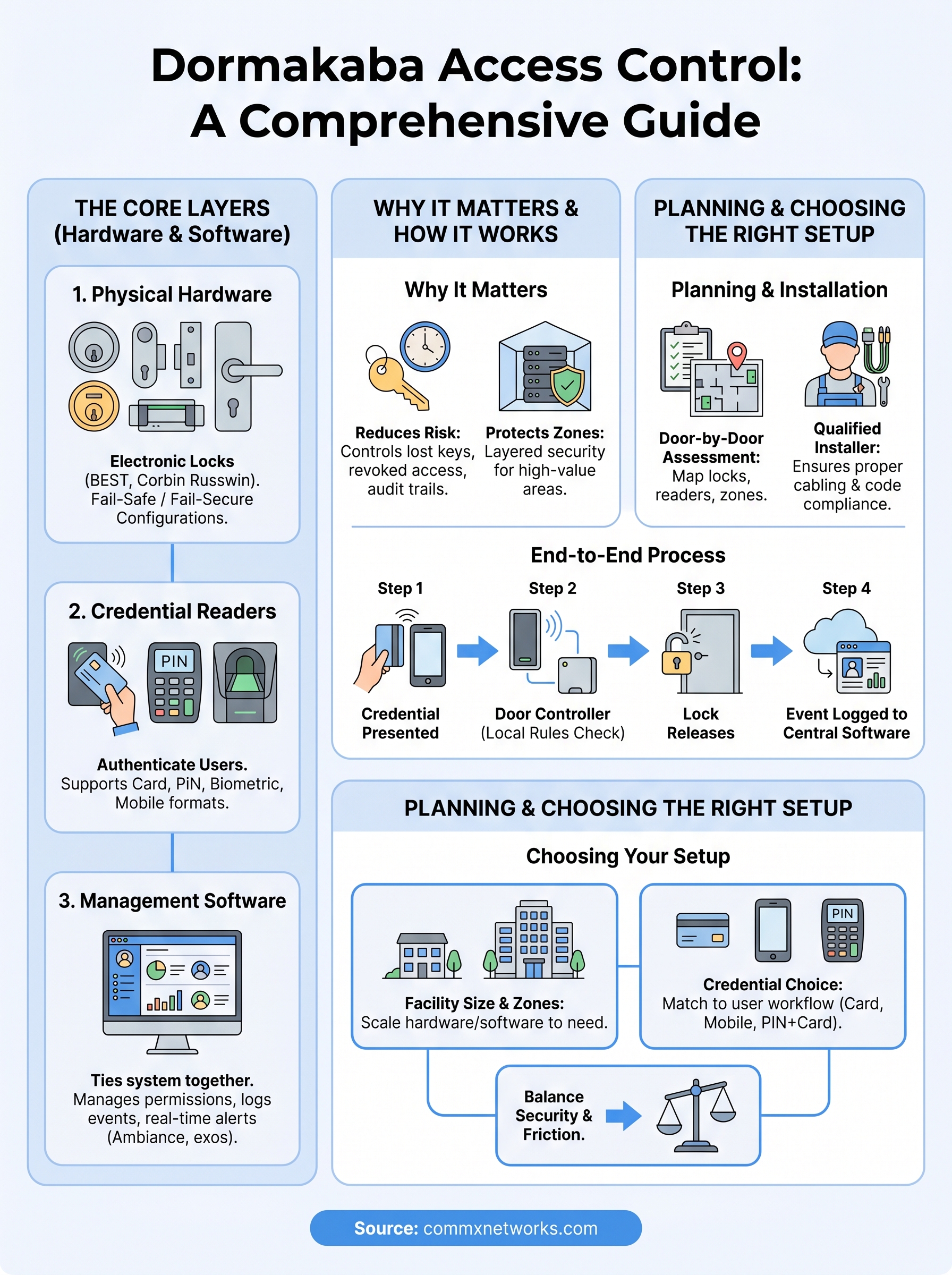
Dormakaba access control is built around three interconnected layers: physical hardware like locks and door hardware, credential readers that verify identity, and software platforms that manage and monitor the whole system. Each layer plays a specific role, and the strength of the overall system depends on how well those layers work together in your facility.
Electronic Locks and Door Hardware
Dormakaba manufactures a wide range of electronic locks designed for commercial use, including cylindrical locks, mortise locks, exit devices, and electromagnetic locks. Their BEST and Corbin Russwin product lines are widely used in corporate offices, healthcare facilities, and educational campuses because they support multiple credential types and integrate cleanly with existing door hardware. Many models also offer fail-safe and fail-secure configurations, giving you direct control over how doors behave during a power outage.
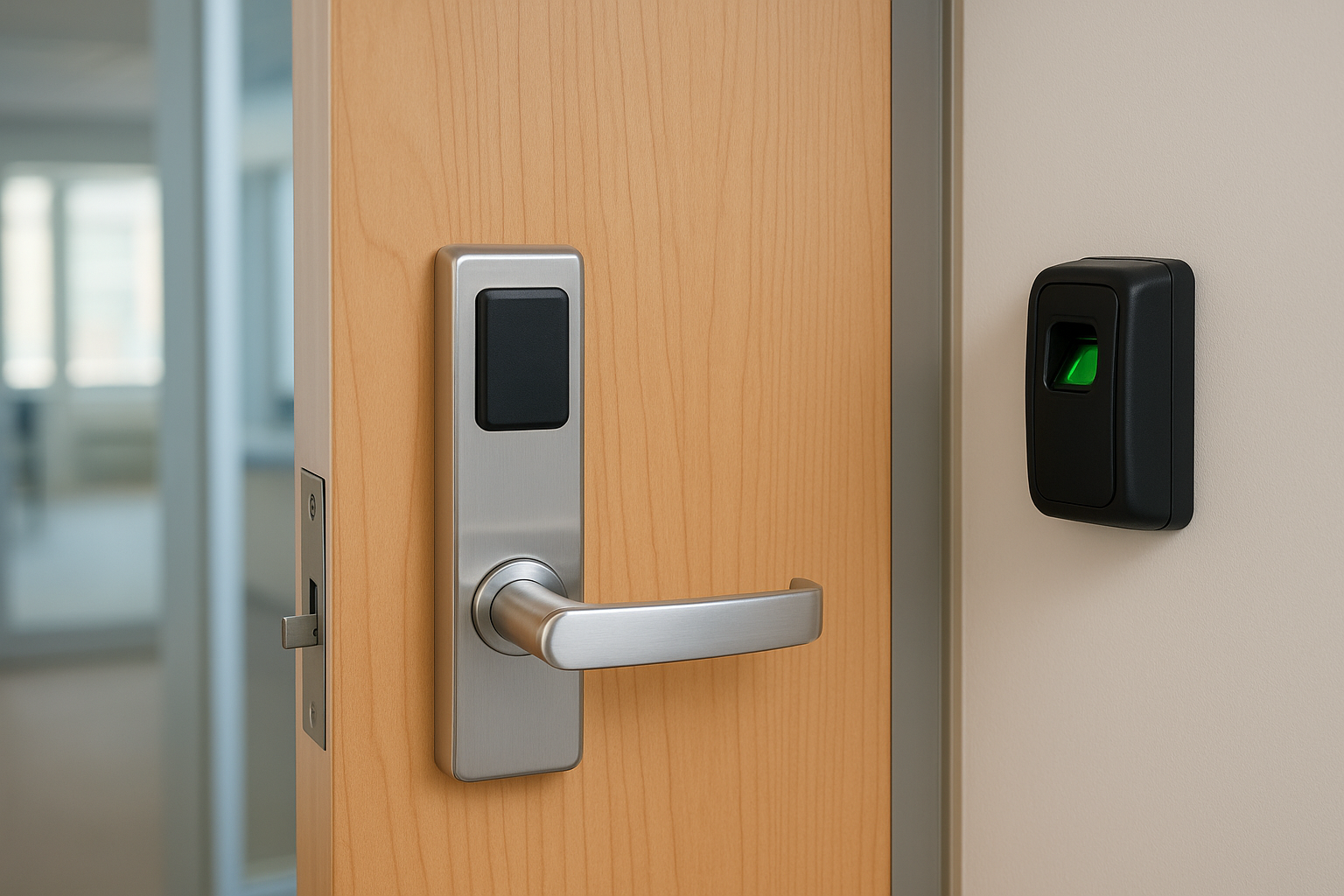
Choosing between fail-safe and fail-secure depends entirely on your building’s life safety requirements and local fire codes, not personal preference.
Credential Readers and Identity Verification
Readers are the front-line hardware that authenticate people before granting access. Dormakaba offers card readers, PIN pads, biometric readers, and mobile credential readers that work with formats including RFID, smart card, and Bluetooth. Selecting the right reader type depends on your security level requirements and how much friction you’re willing to introduce at each entry point.
Many facilities mix reader types across zones. A lobby might use a simple card tap, while a server room requires a PIN plus card combination. Dormakaba’s hardware supports that layered approach, so you don’t have to standardize on a single credential method across an entire building.
Access Management Software
Software ties the hardware together. Dormakaba’s Ambiance and exos platforms handle credential management, door scheduling, event logging, and real-time alerts from a central dashboard. These platforms let you assign access levels by role, set time-based restrictions, and pull audit reports without sorting through physical logs or disconnected spreadsheets.
Why dormakaba access control matters in facilities
Most facility security failures don’t come from sophisticated breaches. They come from lost key cards, shared PINs, or former employees who still have access weeks after leaving. A structured system like dormakaba access control addresses those gaps directly by giving you precise, auditable control over who can enter each zone and when.
Reducing Risk at Scale
Physical security risks multiply as a facility grows. A single building with ten doors is manageable with traditional locks, but a campus with dozens of access points and hundreds of users becomes a liability without a centralized system. Dormakaba’s hardware and software let you revoke access instantly, set time restrictions by role, and generate reports that hold up during an internal audit or insurance review.
The ability to pull a timestamped access log for any door in seconds is one of the clearest differences between a managed system and a basic lock-and-key setup.
Protecting High-Value Zones
Not every room in your building carries the same risk. Server rooms, executive areas, and storage rooms for sensitive inventory need tighter controls than a general office floor. Dormakaba lets you apply different credential requirements to different zones, so you can restrict a server room to a small group while keeping common areas accessible to your full staff. That layered access structure reduces exposure without creating friction for everyday operations.
How dormakaba access control works end to end
Dormakaba access control follows a consistent sequence every time someone requests entry. A credential, whether a card, PIN, or mobile device, gets presented to a reader, the reader sends that data to the access controller, the controller checks it against a stored permission set, and the door either unlocks or stays locked. That sequence takes less than a second but involves several hardware and software components working in sync.
From Credential to Entry
The reader captures your credential and passes it to the door controller, a small hardware unit typically mounted near the door. The controller checks the credential against an access rule database that defines which users can open which doors during which hours. If the match clears, the controller triggers the lock to release. No live server connection is required at the door level, so the system still functions during a network interruption.
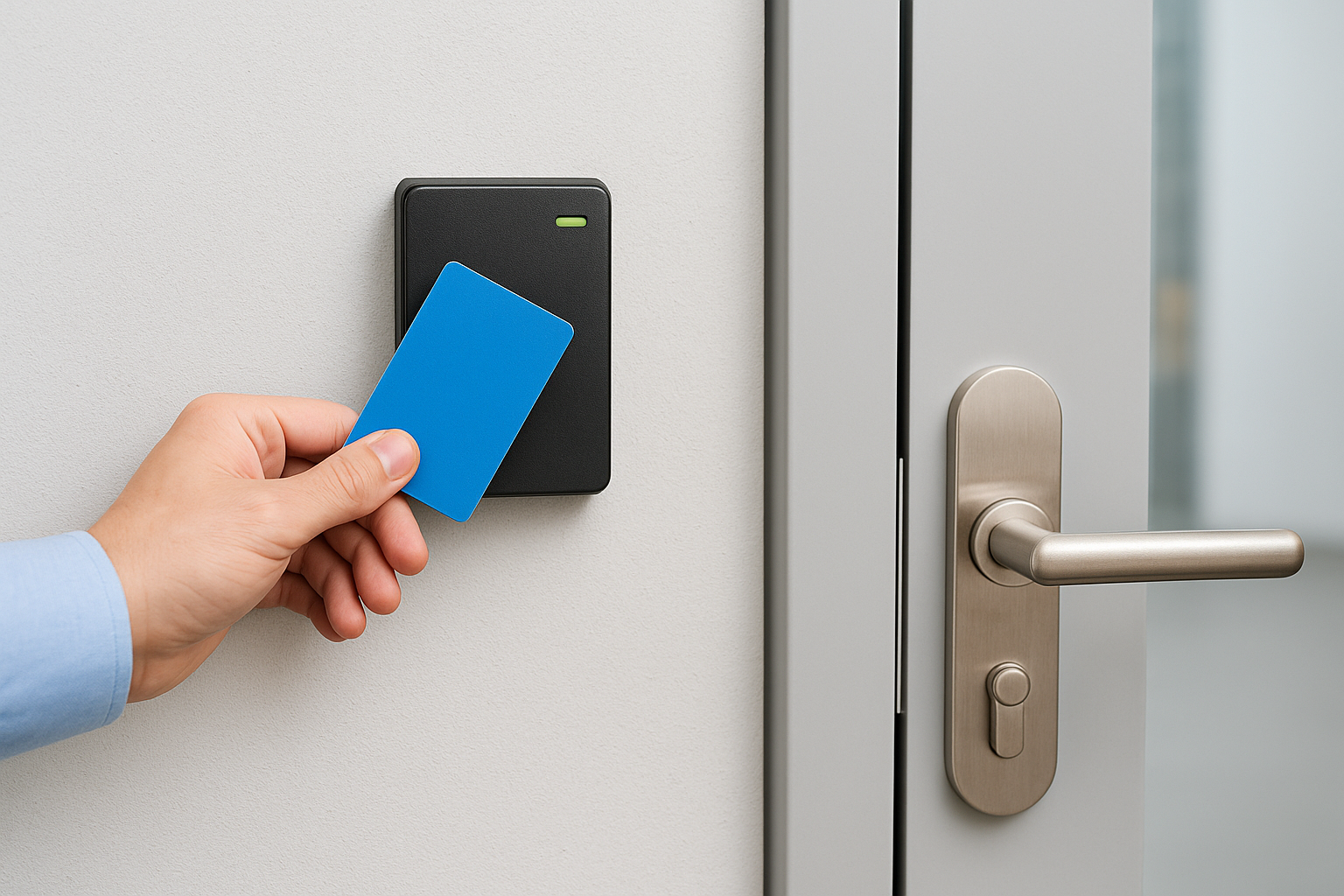
Local controller processing is what keeps dormakaba systems operational even when your network goes down momentarily.
From Entry to Central Dashboard
Every access event, whether granted or denied, gets logged and sent back to the central software platform. That log includes the door, the credential used, and a timestamp. Your security team can pull those audit records on demand, configure real-time alerts for repeated failed attempts, and adjust access permissions without touching any physical hardware at the door.
How to plan and install a dormakaba system
Planning a dormakaba access control installation starts well before any hardware gets ordered. You need a clear picture of your facility layout, the number of doors you’re securing, and the credential types your users will carry. Skipping this step leads to mismatched hardware, gaps in coverage, and expensive rework once the system is already live.
Start with a door-by-door assessment
Walk every access point and document what each door needs: lock type, reader format, and whether the door requires fail-safe or fail-secure behavior. Group doors by security zone so you can assign access levels before the software gets configured. That groundwork makes the installation faster and the final setup much easier to manage long term.
Mapping your doors before ordering hardware saves significant time and prevents costly mid-project changes.
Work with a qualified installer
Dormakaba hardware requires proper cabling, controller mounting, and software configuration to function correctly. A qualified installer will handle the physical layer, including running low-voltage wire to each door controller, terminating connections cleanly, and testing the full path from reader to software before handoff. Your installer should also understand local building codes and life safety requirements, since those directly affect how certain doors get wired and configured. Confirming that expertise upfront protects your investment and keeps the project on schedule.
How to choose the right dormakaba setup
Choosing the right dormakaba access control configuration depends on three factors: the size of your facility, the number of distinct security zones you need to manage, and the level of credential friction your users can realistically handle day to day. Getting those factors wrong early produces a system that either over-engineers simple areas or under-protects sensitive ones.
Consider your facility size and security zones
Smaller facilities with fewer than 20 doors can often run a straightforward system with a single controller and basic card readers. Larger facilities with multiple buildings or floors need a networked controller architecture and a software platform that handles hundreds of credentials and access rules simultaneously. Map your zones first, then size the hardware to match what you actually need.
If your facility is likely to grow in the next three years, choose hardware and software that scale without requiring a full system replacement.
Match your credential type to your users
Your users’ daily workflow should drive your credential choice. Mobile credentials work well for enrolled staff who carry smartphones but create friction for contractors or visitors who aren’t in the system. Card-based systems remain the most practical option across mixed user groups because they’re simple to issue and easy to revoke. Common formats to compare:
- Card or fob: lowest friction, works for any user group
- Mobile: convenient for regular staff, not suited for temporary access
- PIN plus card: best for high-security zones that need two-factor verification
Next steps for your facility
You now have a clear picture of what dormakaba access control covers, from electronic locks and credential readers to the software that ties every door together. The next move is straightforward: assess your facility, document your access points, and decide which credential type fits your users’ daily workflow. Skipping that groundwork leads to hardware mismatches and configuration problems that are far more expensive to fix after installation than before it.
The physical layer matters just as much as the hardware you choose. Structured cabling, controller mounting, and clean terminations directly affect how reliably your system performs over time. Getting that layer right from the start keeps your investment protected and your system functioning without constant maintenance calls. CommX Networks doesn’t sell or install access control systems. If your Southwest Florida facility needs structured cabling, network infrastructure or commercial security cameras, call (239) 322-6340 or contact our team for a site assessment.